
AUTOPILOT PRO EA is an autopilot EA MT5 for the EURUSD pair on the M1 timeframe, and it runs fully automated. Therefore your job is small: pick a risk mode, set the lot size, and let the robot work.
Extremely Low Drawdowns + Set and Forget Mode + Excellent Returns
Specifications
- PLATFORM: MT5
- TF: M1
- PAIRS: EURUSD (1 ULTRALOWRISK AND 4 LOWRISK MODES), ALL PAIRS BUT WITH MORE DD
- MIN DEPOSIT: From $100 PER PAIR
- LEVERAGE: ALL BUT WE USE 1:500
What the autopilot EA MT5 does
- AUTOPILOT PRO EA is a fully automated system meticulously crafted for the EURUSD pair on the M1 timeframe.
- You have the option to trade across all pairs, but drawdown can be higher. Our primary focus is on minimizing drawdown, so we selected the pair with the lowest spread across most brokers and fine-tuned our strategy for it. However, if you prefer, you can check other pairs on historical data and then choose the ones that suit your broker.
- Your involvement? Minimal. First, select one of our 5 risk modes. Then adjust the lot size per our specifications, and it begins trading almost instantly.
- With a mere $100 in your account, you can harness the power of this robot. But remember, optimal performance thrives in accounts with low spreads.
A real result on EURUSD M1
Always on the EURUSD pair, TF M1, leverage 1:500, ECN account (our broker used is Roboforex).
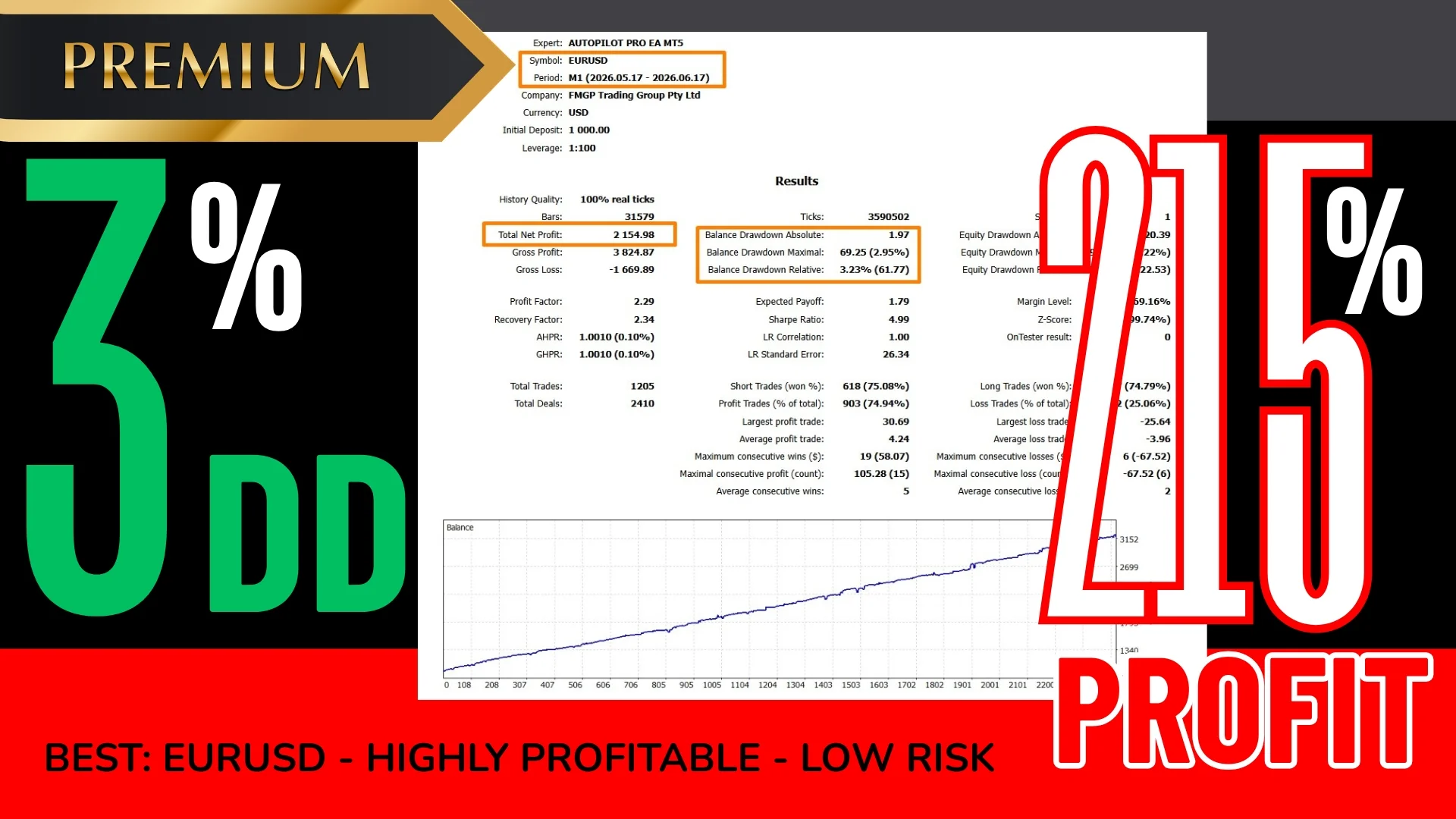
Select your preferred lot size according to your comfort level with risk/reward. The EA operates with default settings, so you only need to adjust the lot size, nothing else!
How to install the autopilot EA MT5 in MetaTrader 5
- First, download the file from your account and unzip it.
- Then open MetaTrader 5 and click File > Open Data Folder.
- Next, open the Experts folder inside the MetaTrader data folder and paste the .ex5 there.
- After that, right click Expert Advisors in the Navigator and choose Refresh.
- Now drag the robot onto a EURUSD chart and set the timeframe to M1.
- Then pick your risk mode and set the lot size for your balance.
- Finally, enable Algo Trading on the toolbar, so the EA can place its orders.
Risk reminders before you go live
This is algorithmic trading on the M1 timeframe, so spread and execution speed matter. For that reason, use a low spread ECN account and try the robot on a demo account first. Also, keep the terminal online while it works, either on a VPS or on a computer that stays on.
Trading leveraged products carries a high level of risk to your capital. Past results do not guarantee future results. You trade at your own risk.
Trading on MetaTrader 4? Then get Autopilot Pro for MT4. Also, you can browse all our Expert Advisors to compare more automated robots.











 Binary Forex EA