Guardian Scalper EA is a fully automated trading robot for MT4, and it was crafted for the EURUSD and GBPUSD pairs on the M5 timeframe. Moreover, it accepts any other pair and any other timeframe, so you can spread it across the watchlist you already follow. From $100 per pair, the robot starts to work on its own.
Guardian Scalper EA specification
- PLATFORM: MT4
- TF: ALL BUT BEST M5-M1
- PAIRS: ALL BUT BEST: EURUSD – GBPUSD
- MIN DEPOSIT: From $100 PER PAIR
- LEVERAGE: ALL BUT WE USE 1:500
- ACCOUNT TYPE: ECN – ZERO SPREAD – LOW SPREAD ACCOUNT
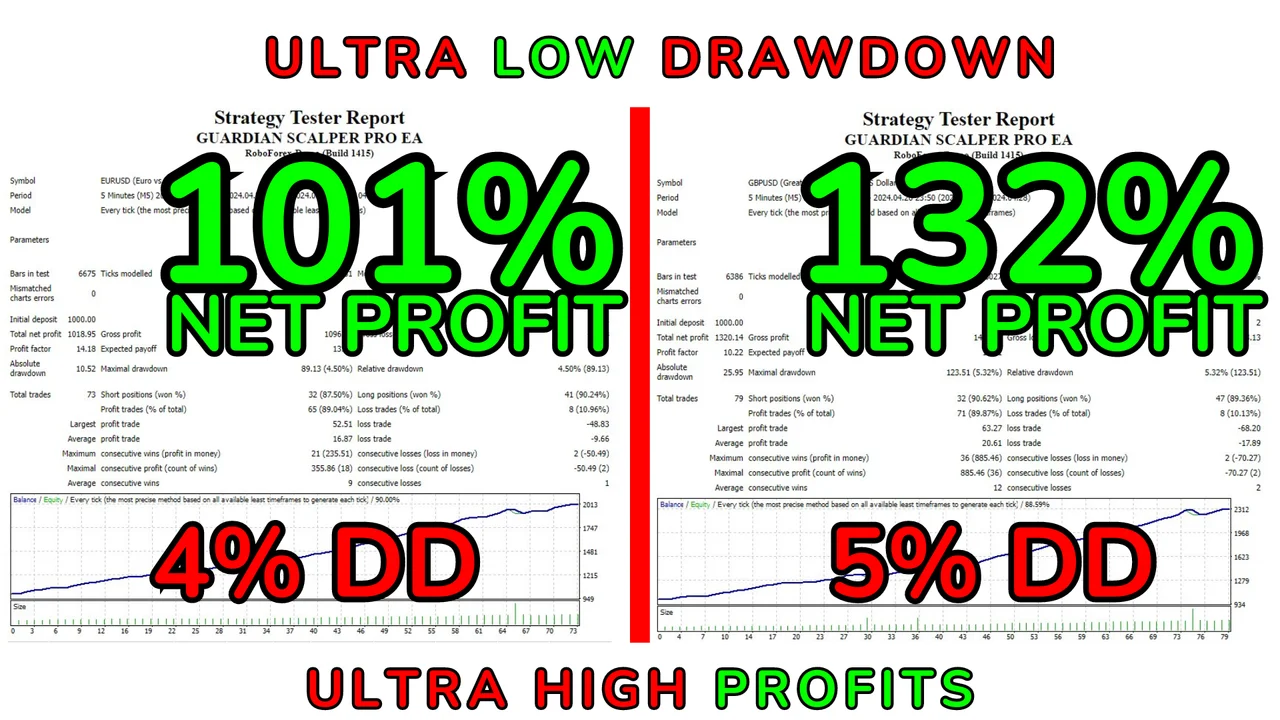
HUGE PROFITS – ULTRA LOW DD
The Smart Line System inside the robot
The GUARDIAN SCALPER PRO EA stands out as a fully automated trading robot, meticulously crafted for the dynamic landscape of the EURUSD – GBPUSD currency pairs on the M5 timeframe. Beyond its specialized focus, this EA flexes its capabilities across diverse currency pairs and timeframes.
At its core, the EA integrates the Smart Line System, a sophisticated mechanism harnessing values from indicators to pinpoint potential entry and exit points. Because the lines come from the indicator values themselves, the robot reads the same chart you read. Therefore, an entry never depends on a hidden opinion of the market.
Strategies you can switch on and off
Diversifying its approach, the EA employs a range of trading strategies including scalping, grid, and martingale (which can be toggled off for a fixed lot). These strategies adapt seamlessly to the trader’s preferences.
Before you leave the progression active, however, read what a martingale really does to a balance. Then decide with open eyes. If you prefer a calm equity curve, simply switch the option off and the robot trades a fixed lot instead.
Why Guardian Scalper EA needs an ECN account
As the EA operates as a scalper, opting for a Scalper account, specifically ECN or Zero Spread, is crucial. A scalper pays the spread on every single order, so a wide quote eats the small targets first. For that reason, check the cost of EURUSD and GBPUSD on your own platform, and do it during the hours you plan to leave the robot running.
Start on demo, then move to a live account
A prudent approach is advocated: initiate EA trades exclusively on demo accounts, and do not rely on a simulation over past data. Transition to a live account only when confidence in the EA’s operational nuances is firmly established. Furthermore, keep the first live deposit close to the $100 per pair that we recommend, because a small balance teaches the same lessons at a lower cost.
Installing Guardian Scalper EA on MT4
First, open MetaTrader and click File > Open Data Folder. Then copy the robot into the Experts folder inside that data folder. Next, restart the platform or refresh the Navigator panel. After that, drag the Expert Advisor onto the M5 chart of the pair you chose. Finally, switch AutoTrading on, and check that the smiley face appears in the corner of the chart.
Before you start
- Use one chart per pair, and fund the account with at least $100 for each pair you add.
- Leverage is free, although we use 1:500 on our own accounts.
- A VPS is not mandatory. However, without one you must keep the computer running, since the robot only trades while the platform stays open.
Trading involves risk, therefore only trade with money you can afford to lose. Past results do not guarantee future results. You trade at your own risk.
Would you like to compare the rest of our robots for MetaTrader? Then browse all our Expert Advisors.