


Beast FX Scalper Pro, a GBPUSD scalper EA for MetaTrader 4
The Beast Scalper Pro EA stands out as a fully automated trading robot, meticulously crafted for the dynamic landscape of the GBPUSD currency pair on the M5 timeframe. Beyond that specialized focus, this GBPUSD scalper EA flexes its capabilities across diverse currency pairs and timeframes.
What the GBPUSD scalper EA needs
- PLATFORM: MT4
- TF: ALL BUT BEST: M5
- PAIRS: ALL BUT BEST: GBPUSD
- MIN DEPOSIT: From $100 PER PAIR
- LEVERAGE: ALL BUT WE USE 1:500
- ACCOUNT TYPE: ECN OR ZERO SPREAD
Inside the engine
- At its core, the EA integrates the Smart Line System, a sophisticated mechanism harnessing values from indicators to pinpoint potential entry and exit points.
- Diversifying its approach, the robot employs a range of trading strategies including scalping, grid, and martingale, which you can toggle off for a fixed lot. These strategies adapt seamlessly to the trader’s preferences.
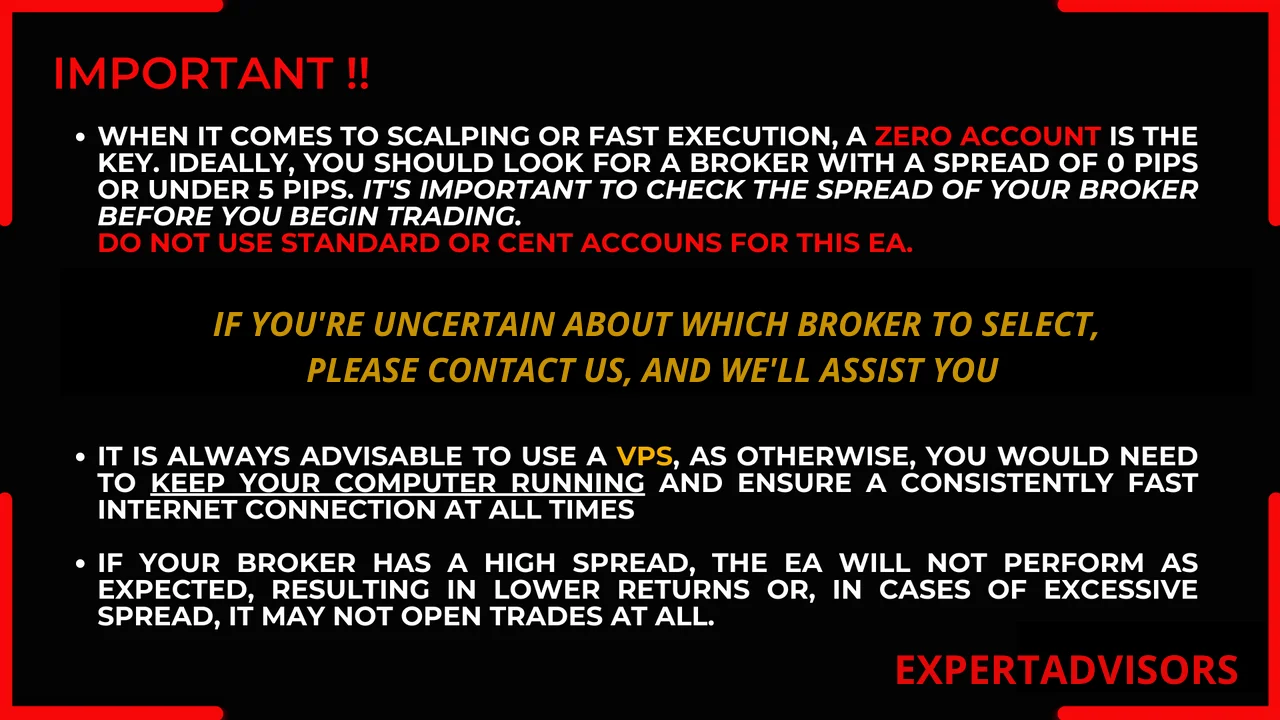
- Because it operates as a scalper, opting for a Scalper account, specifically ECN or Zero Spread, is crucial. Standard accounts carry a higher spread, which may impede the scalping strategy.
- A prudent approach works best. Therefore, start the robot on demo accounts rather than leaning on historical simulations, and move to a live account only once its behaviour feels familiar.
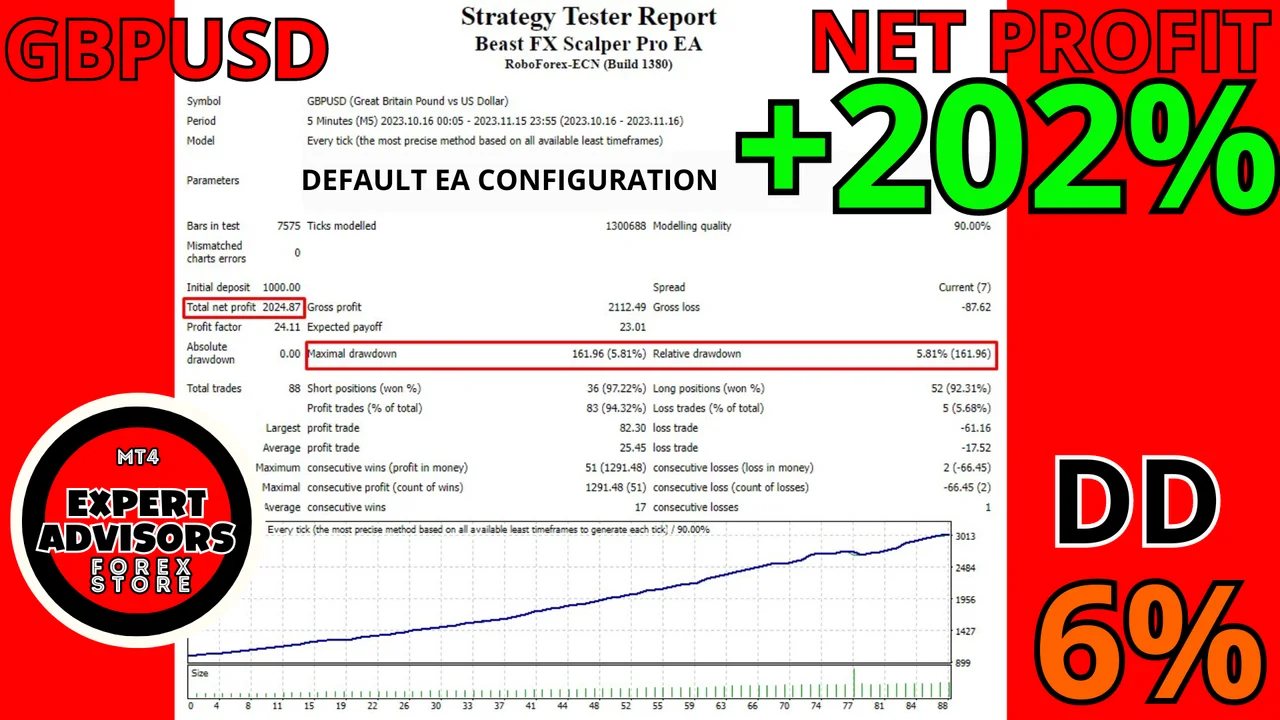
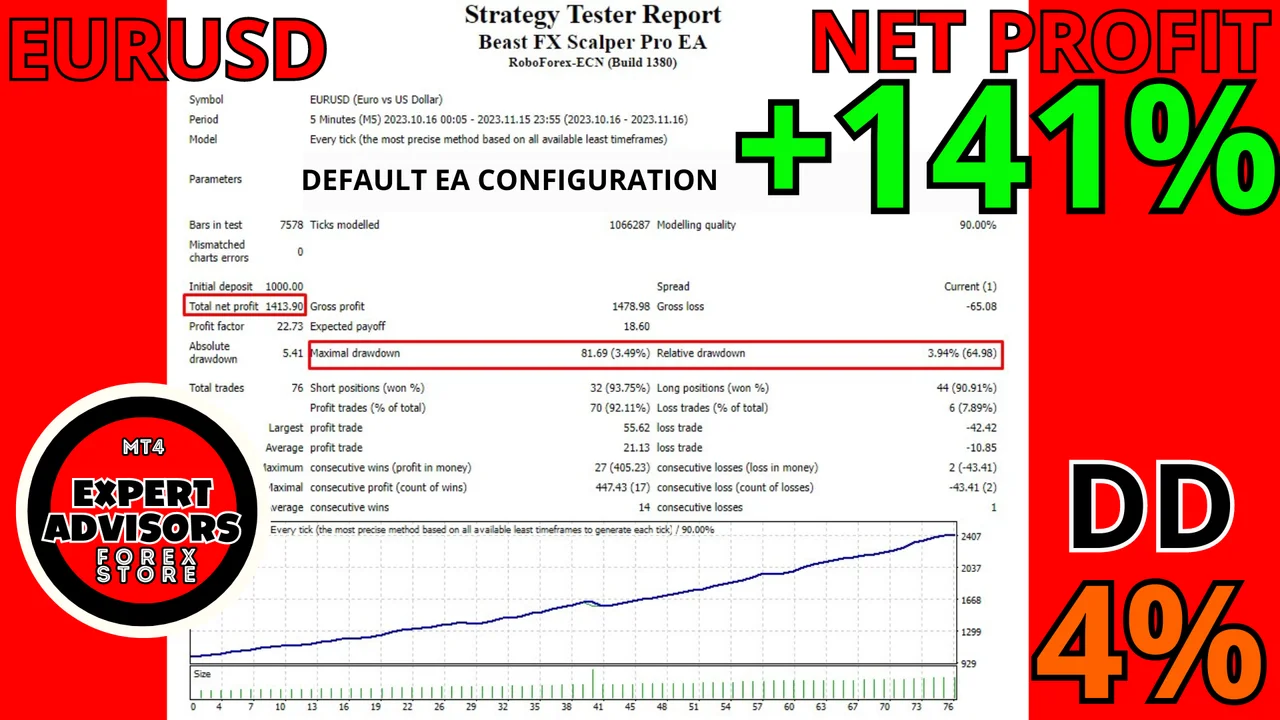
Let’s see the results:
These results are from Roboforex ECN live account, leverage 1:500, current Spread.
Ok, now let’s see how it runs on live account:
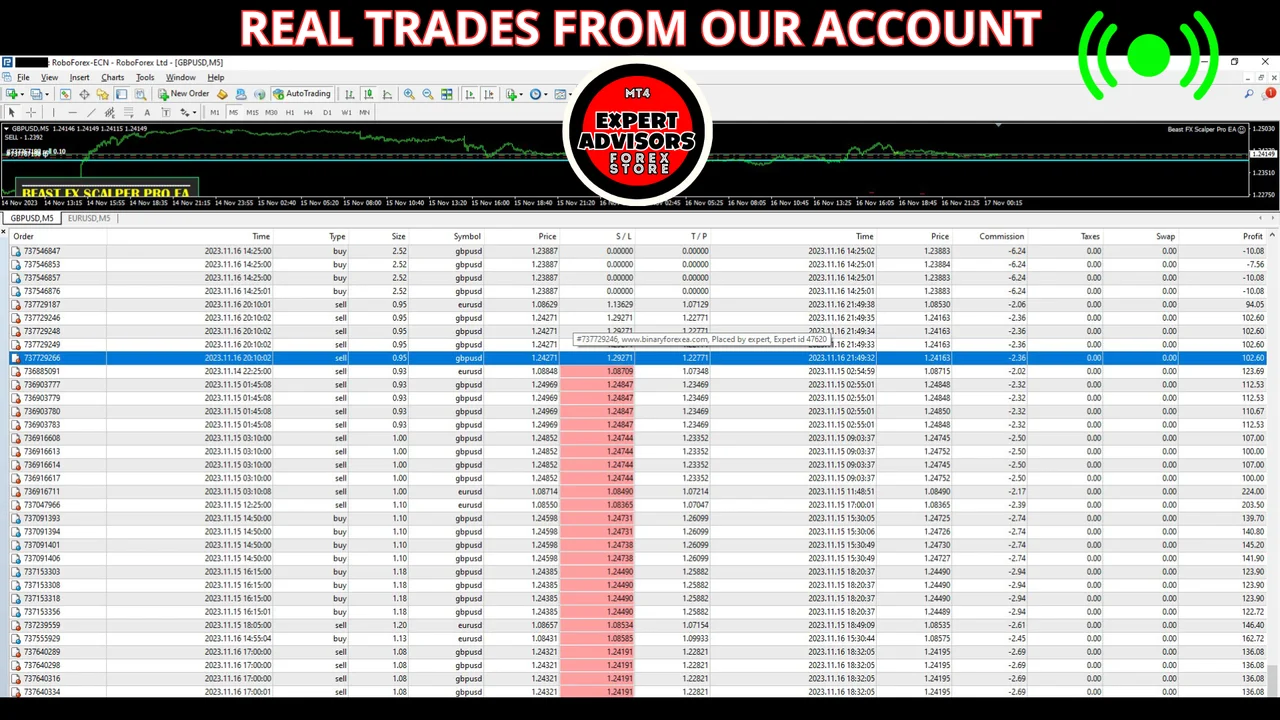
Certainly, our live performance surpassed even the simulation results!
It’s important to note that an EA’s outcome is the monthly average, accounting for both favorable and challenging days. While the EA is configured with settings that proved optimal for our account type and market conditions, feel free to customize them to align with your risk tolerance, specific market nuances, and account type
Installing it on MetaTrader 4
- First, download the file from your account and unzip it.
- Then open MetaTrader 4 and click File > Open Data Folder.
- Next, open the Experts folder inside the MetaTrader data folder and paste the robot there.
- After that, right click Expert Advisors in the Navigator and choose Refresh.
- Now drag it onto a GBPUSD chart and set the timeframe to M5.
- Finally, switch AutoTrading on, so the robot can place its orders.
Running the GBPUSD scalper EA safely
Keep the terminal online while the robot works, either on a VPS or on a machine that stays awake. Check your broker spread before you start, because a wide spread eats a scalping edge quickly. Also, size the lot for the balance you actually have, and add pairs one at a time.
Trading leveraged products carries a high level of risk to your capital. Past results do not guarantee future results. You trade at your own risk.
Looking for other automated robots? Then browse all our Expert Advisors and compare them side by side.