FUNDED ALADDIN FTMO 2026 MT5 EA
Built to PASS your funded or prop firm challenge, then protect the account.
Funded Aladdin is a fully automated EURUSD FTMO EA MT5 with one job. First, it passes funded account challenges (FTMO and other prop firms). Then it keeps the account safe, because it runs a precise, hands off daily strategy with strict risk control. No martingale. No grid.
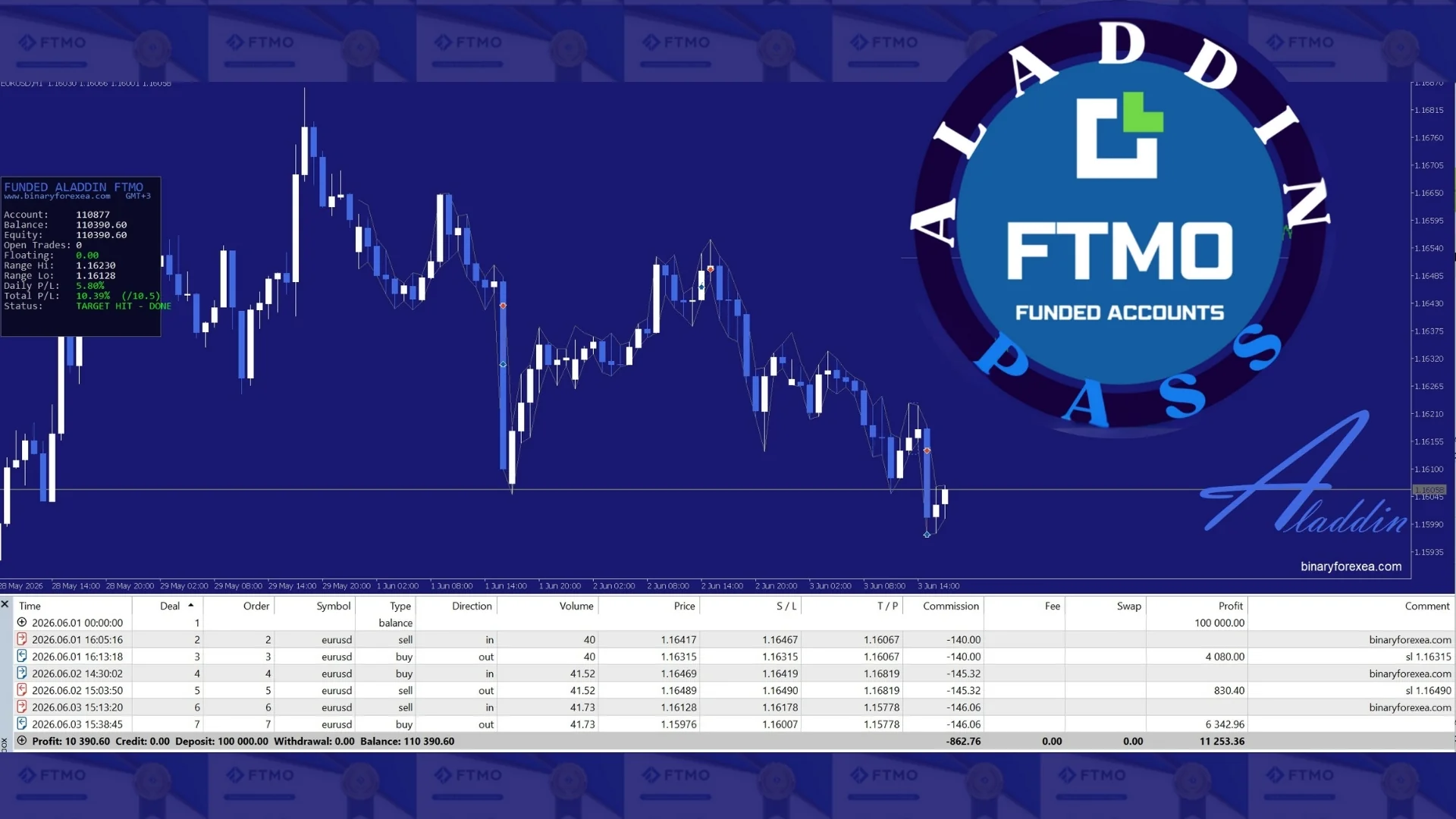
✅ CHALLENGE PASSED WITH +10%, THEN ALADDIN STOPS
It reaches the +10% target with very low drawdown, and then it stops automatically. Moreover, it does the same job on 10K, 25K, 50K, 100K and 200K accounts.
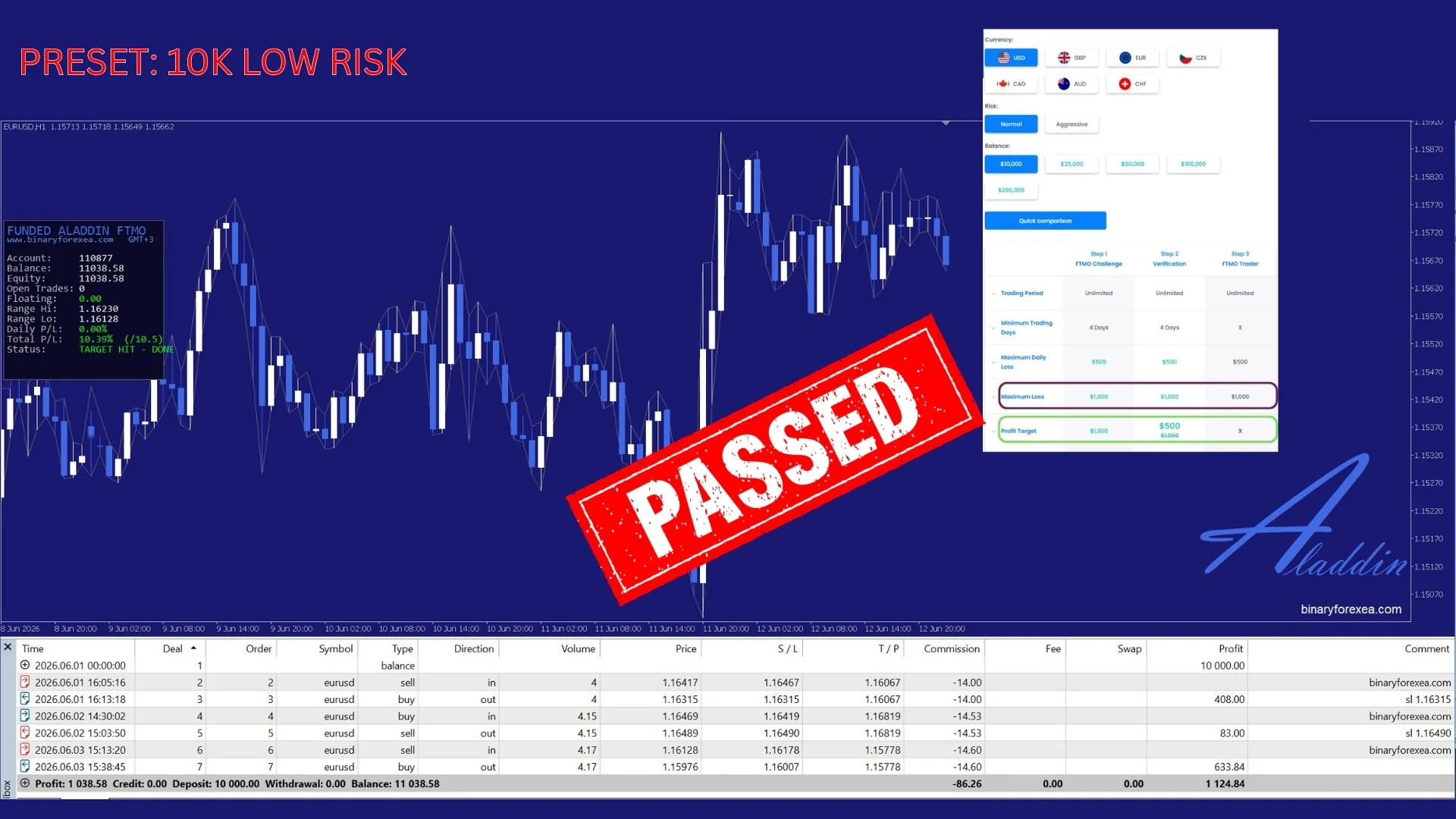
10K, LOW RISK preset. Reached +10.4% and passed.
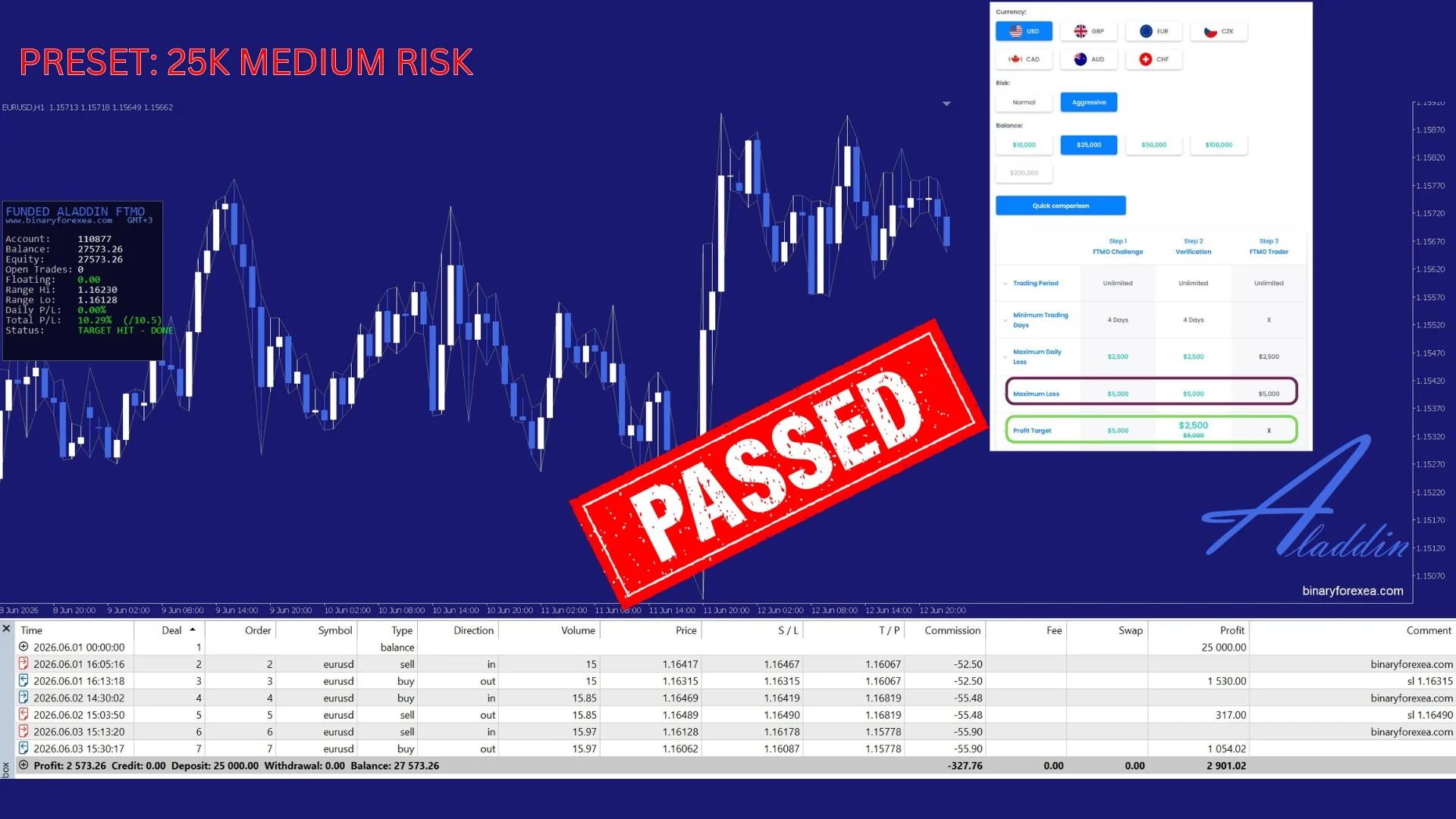
25K, MEDIUM RISK. Reached +10.3% and passed.
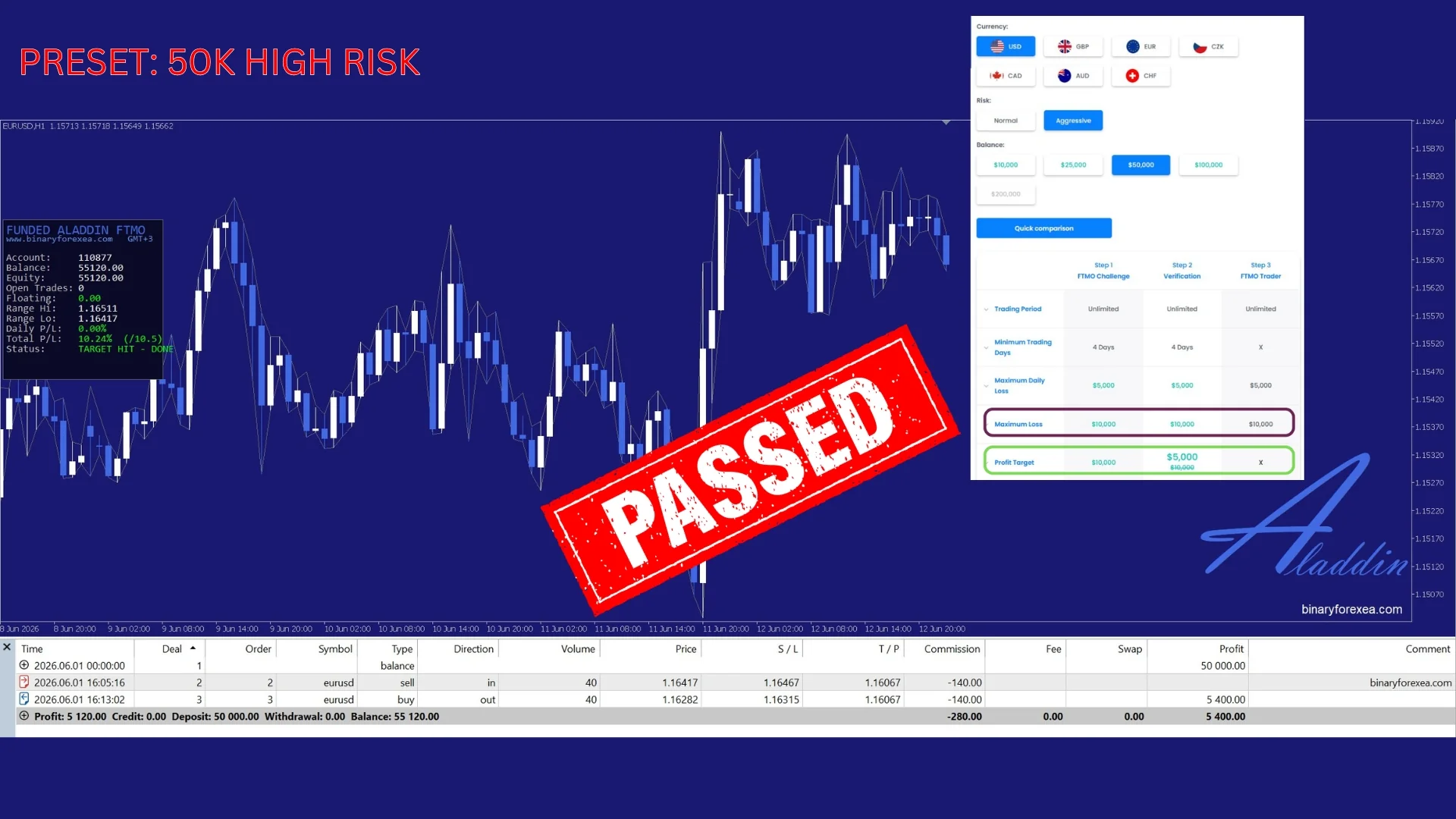
50K, HIGH RISK. Reached +10.2% and passed.
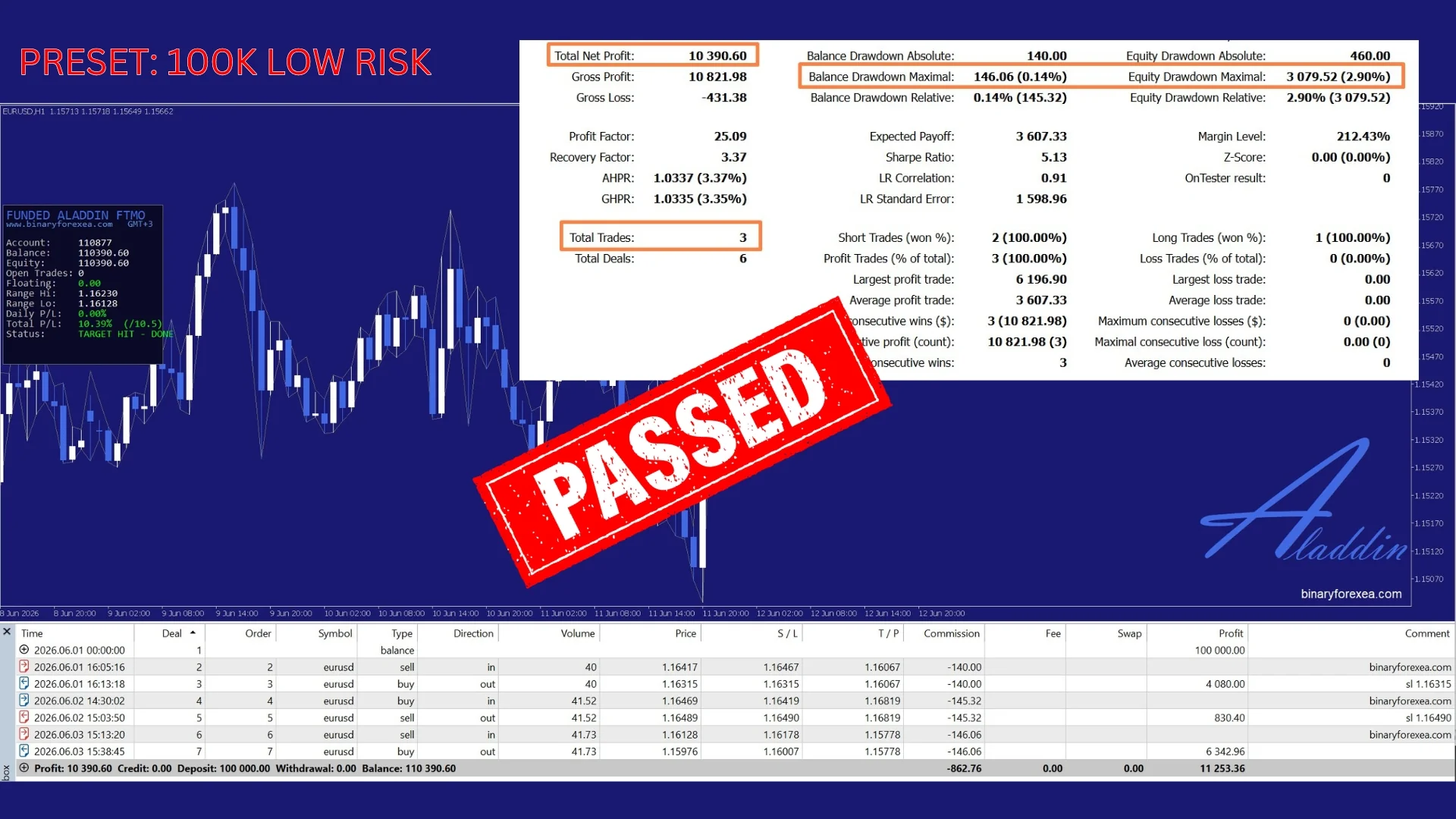
100K. Profit Factor 25, max drawdown only 2.9%.
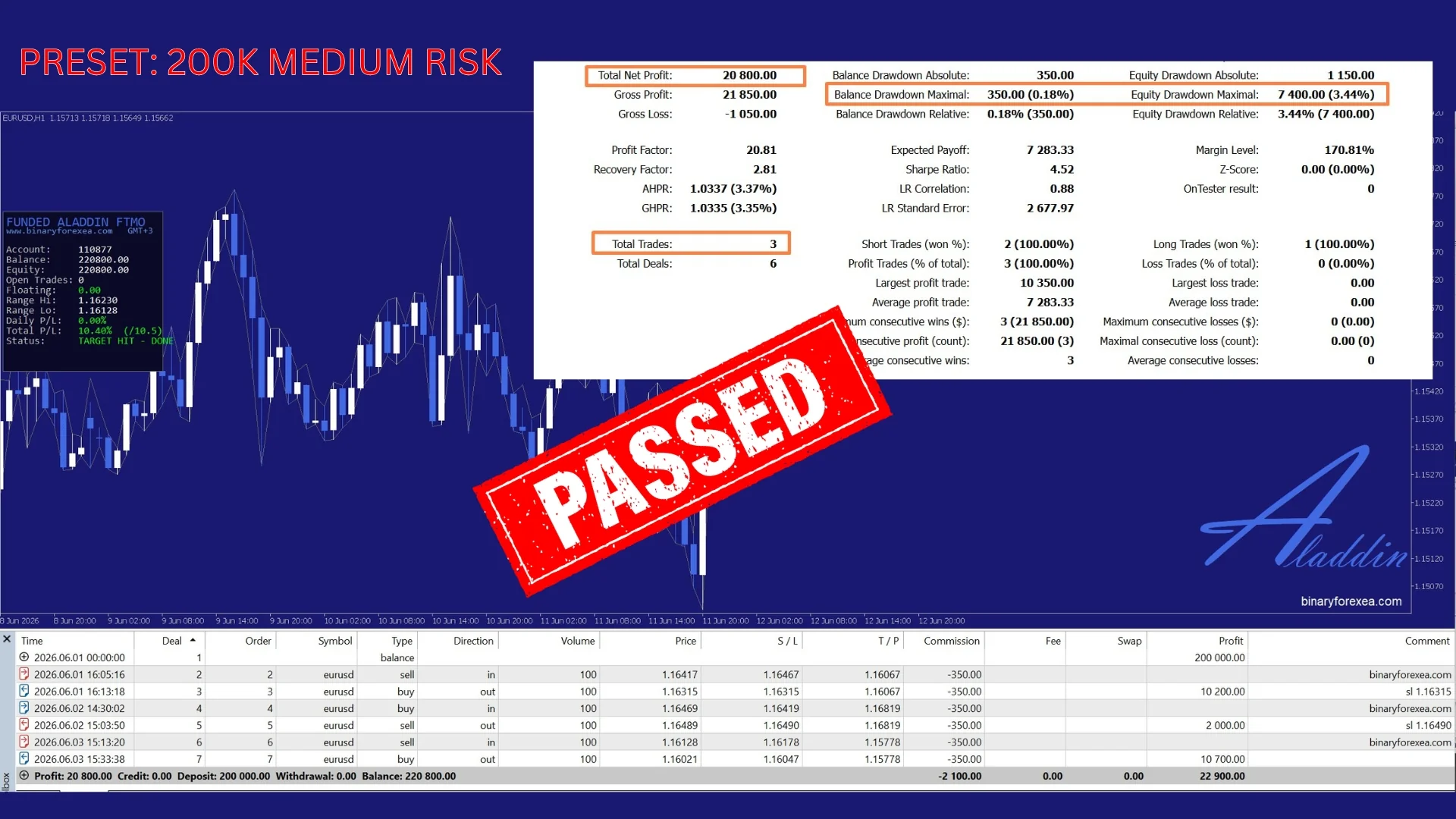
200K. Profit Factor 20, max drawdown only 3.4%.
🛡️ AUTOMATIC RISK MANAGEMENT IN THIS FTMO EA MT5
- Profit target. It stops trading the second your target is reached, so the challenge is passed without over trading.
- Daily loss protection. Moreover, it closes everything and pauses for the day when the daily loss limit is hit.
- Max drawdown protection. Also, it closes everything and stops when the total drawdown limit is reached.
- One clean trade at a time. Therefore you get no martingale, no grid and no averaging down.
⚙️ 6 READY TO USE PRESETS (PLUG AND PLAY)
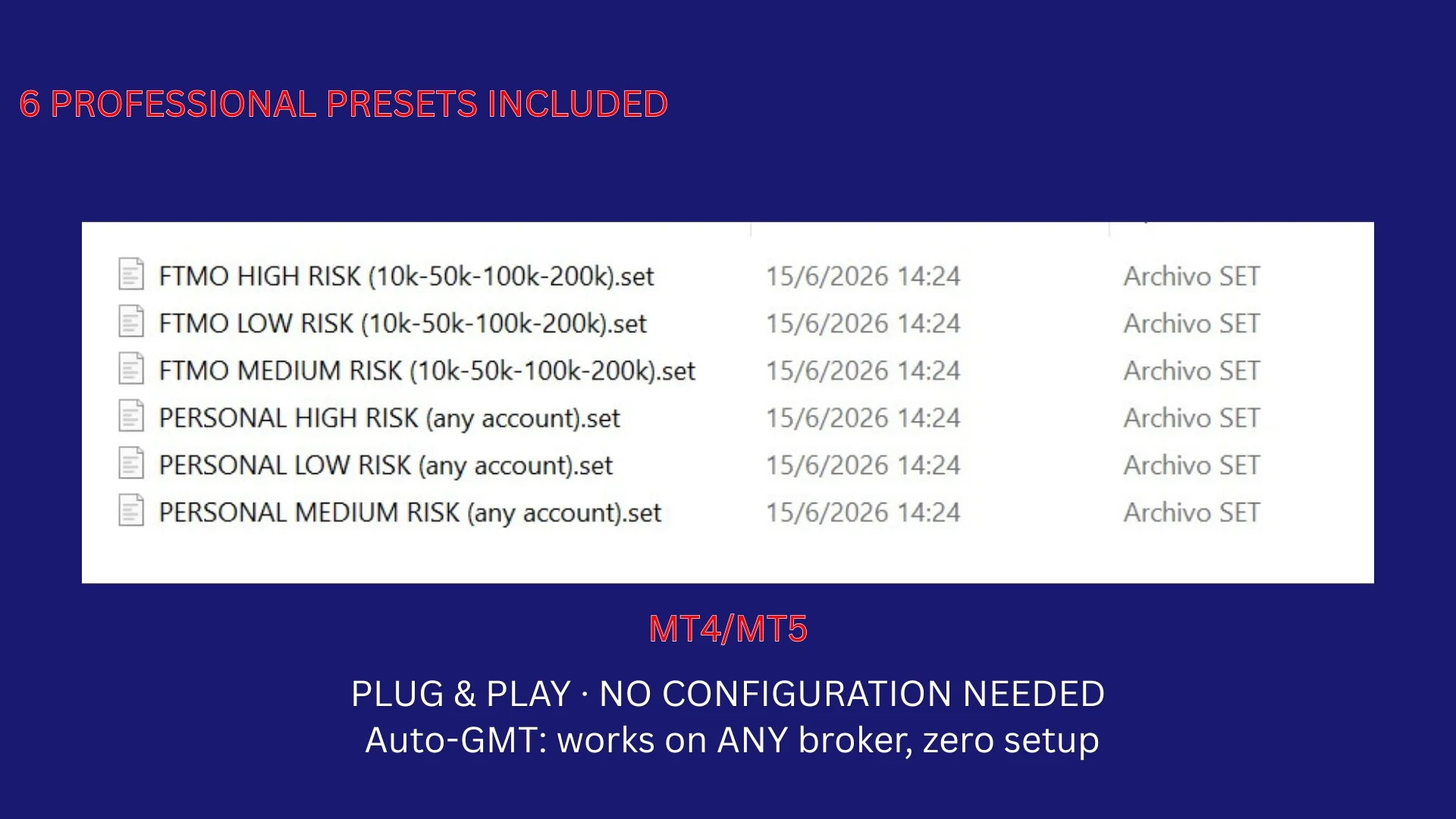
- FTMO presets (Low, Medium, High risk). In fact, one preset fits 10K, 50K, 100K and 200K.
- Personal account presets (Low, Medium, High risk).
- Auto GMT, works on ANY broker with ZERO setup. The EA detects your broker timezone by itself.
- Finally, just load a preset and run, because there is nothing to configure.
🖥️ REQUIREMENTS FOR THE FTMO EA MT5
- Symbol. EURUSD.
- Platform. MetaTrader 5, while the MT4 version is available separately.
- Account. Low spread ECN or RAW. Also, it works on funded (FTMO or prop) and personal accounts.
- Any broker timezone (auto GMT). Moreover, a VPS is recommended for 24/5 operation.
📥 WHAT YOU GET
- Funded Aladdin FTMO 2026 EA for MetaTrader 5 (.ex5).
- 6 professional presets, so you cover FTMO and personal accounts.
- Step by step installation guide (PDF).
- Lifetime access, instant download.
HOW TO INSTALL THE FTMO EA MT5 IN METATRADER 5
- First, download the file from your account and unzip it.
- Then open MetaTrader 5 and click File > Open Data Folder.
- Next, open the Experts folder inside the MetaTrader data folder and paste the .ex5 there.
- After that, right click Expert Advisors in the Navigator and choose Refresh.
- Now drag the EA onto a EURUSD chart and load the preset you want.
- Finally, enable Algo Trading on the toolbar, so the robot can place its orders.
RISK REMINDERS BEFORE YOU GO LIVE
A prop firm challenge has hard rules, so the daily loss and drawdown guards matter more than raw profit. For that reason, keep them switched on. Also, leave the terminal online while the robot works, either on a VPS or on a computer that stays on.
Risk warning. Trading Forex, CFDs and funded account challenges carries a high level of risk. Past performance is not indicative of future results. Always try it on a demo account first and trade only with capital you can afford to lose.
Trading on MetaTrader 4? Then get Funded Aladdin for MT4. Also, you can browse all our Expert Advisors to compare more automated robots.