Scalper 2030 EA, the forex scalper EA for MetaTrader 4
Scalper 2030 EA is a forex scalper EA for MT4 that executes fast and precise trades, because it uses scalping techniques such as trend following and capitalizing on short-term price fluctuations. Moreover, it is a high frequency trading tool that divides its trades into multiple smaller trades, so you are always making the most profitable decisions in the market.
You will be able to download the product once the payment is completed (instant).
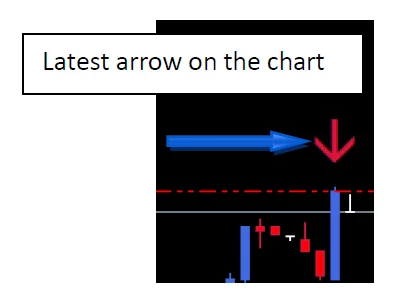
This forex scalper EA hides the SL from the brokers
It is important to note that this function cannot be modified, because it places stop loss limits based on real-time market prices. Also, it uses a proprietary formula that takes into account volatility and volume at each specific moment, so it can determine the optimal stop loss limit for every trade.
Moreover, that formula is constantly updating and modifies each stop loss limit several times by connecting to our server. As a result, risk management is always up to date and efficient, so SL limits are not modifiable manually.
Scalper 2030 EA is built on a solid and well-designed trading strategy that takes into account technical analysis, fundamental analysis and, most importantly, current market conditions. Therefore it adapts to different market conditions and adjusts its strategy accordingly.
Our expert advisor also places a strong emphasis on risk management, because it uses tools such as position size control to keep potential losses to a minimum. In fact, when you watch the run below, you will observe that it incurs minimal losses and generates large profits.
You can choose the level of risk you want by selecting one of the three modes: “Low Risk Mode”, “Beast Mode” and “Insane Mode”. Once you load the desired preset, the robot starts, so you do not have to do anything else. Also, it suits beginners, because it does not require any manual configuration.
One week on a live account
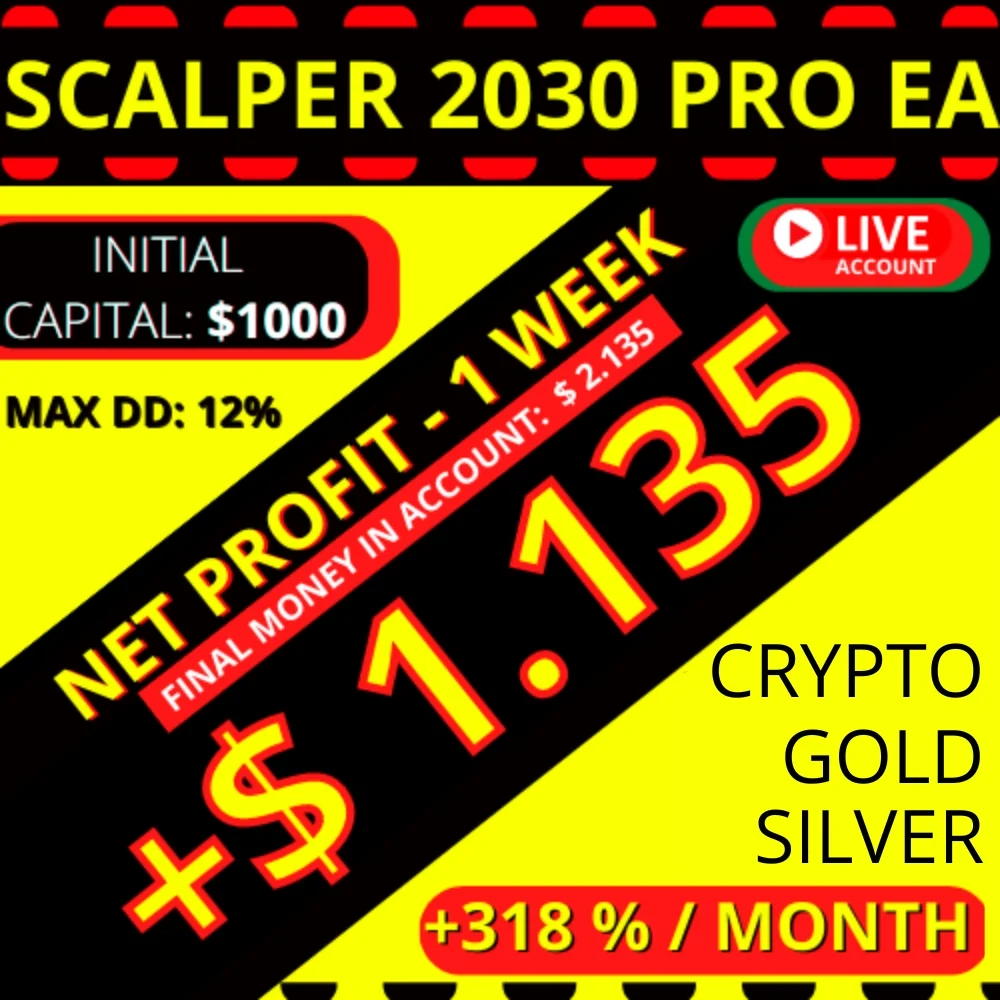
Now let us watch how it performs on our Roboforex live account, with leverage of 1:500, deposit: $1000, over a period of 1 week.
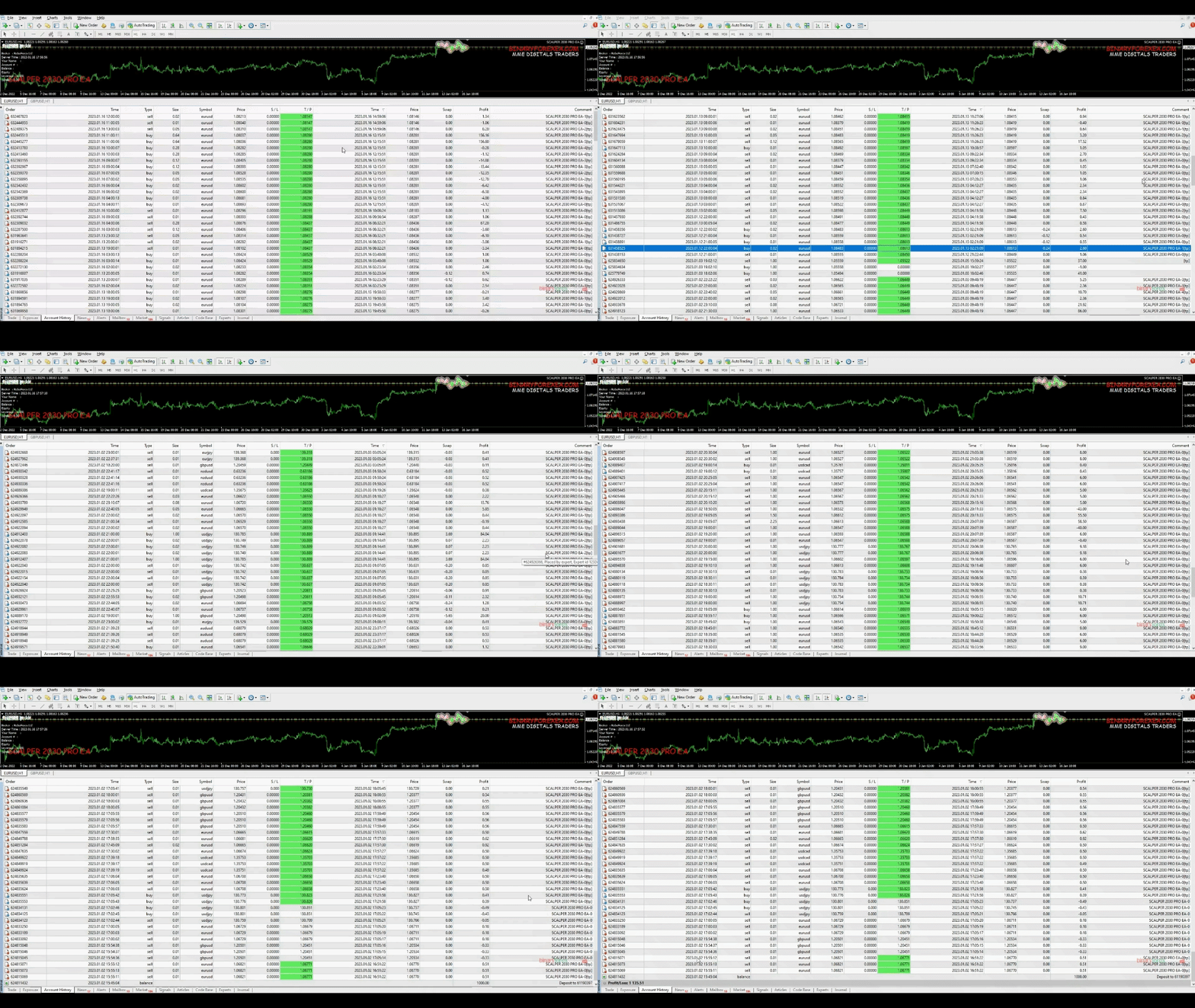
You can see it better and at a slower speed by clicking on the second image of the ad.
+ 1135 DOLLARS / WEEK
+113% in just 1 week, using our “Beast Mode.set”. MAX DD: 12%.
Important note about historical runs
We have carried out the historical runs ourselves, because you cannot execute them accurately on your side: the stop loss is set and changed according to data from our server, which cannot be replicated in simulation mode. Therefore, running the simulation on your end will not be effective.
Instead, we ran those historical simulations on our own server, where the stop loss function is fully operational. However, if you want to try it first, run it on a DEMO account for a few days and then move to a live account when you feel comfortable.
Low Risk Mode
- Broker: Tickmill live account.
- Leverage: 1:500.
- Initial deposit: $1000.
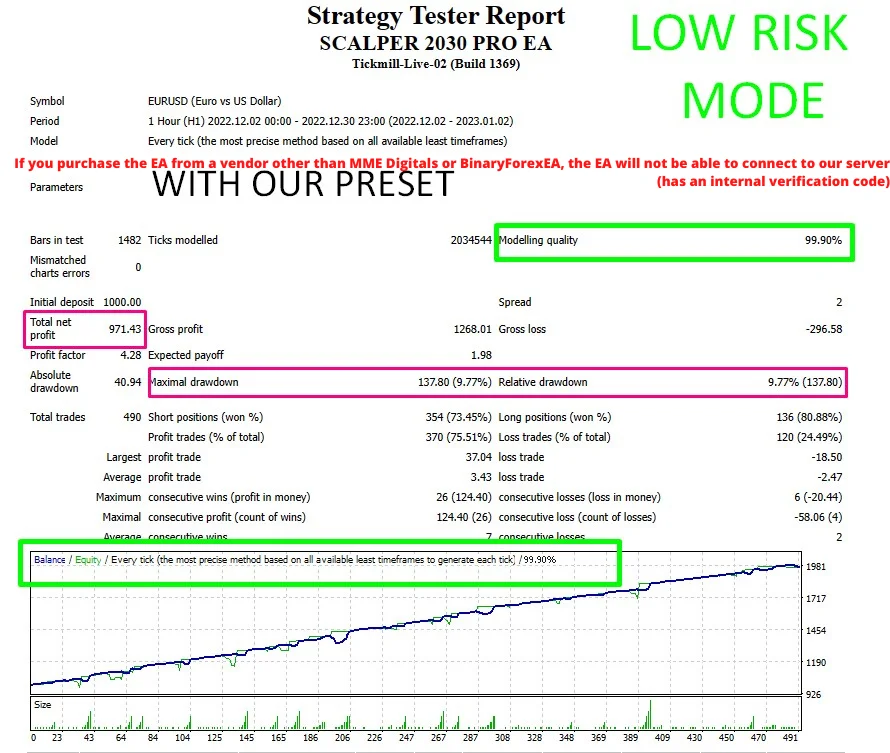
+97 % / MONTH
TOTAL NET PROFIT: 971.42 DOLLARS IN 1 MONTH. MAX DD: 9.77%. Initial money in account: $ 1.000. Final money in account: $ 1.971.
Beast Mode
- Broker: Tickmill live account.
- Leverage: 1:500.
- Initial deposit: $1000.
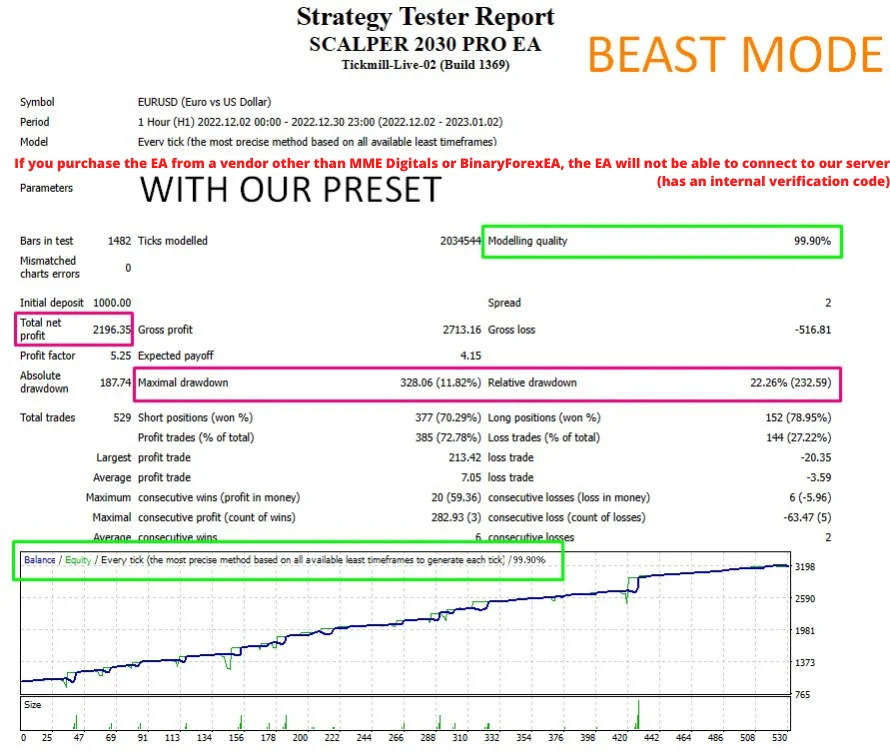
+219 % / MONTH
TOTAL NET PROFIT: 2196.35 DOLLARS IN 1 MONTH. MAX DD: 11.82%. REL DD: 22.26%. Initial money in account: $ 1.000. Final money in account: $ 3.196.
Insane Mode
- Broker: Tickmill live account.
- Leverage: 1:500.
- Initial deposit: $1000.
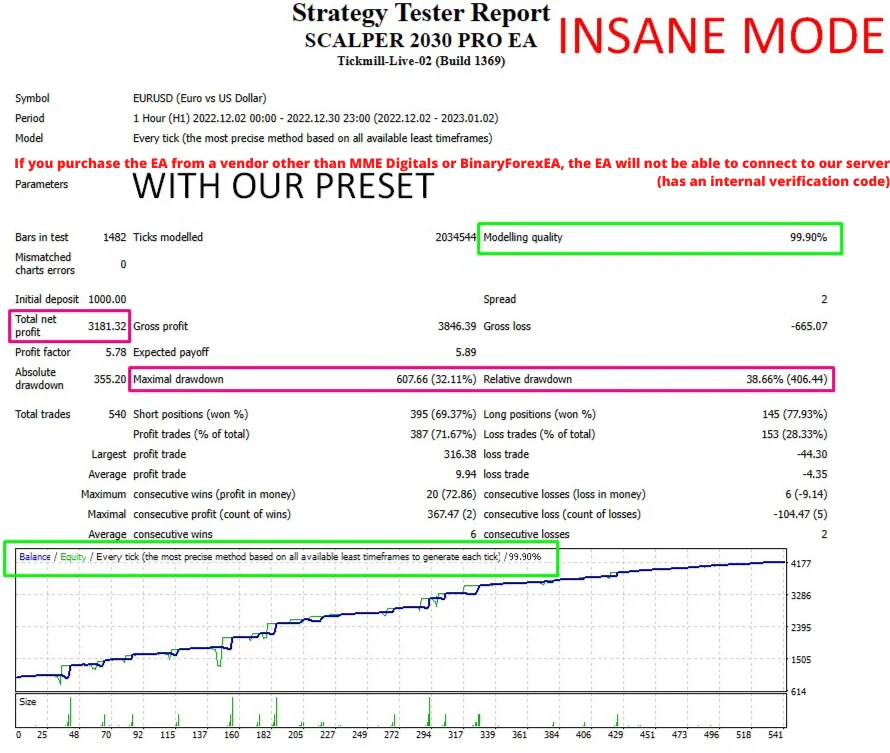
+318 % / MONTH
TOTAL NET PROFIT: 3181.32 DOLLARS IN 1 MONTH. MAX DD: 32.11%. REL DD: 38.66%. Initial money in account: $ 1.000. Final money in account: $ 4.181.
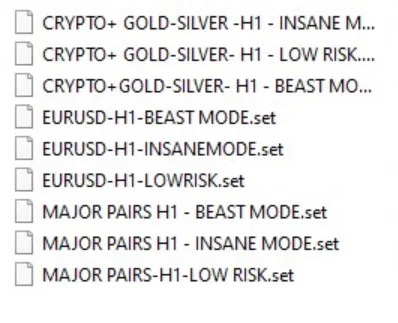
9 presets are included
9 ready-to-use presets are included, covering different risk levels (Low Risk, Beast and Insane) across the supported setups. Because of that, you do not need to configure anything: just load one of the included presets and the robot starts trading.
How to install this forex scalper EA on MT4
- First, make sure the auto-trading button is turned off before installation.
- Then open MetaTrader 4, click File > Open Data Folder and copy the files to their designated folders, following the installation guide provided. The robot itself goes into the Experts folder.
- After that, refresh the Navigator and load the template: SCALPER2030PRO.tpl.
- Then select and load the desired preset.
- Also, verify that the TF is set to H1 and that the pair matches the selected preset.
- Finally, turn on the auto-trading button to start trading instantly.
PLEASE DO NOT TOUCH OR MODIFY ANYTHING IN THE PRESETS, YOU ONLY HAVE TO LOAD ONE OF OUR 9 PRESETS INCLUDED.
Where this forex scalper EA trades
- Platform: MT4.
- Timeframe: best on H1, but all of them.
- Pairs: EURUSD plus major pairs, crypto and gold or silver.
- Minimum deposit: $1000 per pair in a standard account, or $100 per pair in a cent account.
- Hours: around the clock. Leverage: 1:500.
- Important: you need a broker with a real low spread (scalping) or ECN. However, in this particular robot, accounts with 0 spread (those that charge a commission per trade) are not recommended.
Important Scalper 2030 tips
- The first time you load the robot on a major forex pair or crypto, it will only take a few moments to connect to our server. However, in the special cases of gold and silver, it may take up to 10 minutes. This will only happen the first time.
- Even if you believe that the robot has opened a trade in the opposite direction, refrain from touching it. Its strategy starts with a very small lot size to probe the zones and then, after some confirmations, it opens a trade with a larger lot size in that or another direction (the correct one). Therefore, let it work for a few days on a demo account and you will see the results, but do not close or open any trades manually on the pair on which the robot is running. Do not be hasty, let it move.
Must read before you start
- When it comes to scalping, a broker with low spreads is key. Ideally, you should look for a broker with a spread of 0 pips or under 5 pips, so it is important to check the spread of your broker before you begin trading.
- If your broker has a high spread, the robot will not perform as expected, because that results in lower returns or, in cases of excessive spread, it may not open trades at all.
- Using a VPS is not mandatory, but if you choose not to use one, you will need to keep your computer running. Moreover, if you decide to use a VPS, you will need to ask your broker for recommendations and assistance with installation, because a VPS located close to the broker server helps to minimize latency. Note that we do not provide private VPS installation services.
If you have any questions please do not hesitate to contact us.
Looking for other automated robots? Then browse all our Expert Advisors.
Trading leveraged products carries a high level of risk to your capital. Past results do not guarantee future results. You trade at your own risk.