

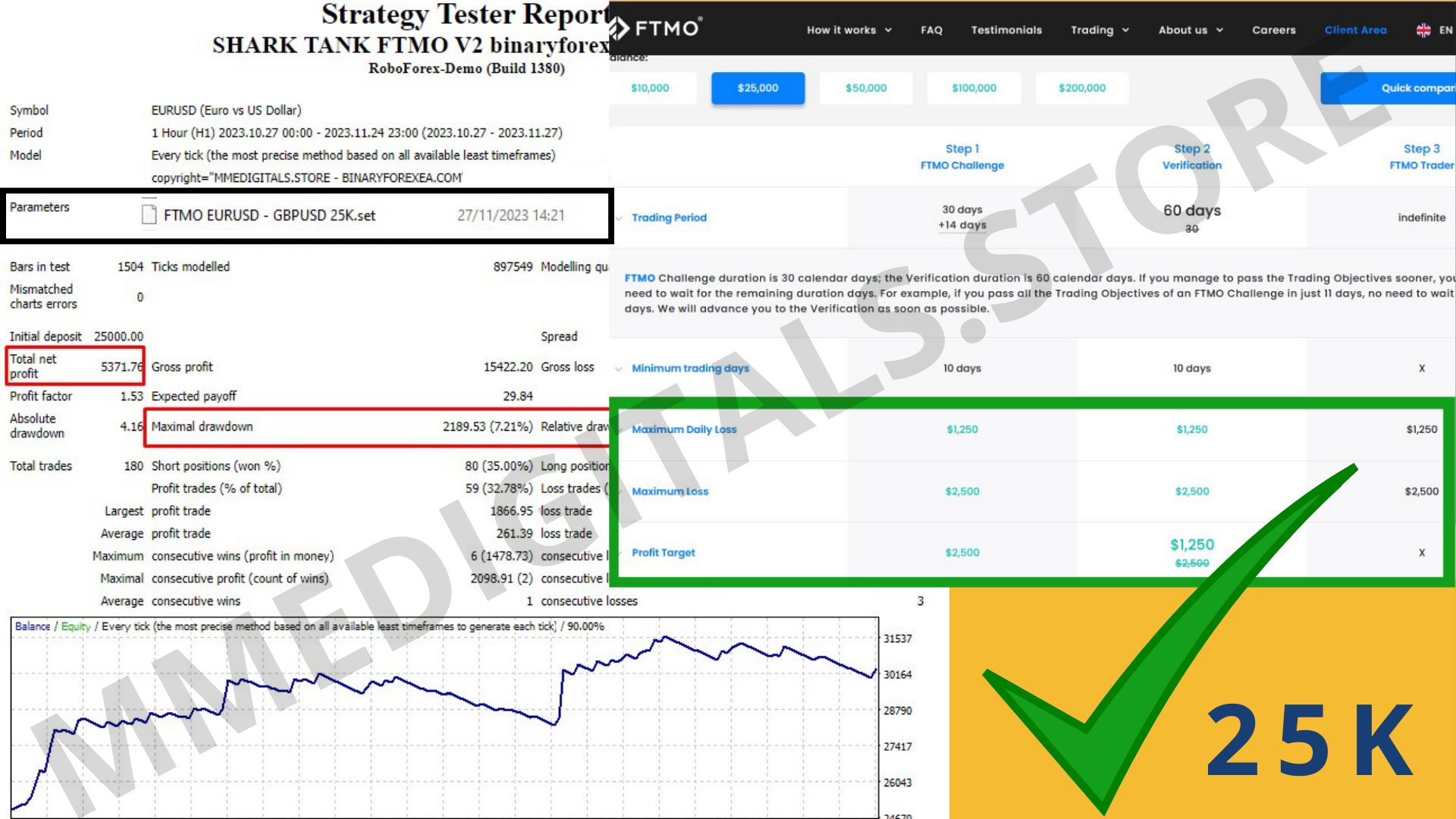
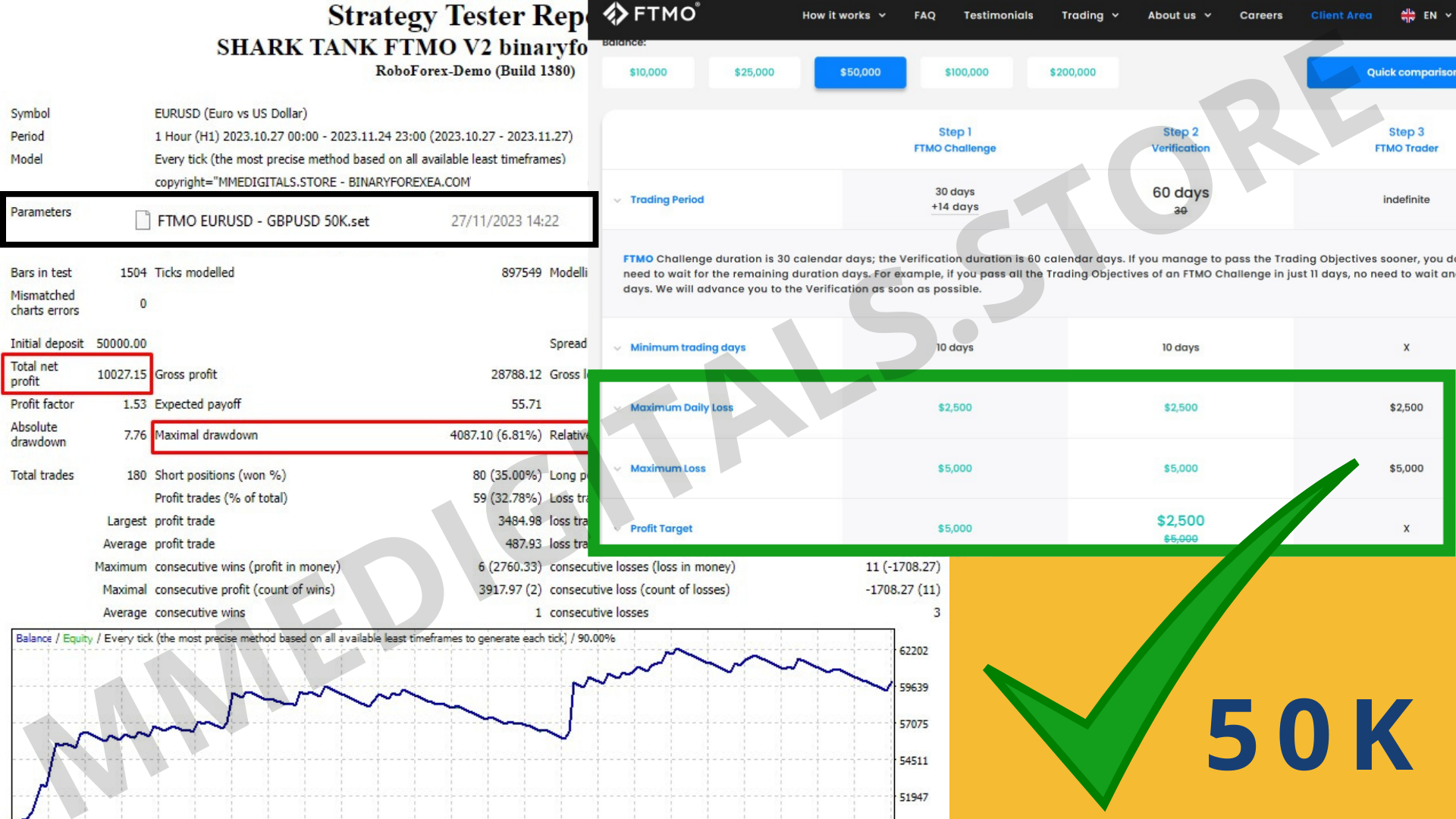
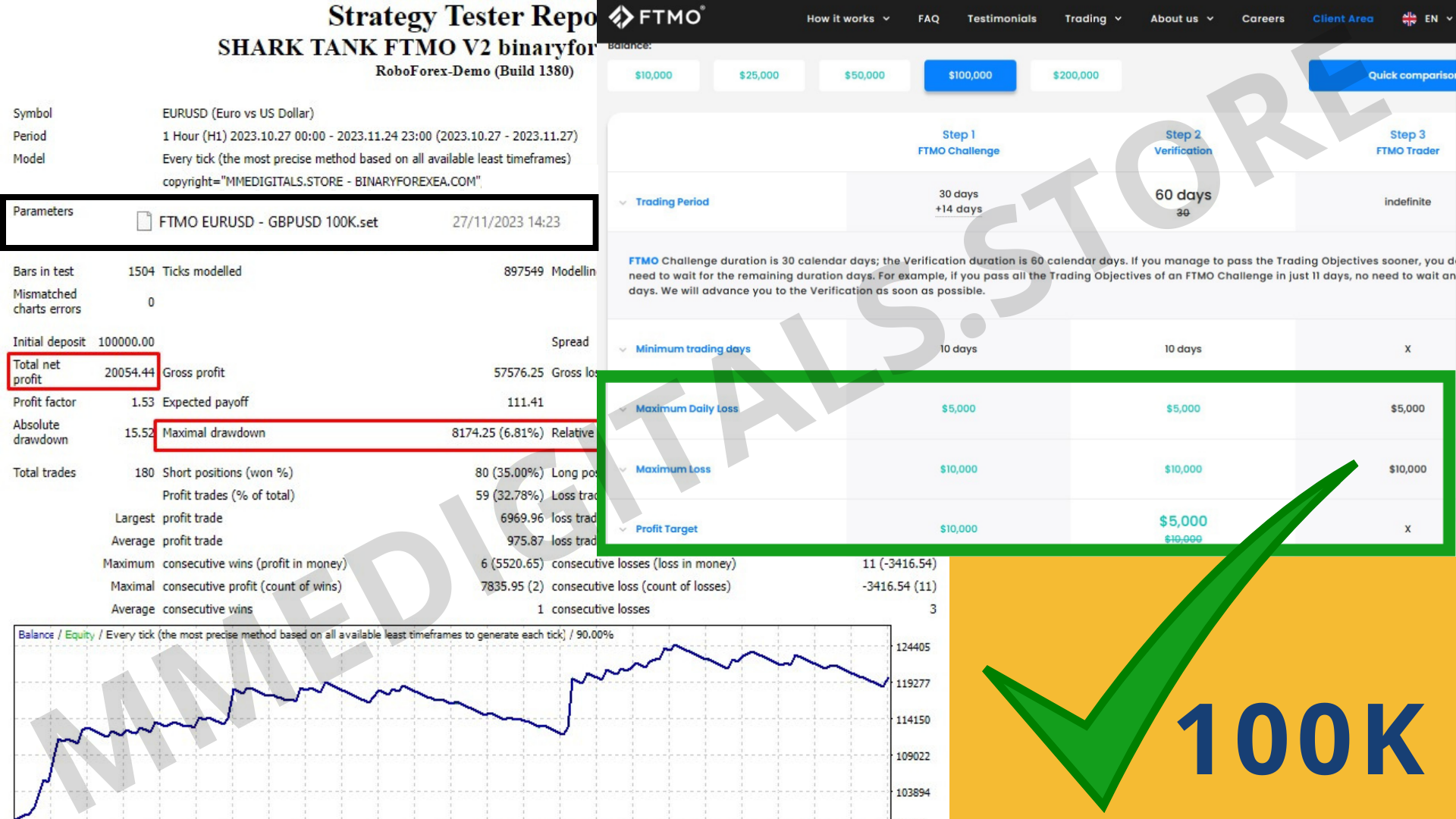


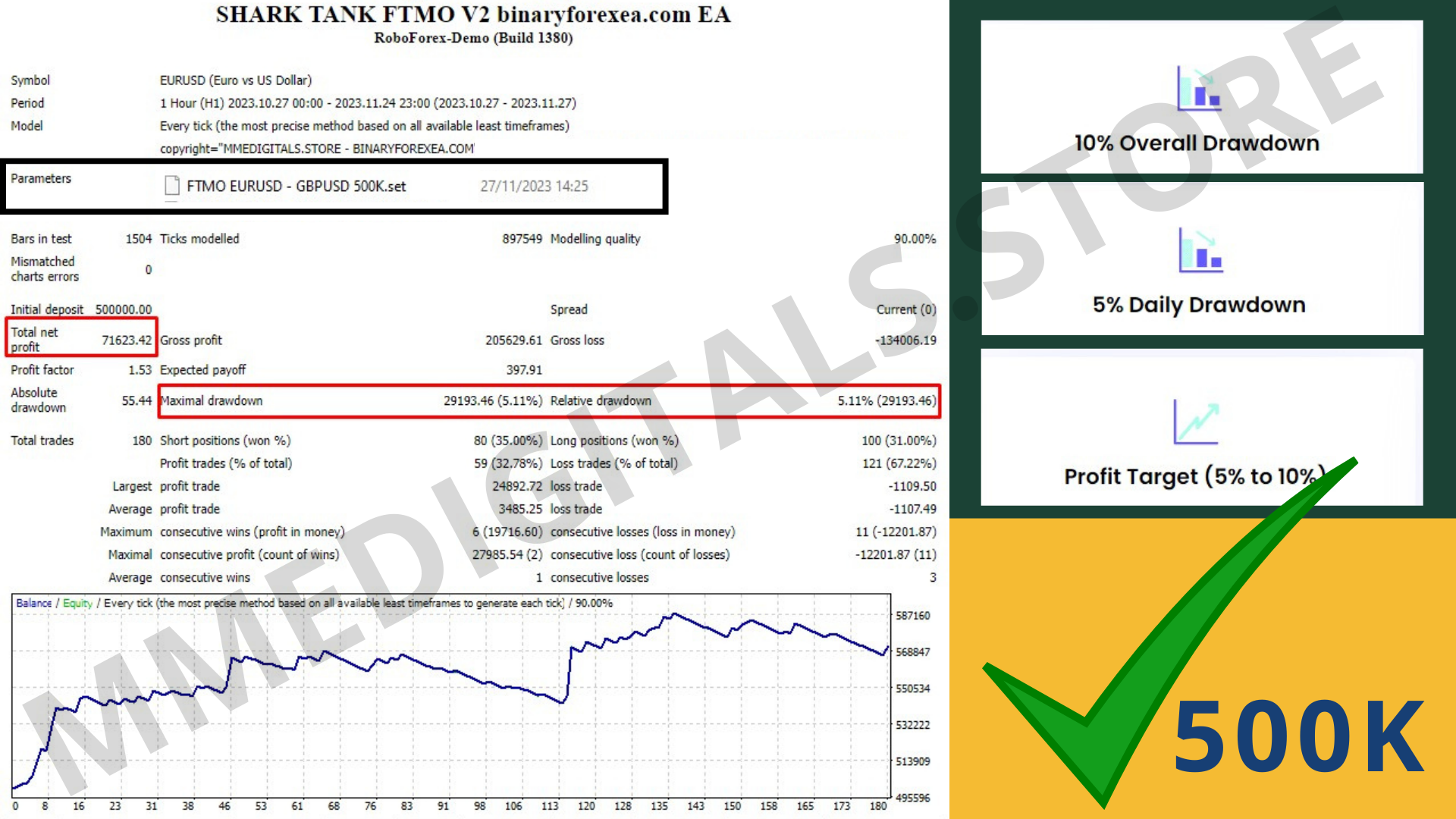

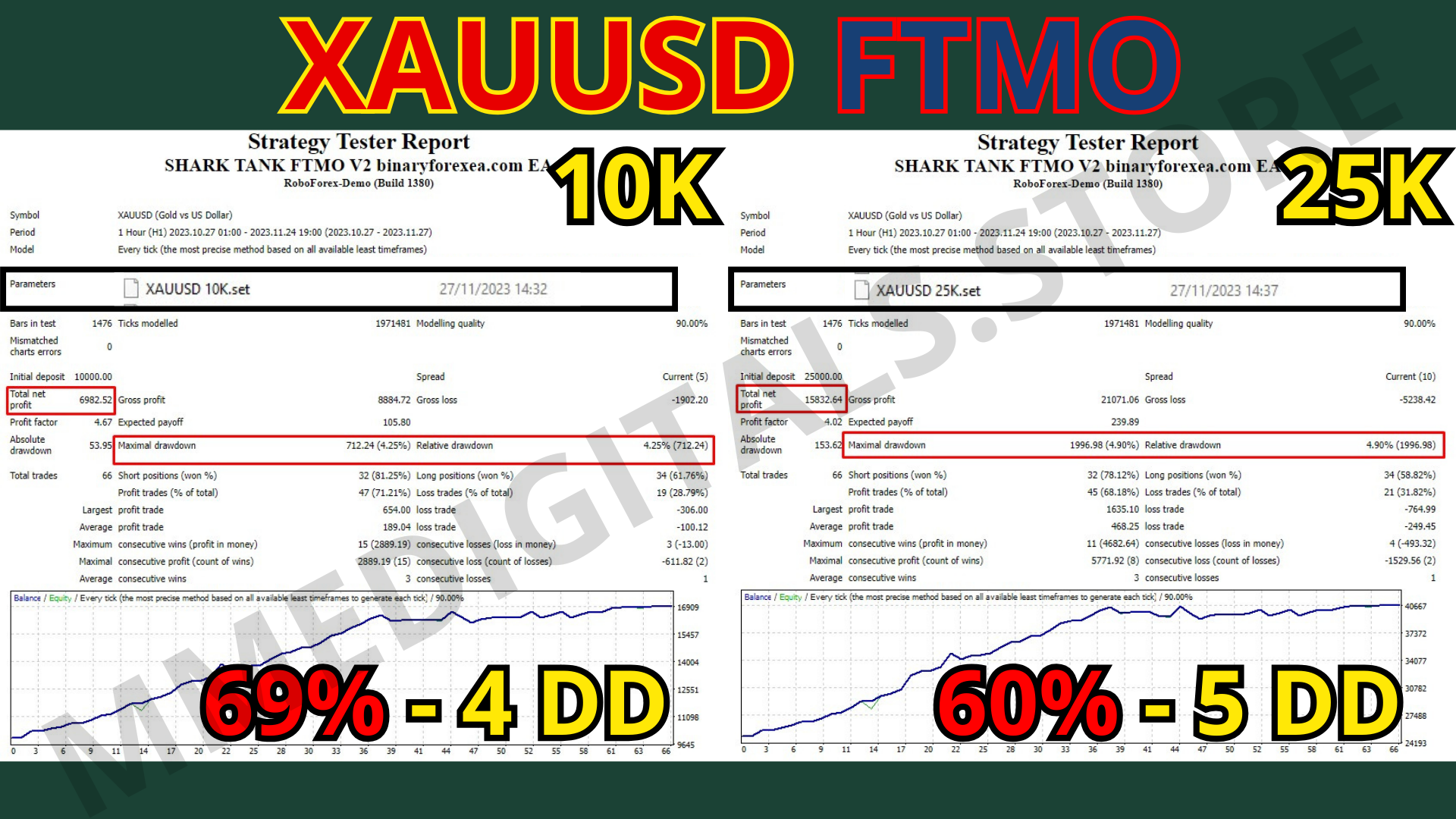
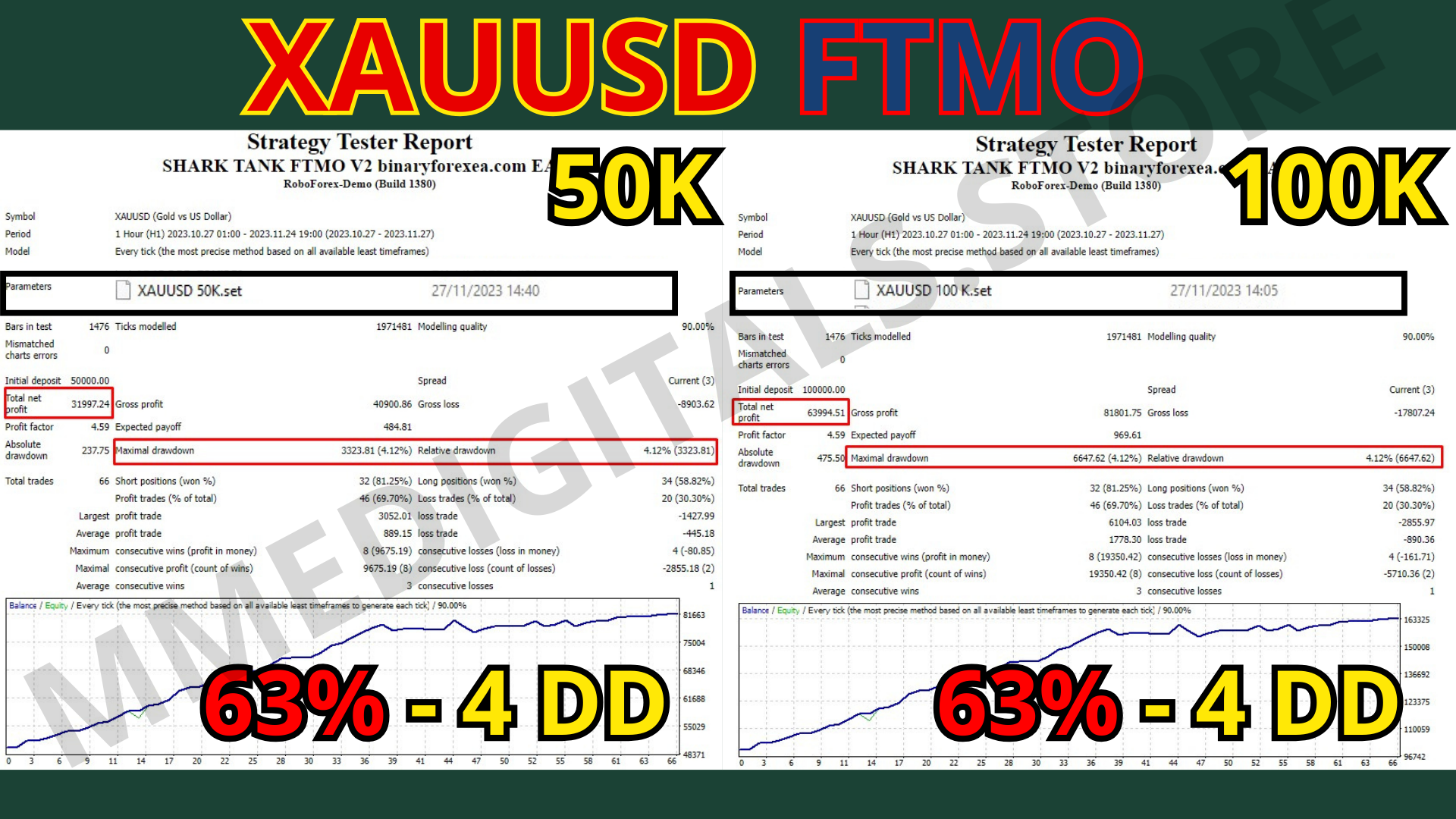
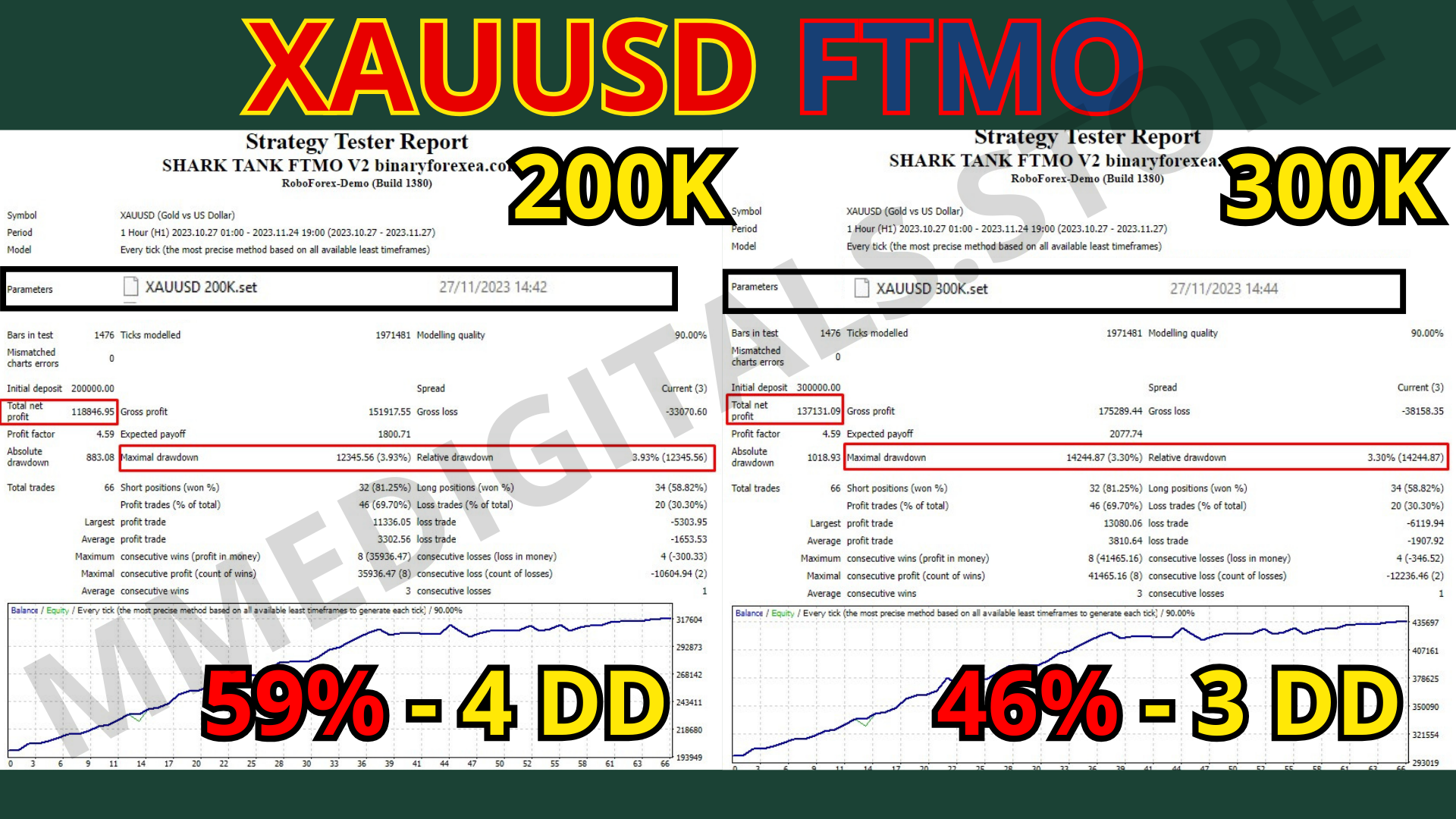
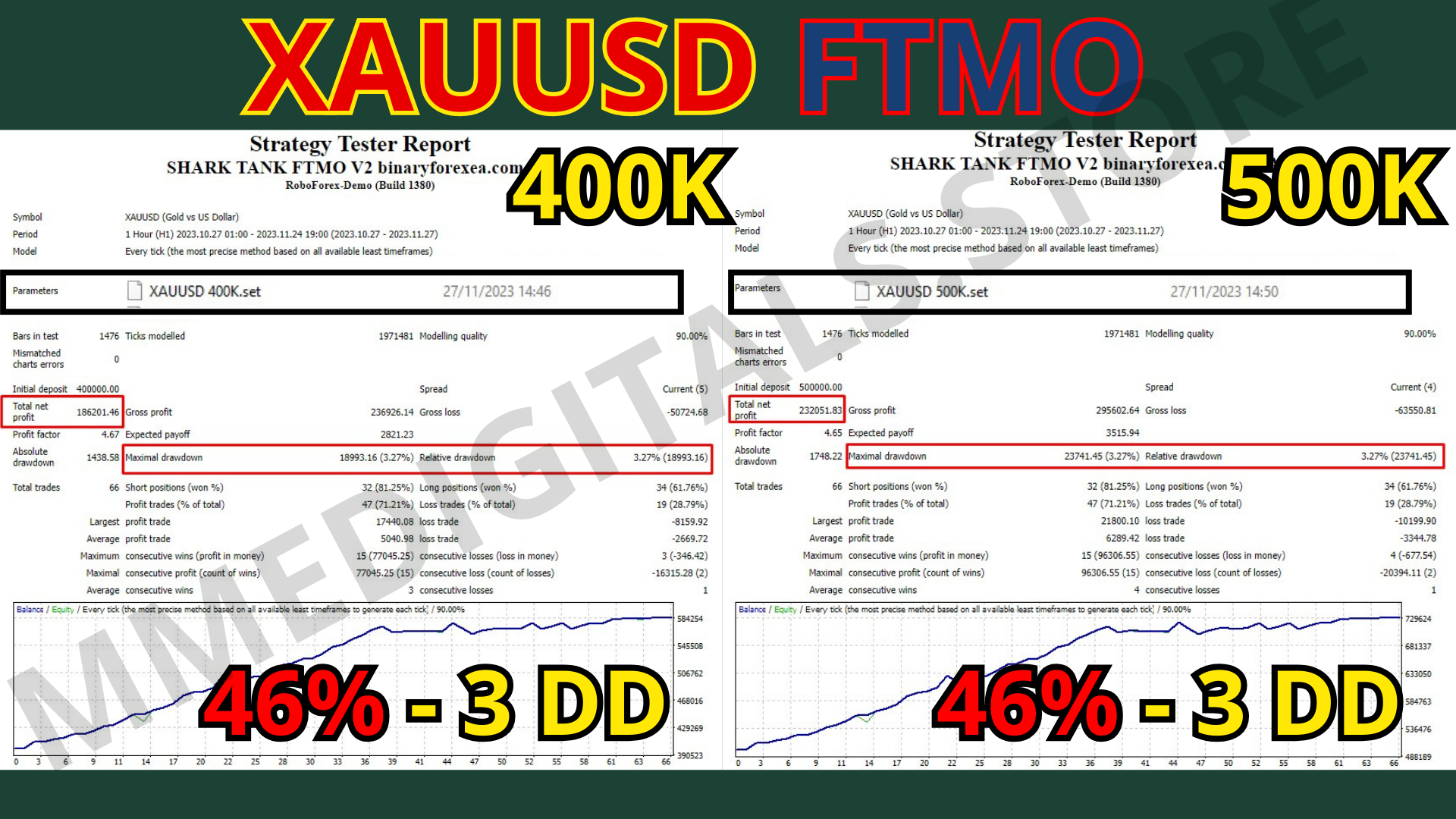
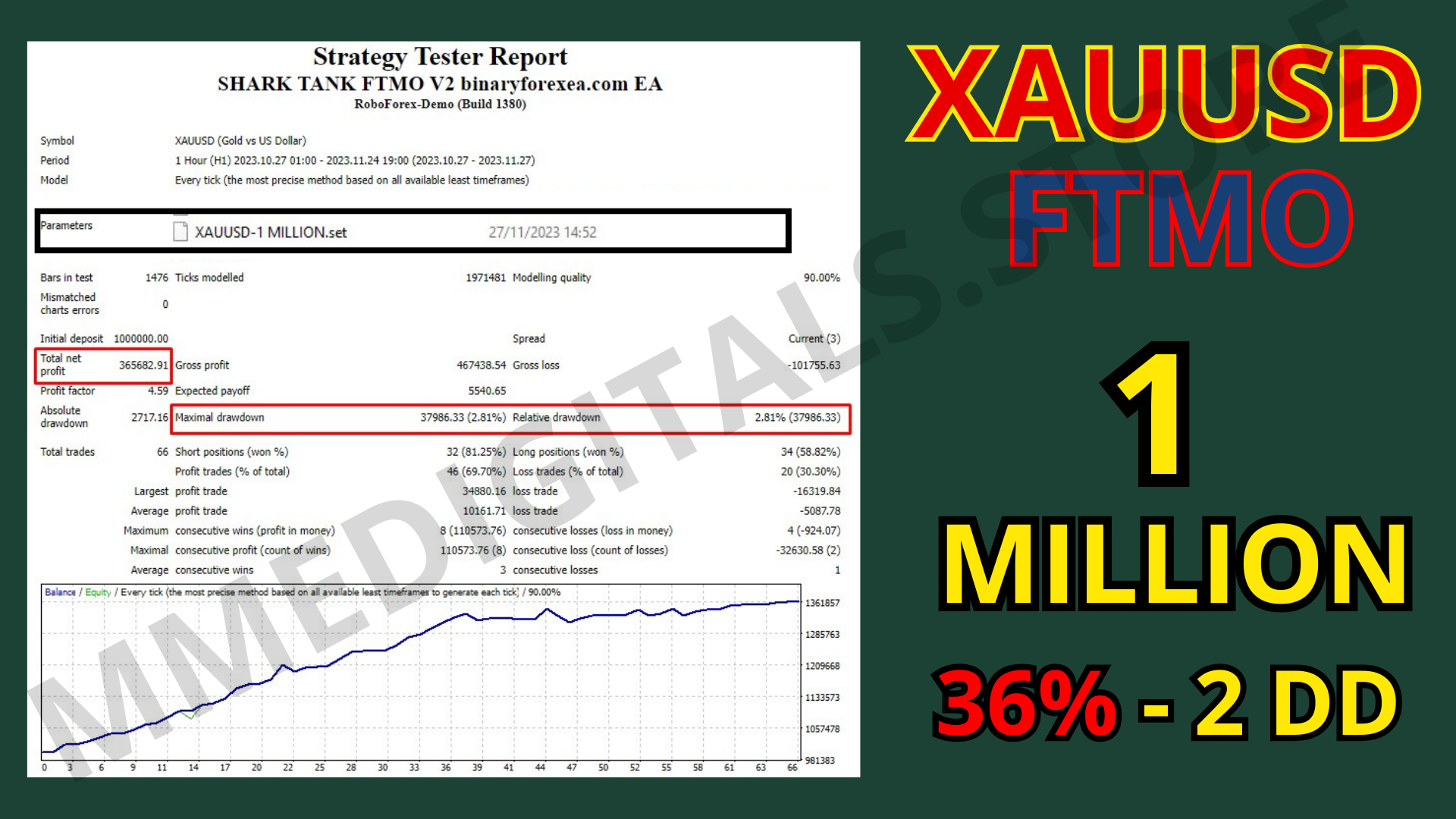
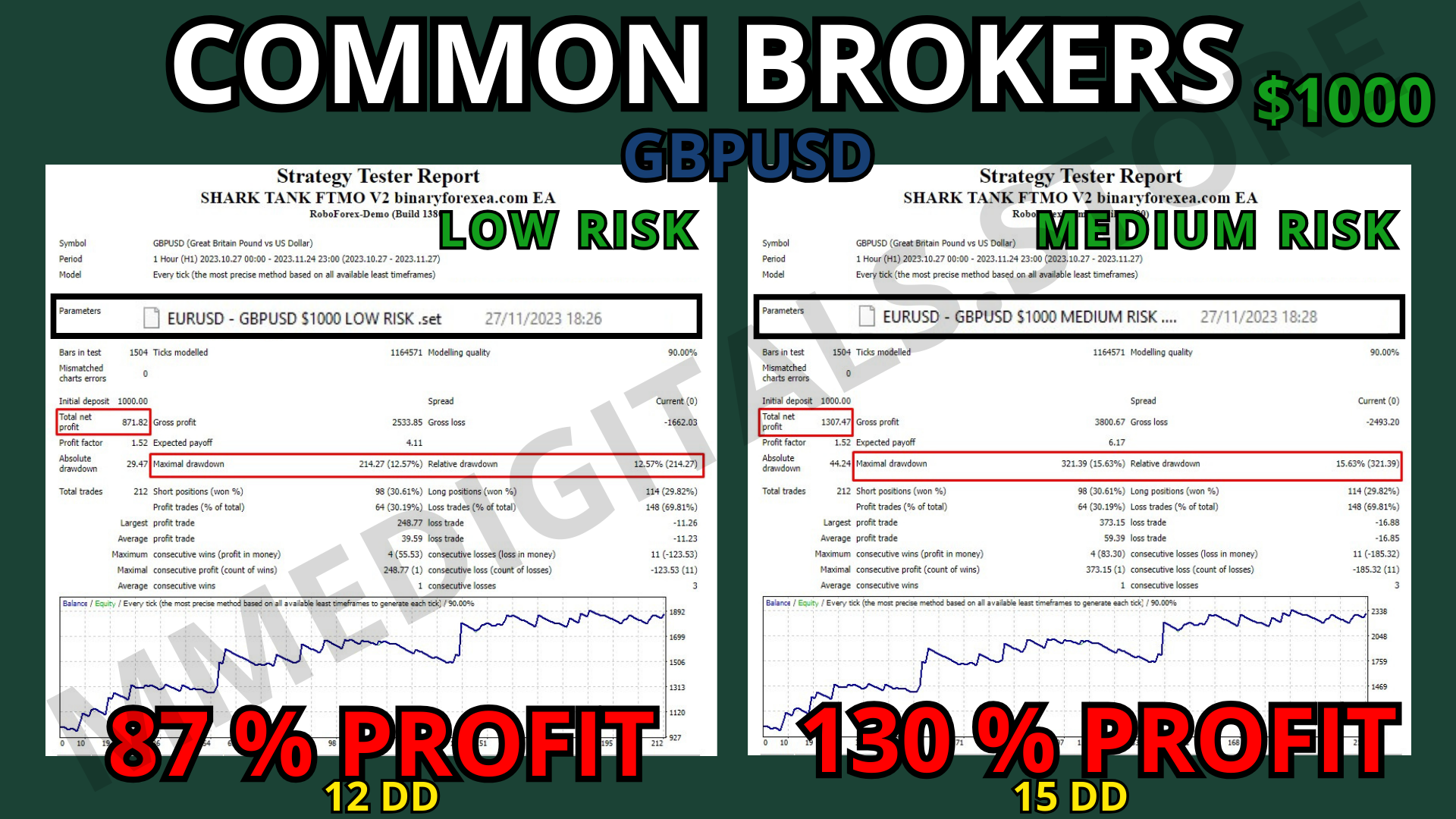

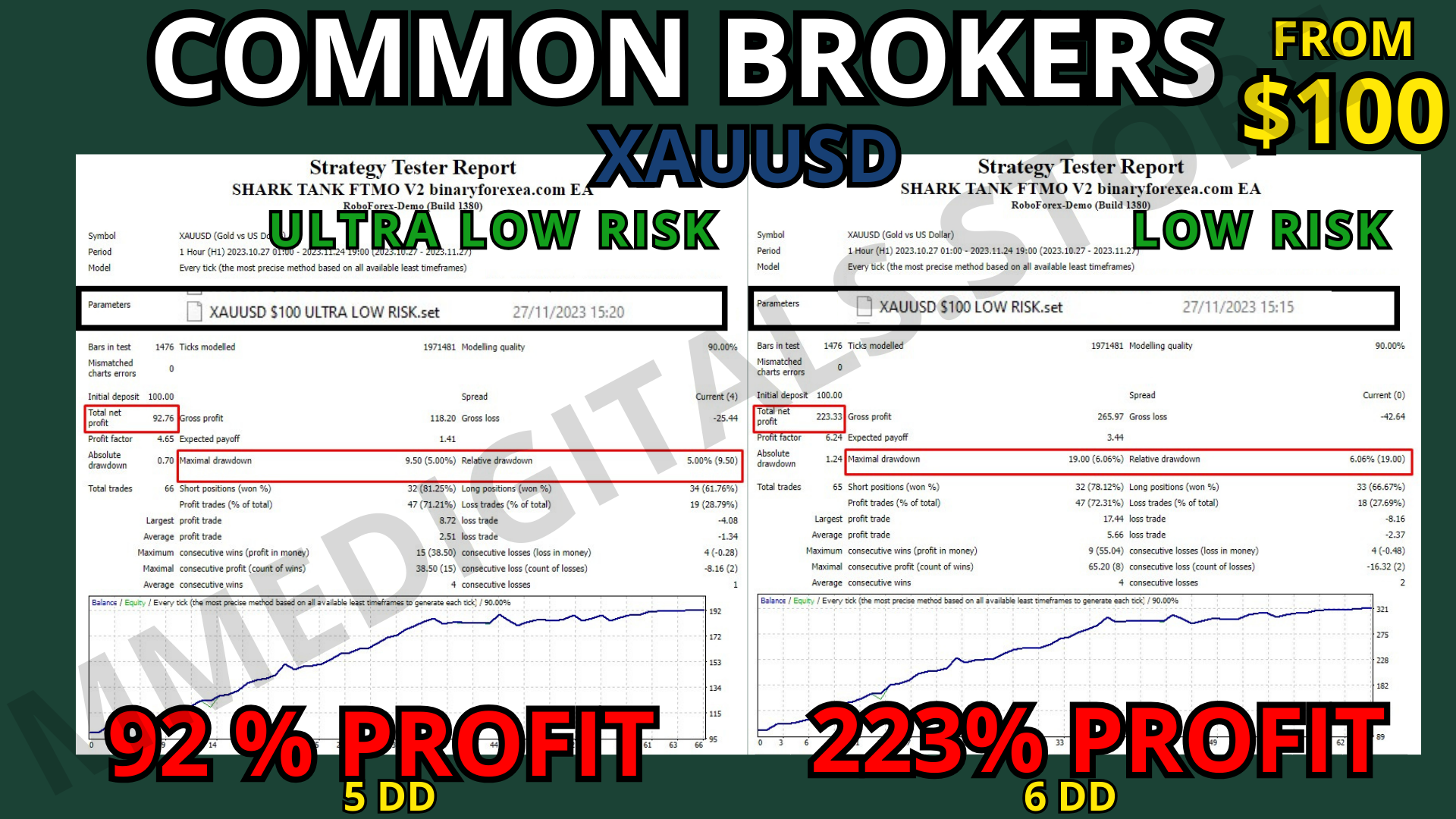
Shark Tank FTMO EA. The V2 made for challenge accounts.
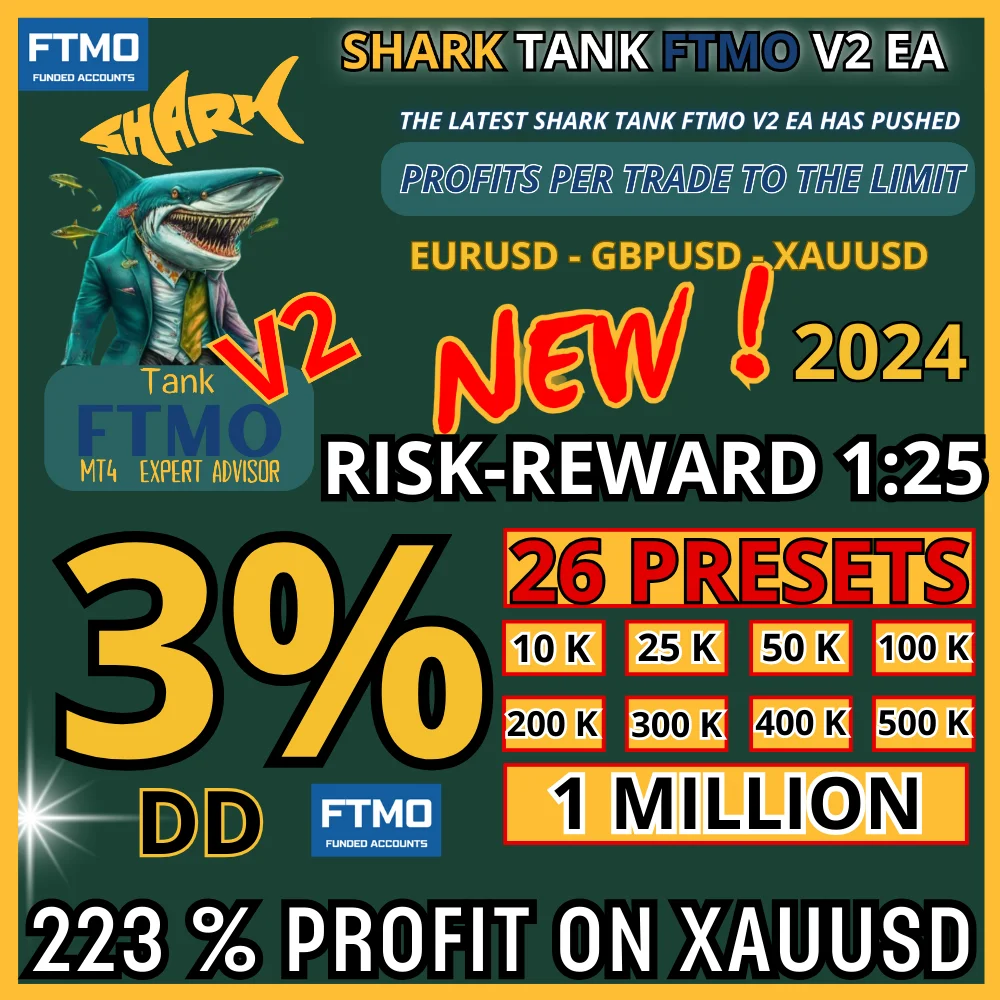
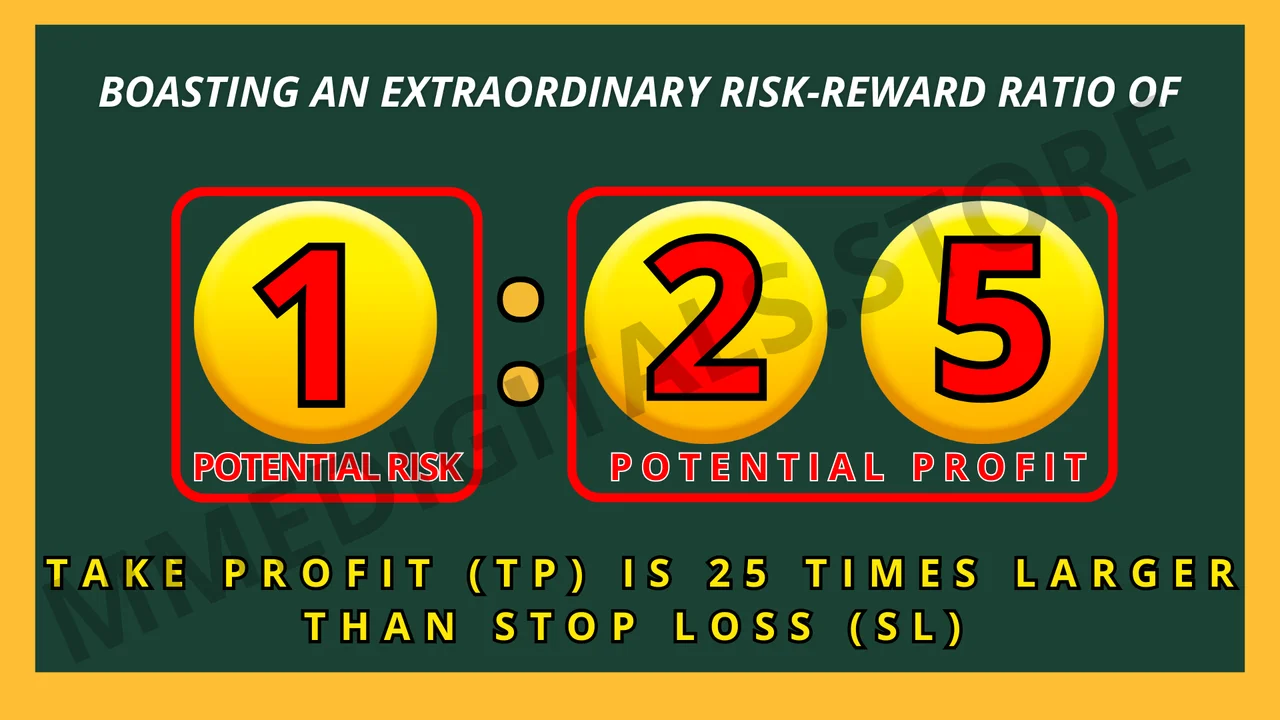
The Shark Tank FTMO EA is our flagship robot for traders who want to conquer the FTMO Challenge and secure funded accounts, and version 2 is the one you download here. It works on the H1 timeframe with a risk to return ratio of 1:25, so each trade aims high while the stop stays tight.
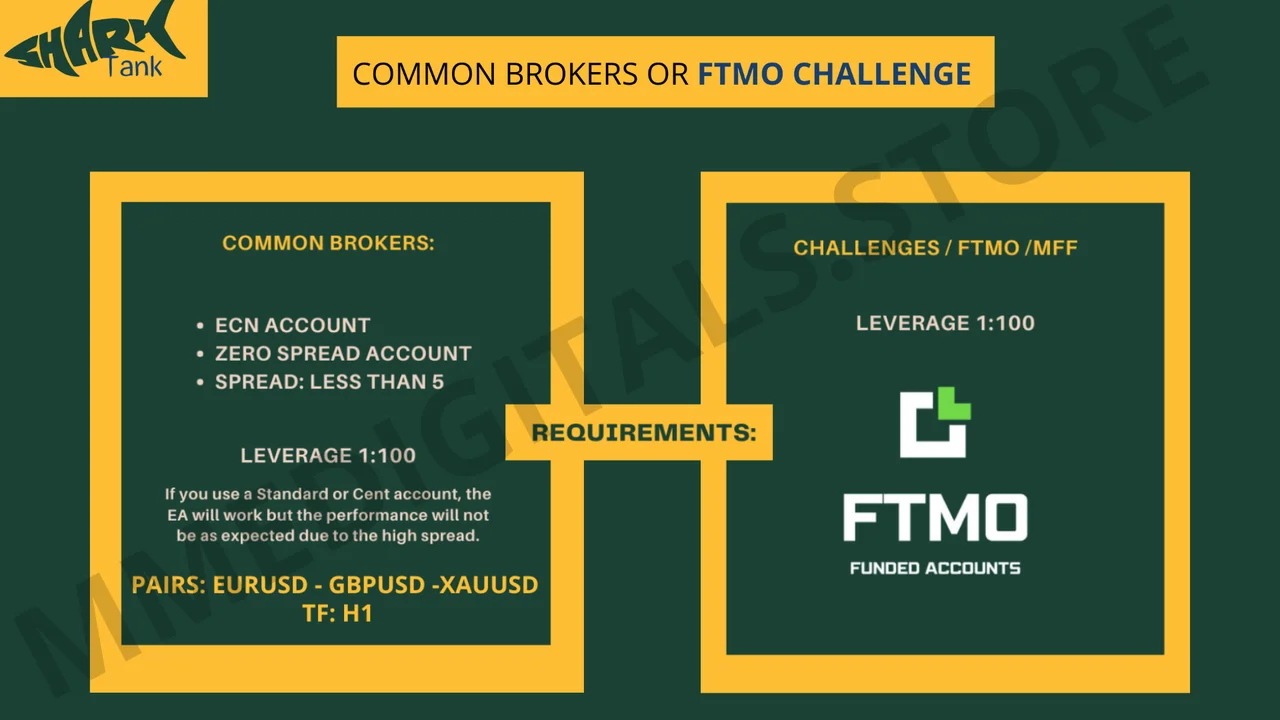
Markets and account for the Shark Tank FTMO EA
- Platform: MetaTrader 4.
- Timeframe: H1.
- Pairs: EURUSD, GBPUSD and XAUUSD.
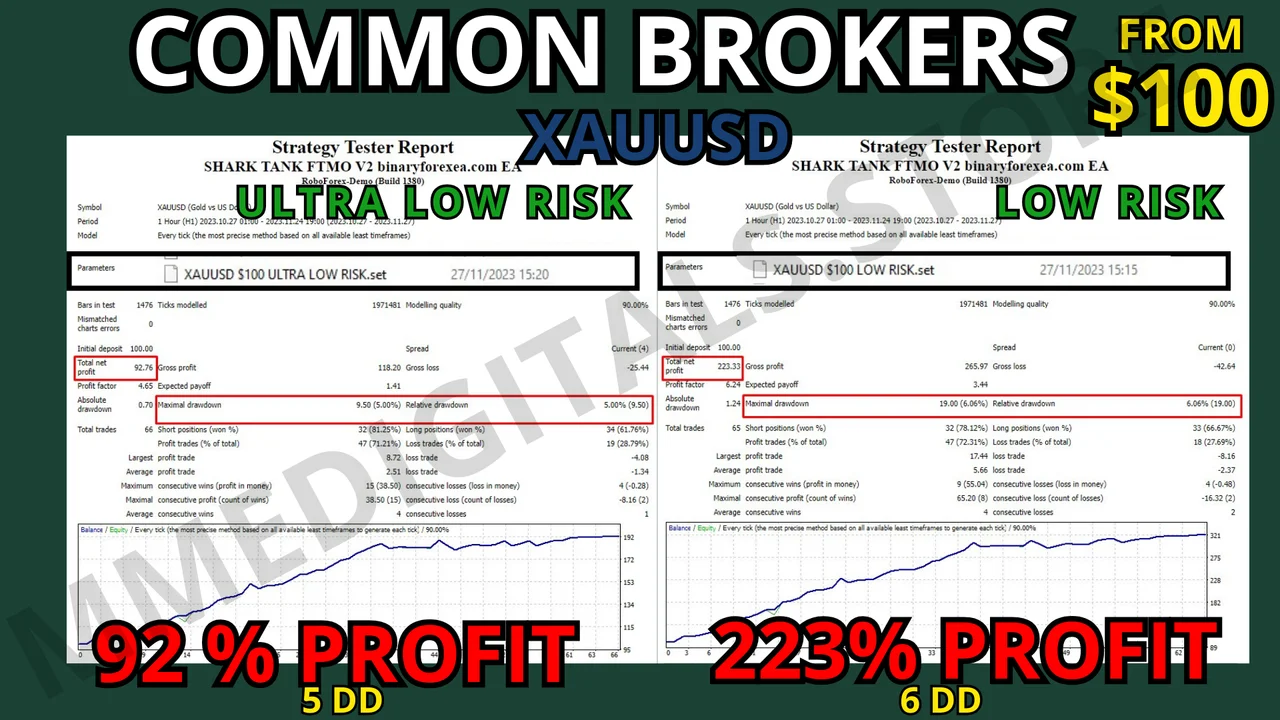
- Minimum deposit: $100 per pair on common brokers or on challenges.
- Leverage: 1:100.
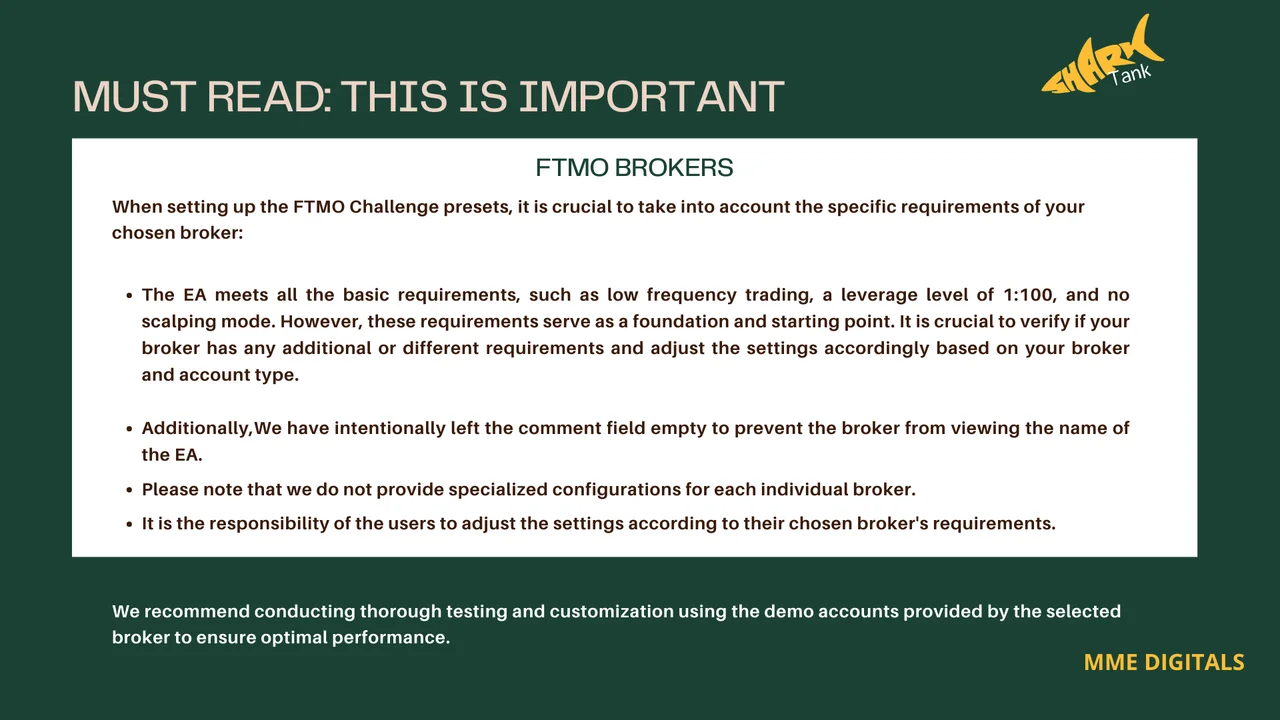
- Account: ECN, low spread under 5, zero spread, challenge brokers or FTMO.
Why this Shark Tank FTMO EA stands out
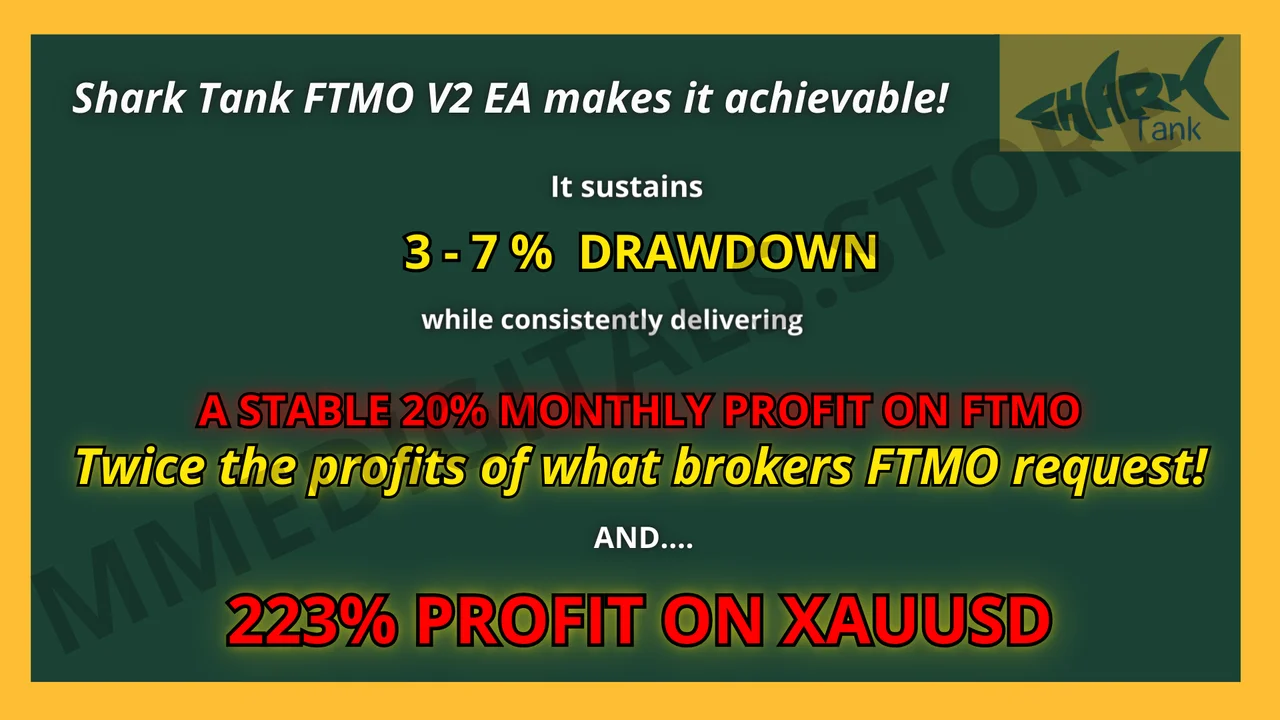
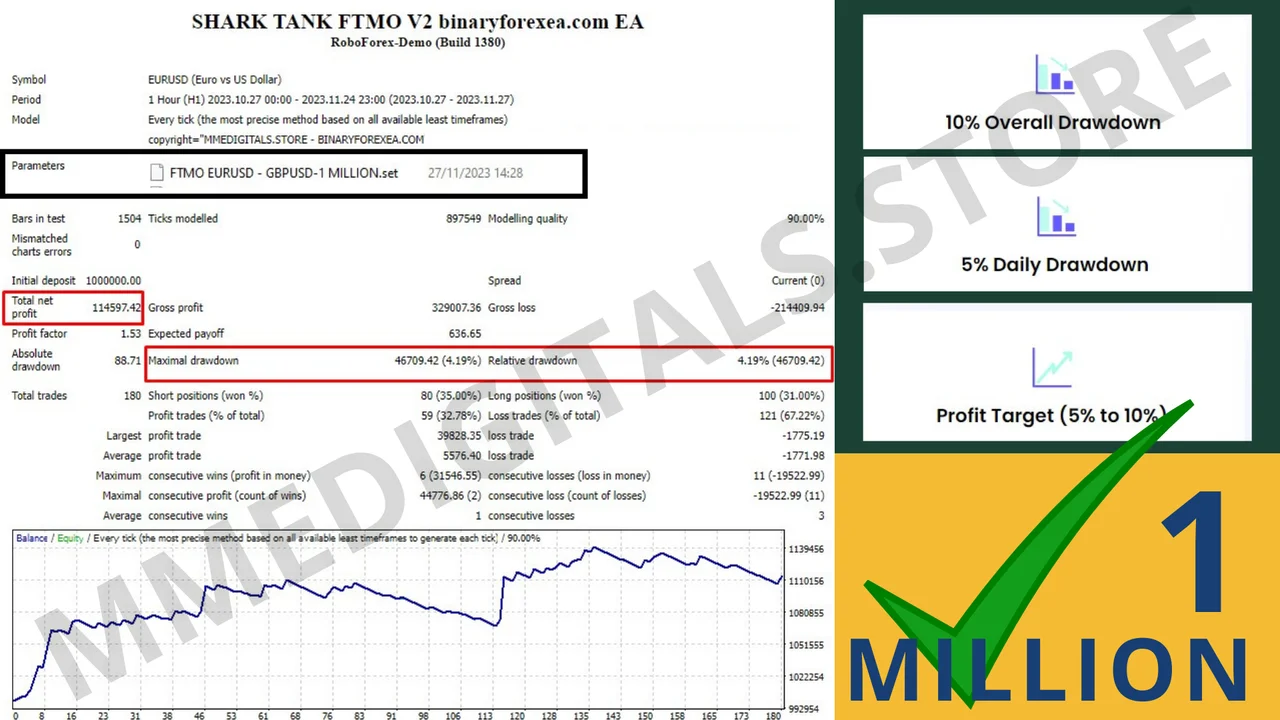
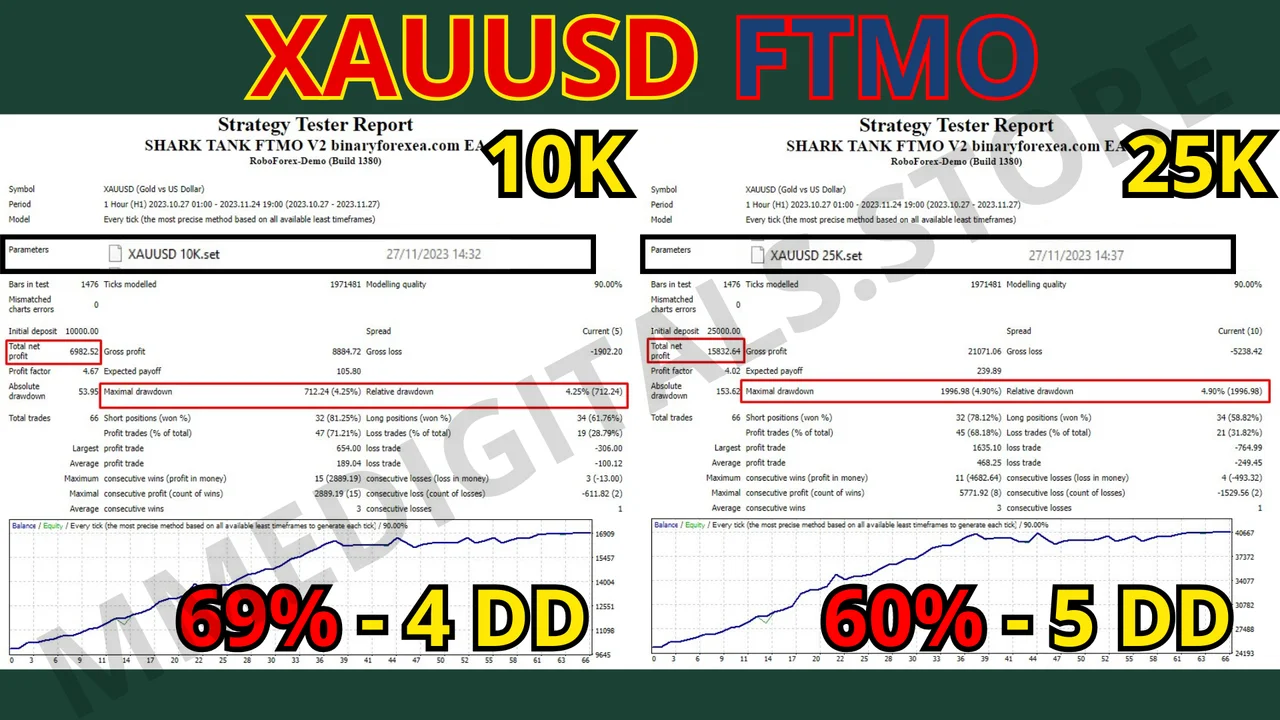
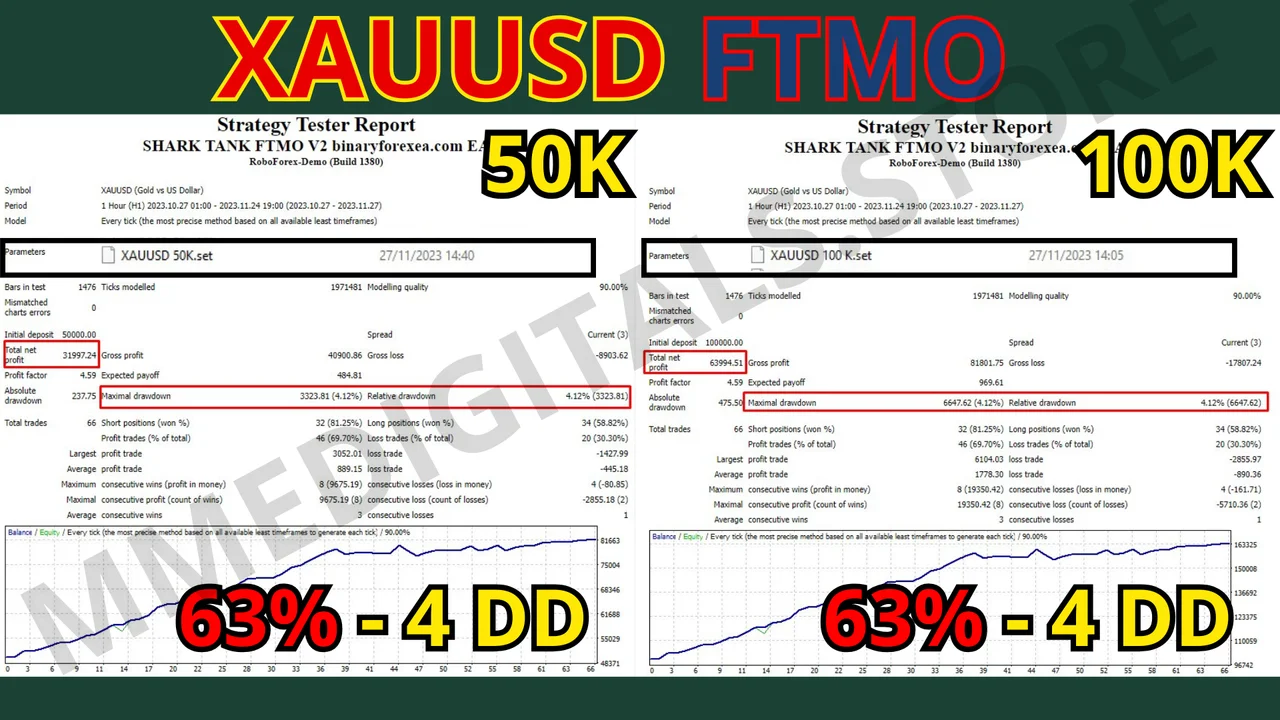
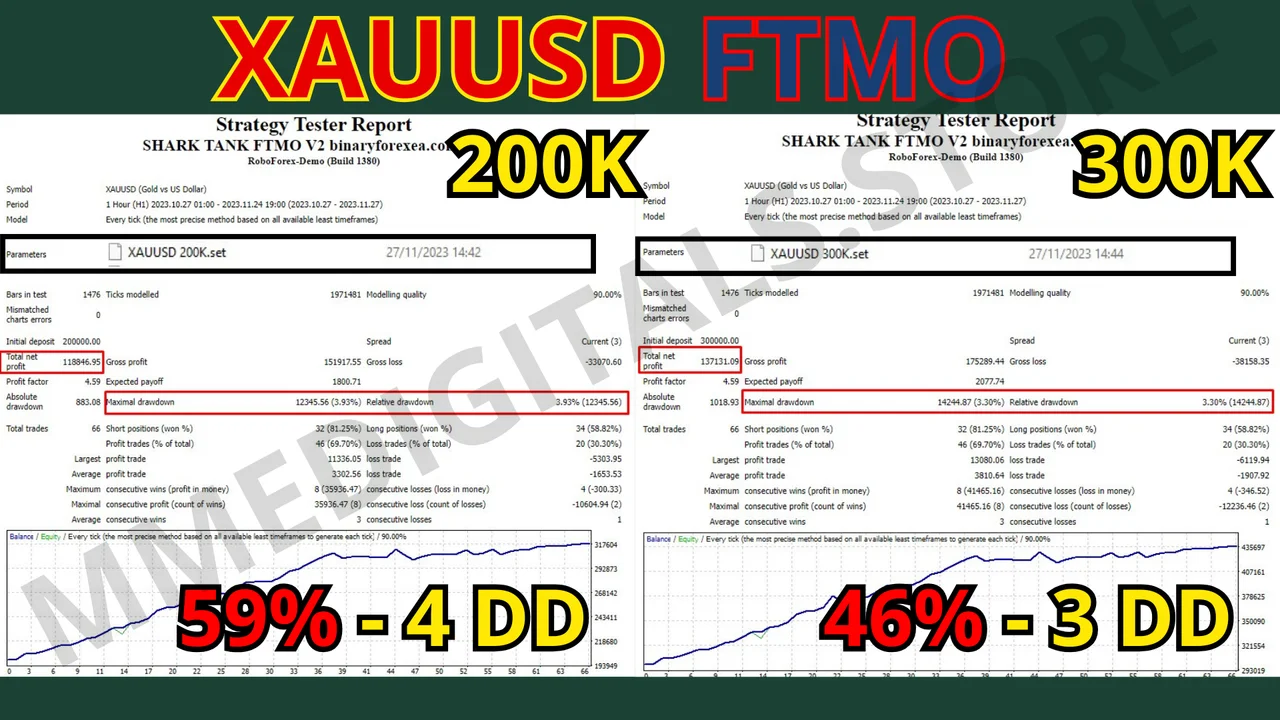
- Maximum profits, minimum drawdown. It extracts as much as possible from each trade while it keeps drawdown at an unprecedented minimum, so profit never arrives without safety.
- Risk reward beyond imagination. Picture a jaw dropping ratio of 1:25, since our robot rewrites the rules while others struggle with conventional numbers.
- Unrivaled precision. The V2 does not simply take trades, it executes them with surgical accuracy, and that precision brings consistent monthly profits.
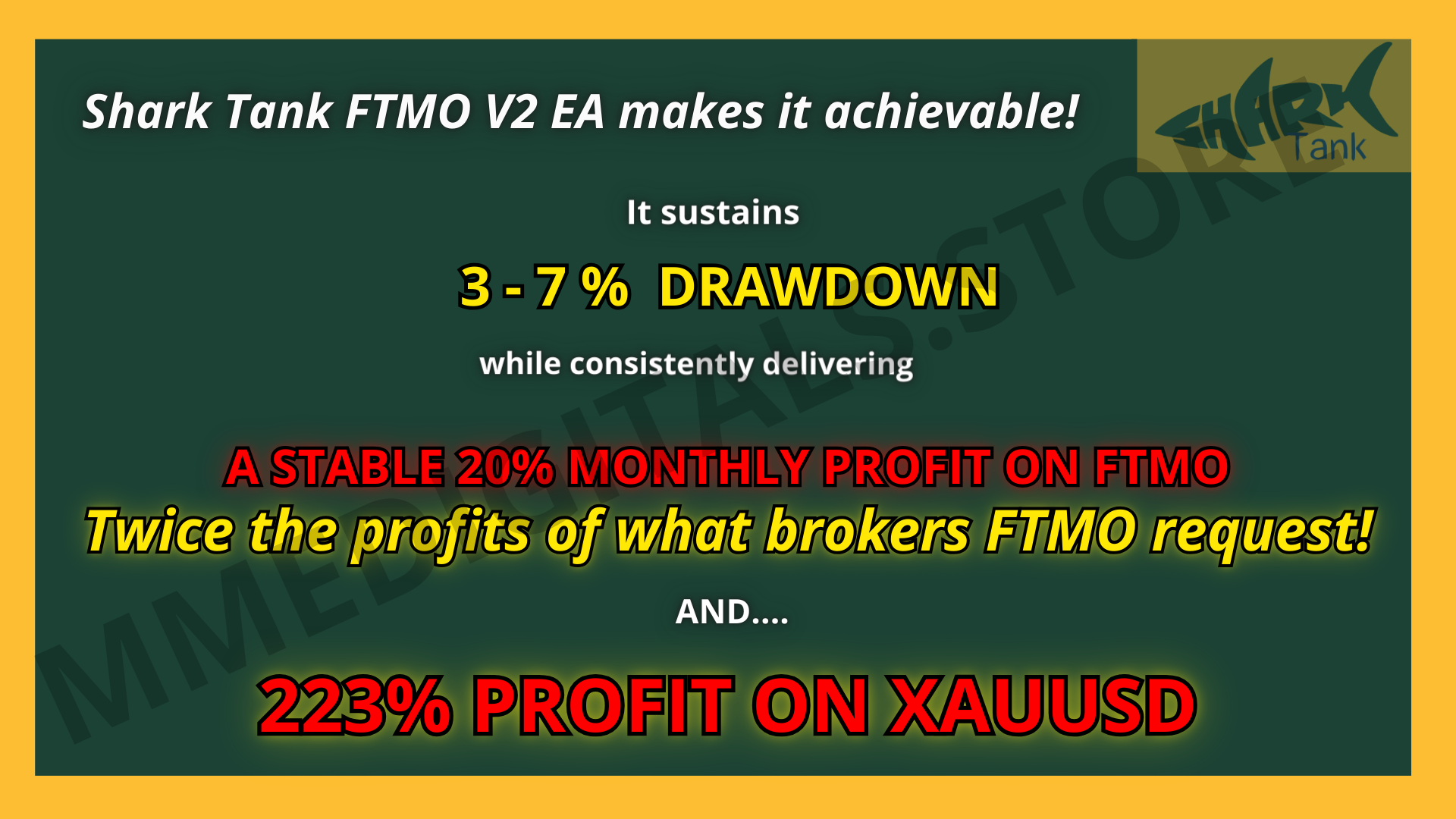
- Minimal drawdown, maximum consistency. With a mere 3 to 7 percent drawdown it targets a consistent 20 percent monthly profit, month after month.
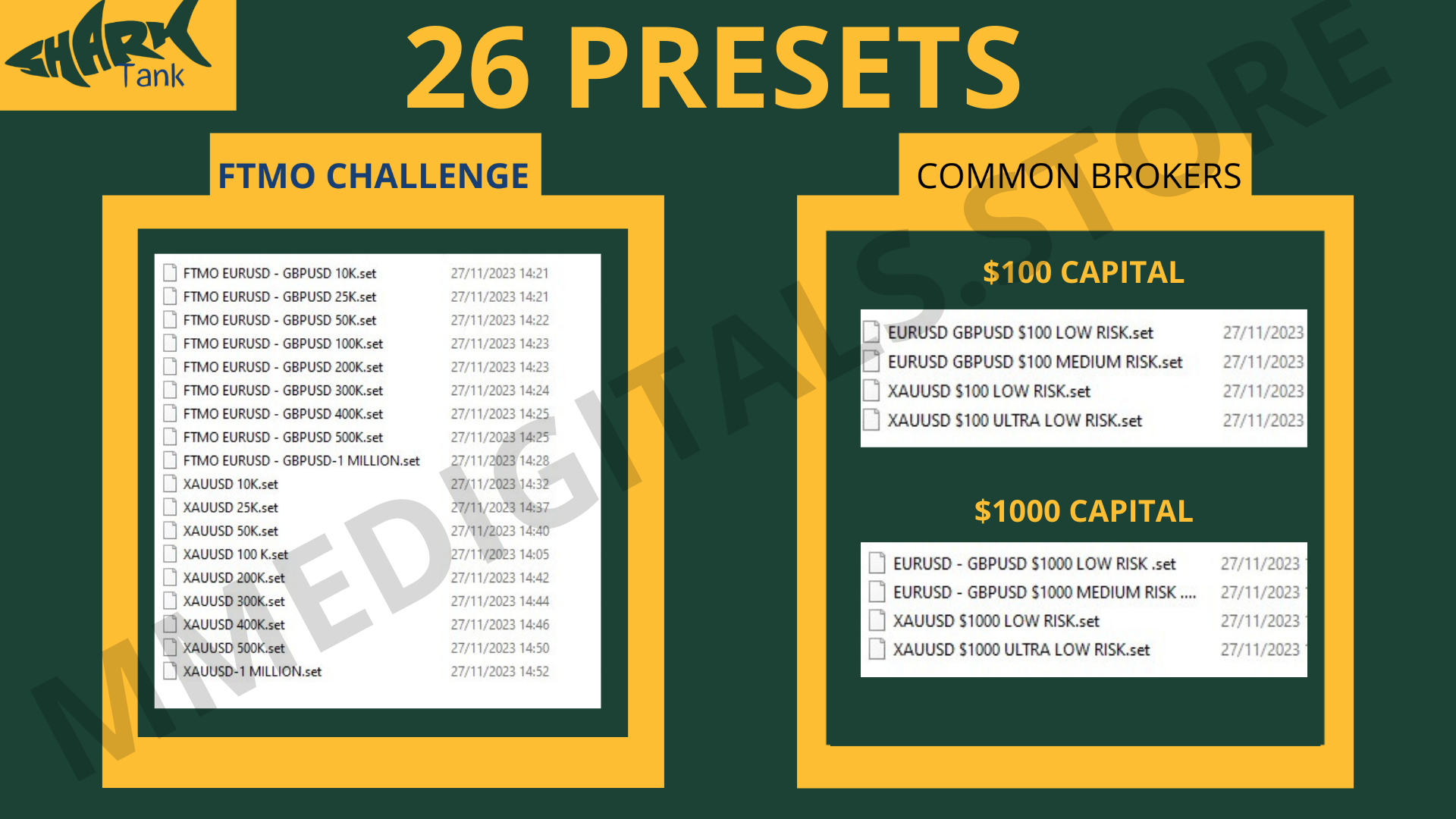
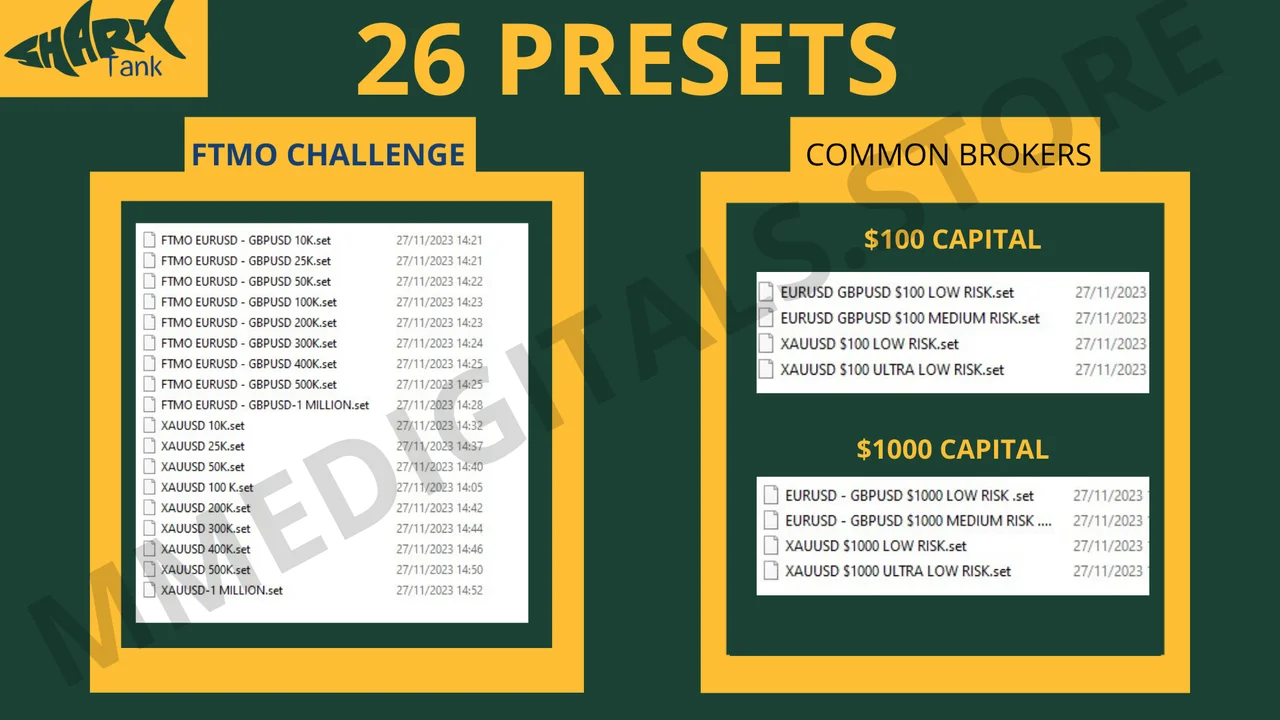
- Twenty six presets. Each preset was meticulously designed and proven, so you get clear guidance on the one that suits your account.
- Continuous optimization. Markets move, therefore the robot goes through a rigorous optimization every six months.
Choosing a challenge broker
Verify the spread before you start, because many challenge oriented brokers carry exceedingly high spreads and become incompatible with most robots. In those cases manual trading is the only viable option. This robot is tailored for spreads below 5, and beyond that limit the anticipated outcomes might not materialize. A higher spread could also lead to increased drawdown or frequent stop loss hits, which ends in losses.
Running the Shark Tank FTMO EA on standard brokers
On standard brokers, and above all considering the substantial profits on gold, use a Zero Spread or ECN account with rapid execution. Standard or Cent accounts usually carry a higher spread, which does not suit this robot because of its tight stop loss. The maximum allowable spread is 5. On gold, if you decide to widen the spread, then adjust the SL proportionally.
Installing it in MetaTrader 4
Setup takes about a minute. First, open MetaTrader 4 and click File, then Open Data Folder. Next, copy the .ex4 file into the Experts folder inside that data folder. After that, refresh the Navigator panel, drag the robot onto an H1 chart of EURUSD, GBPUSD or XAUUSD and enable AutoTrading. Finally, load the preset that matches your account before you leave it working.
Results gallery

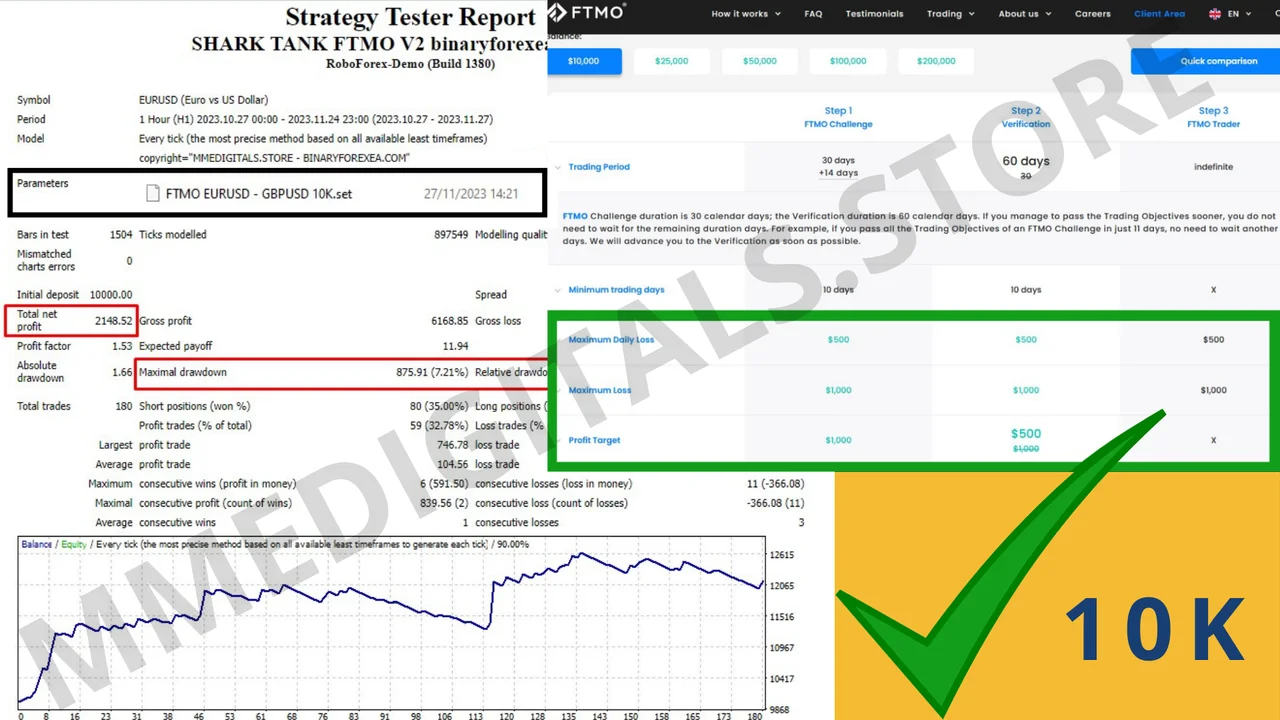
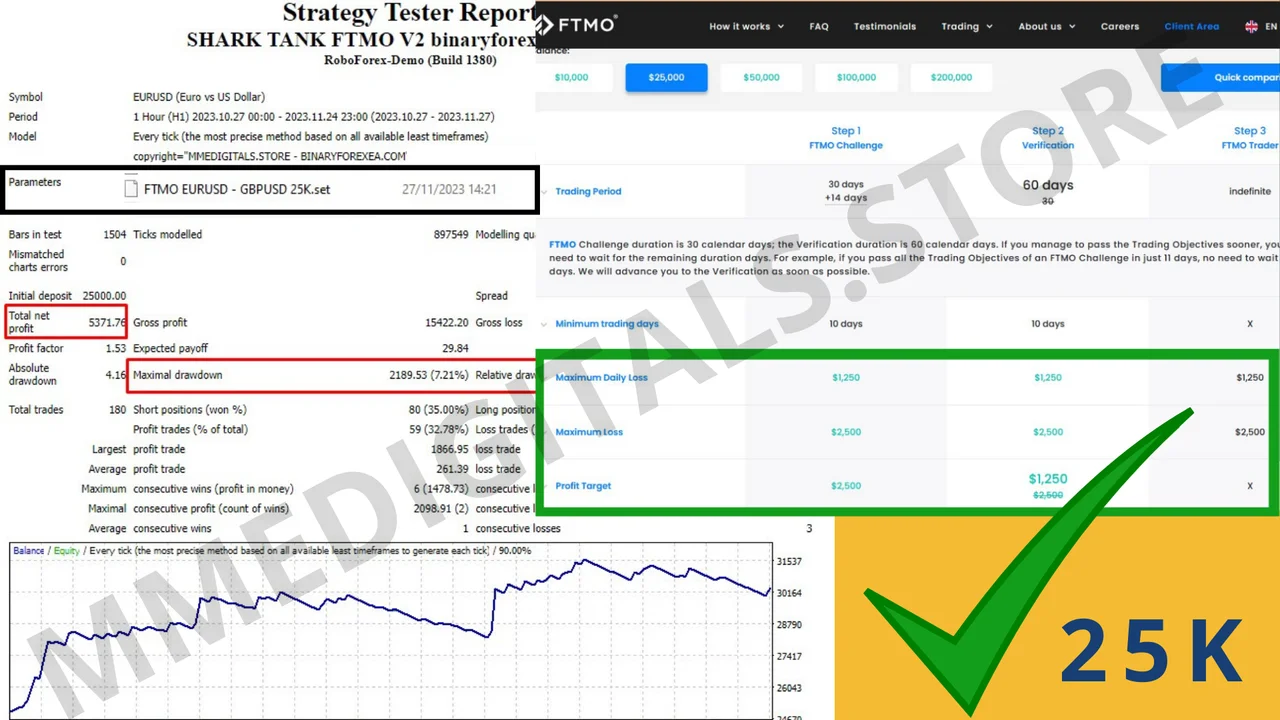
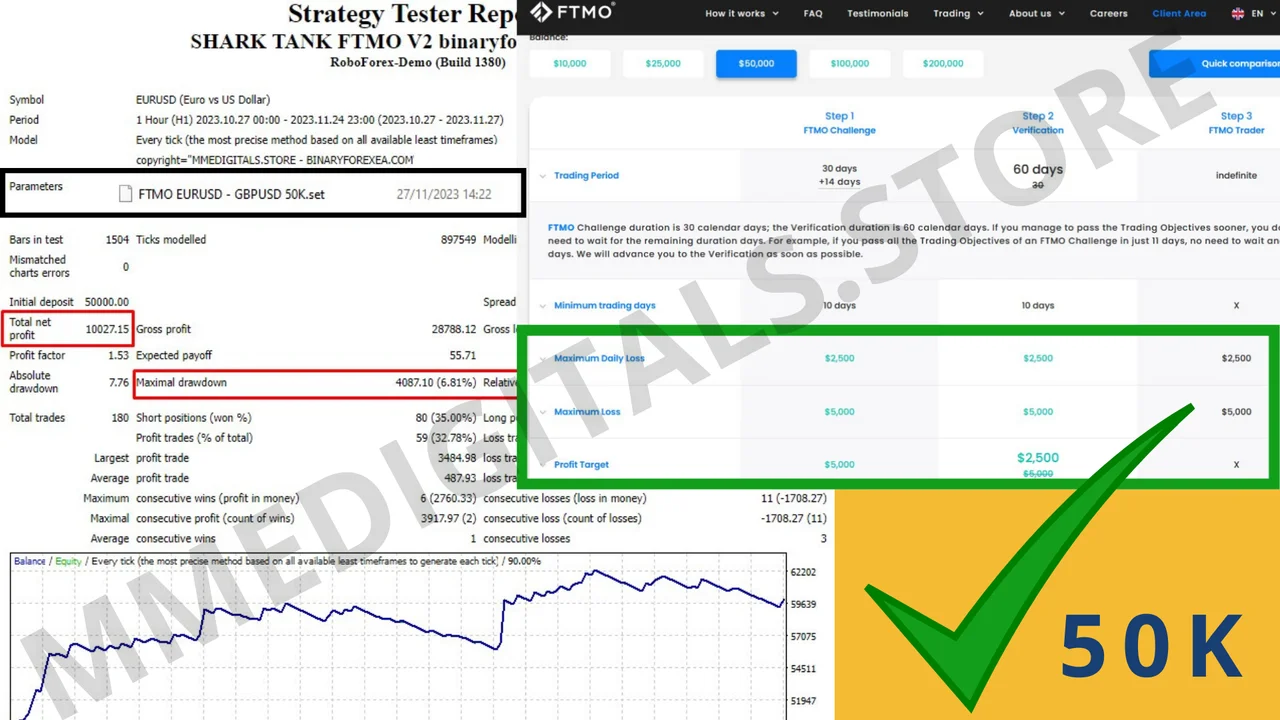
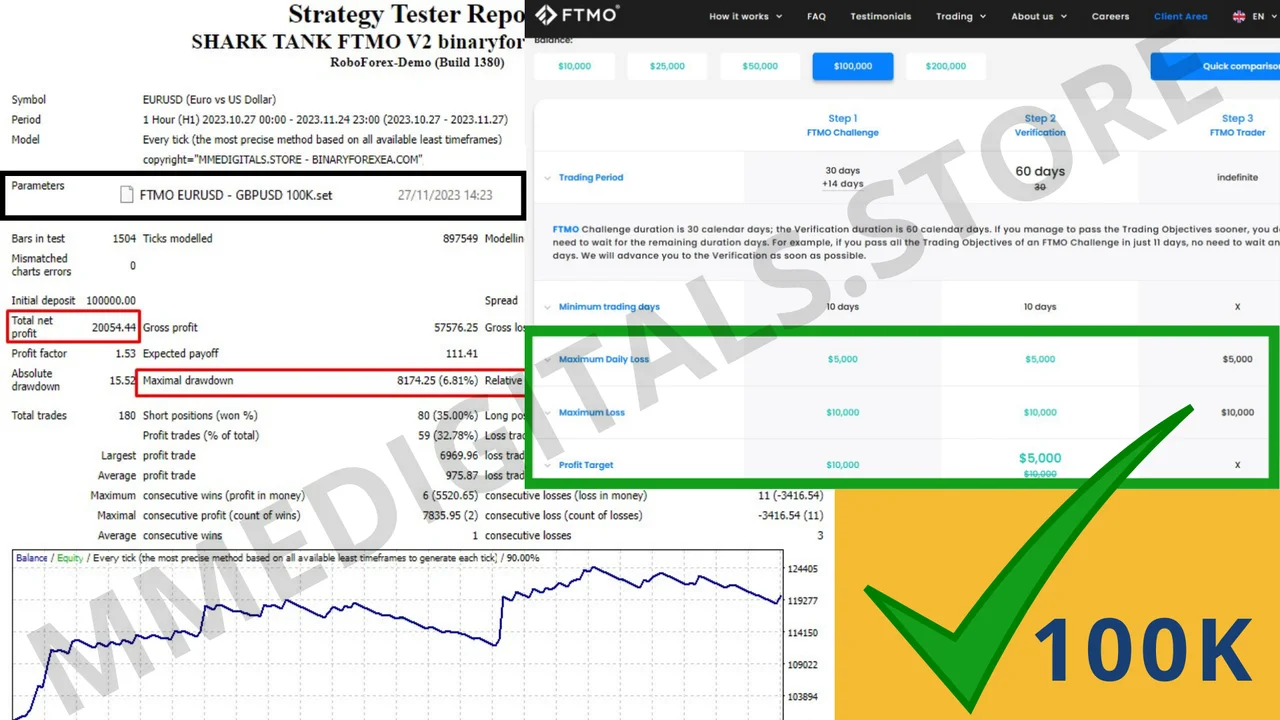
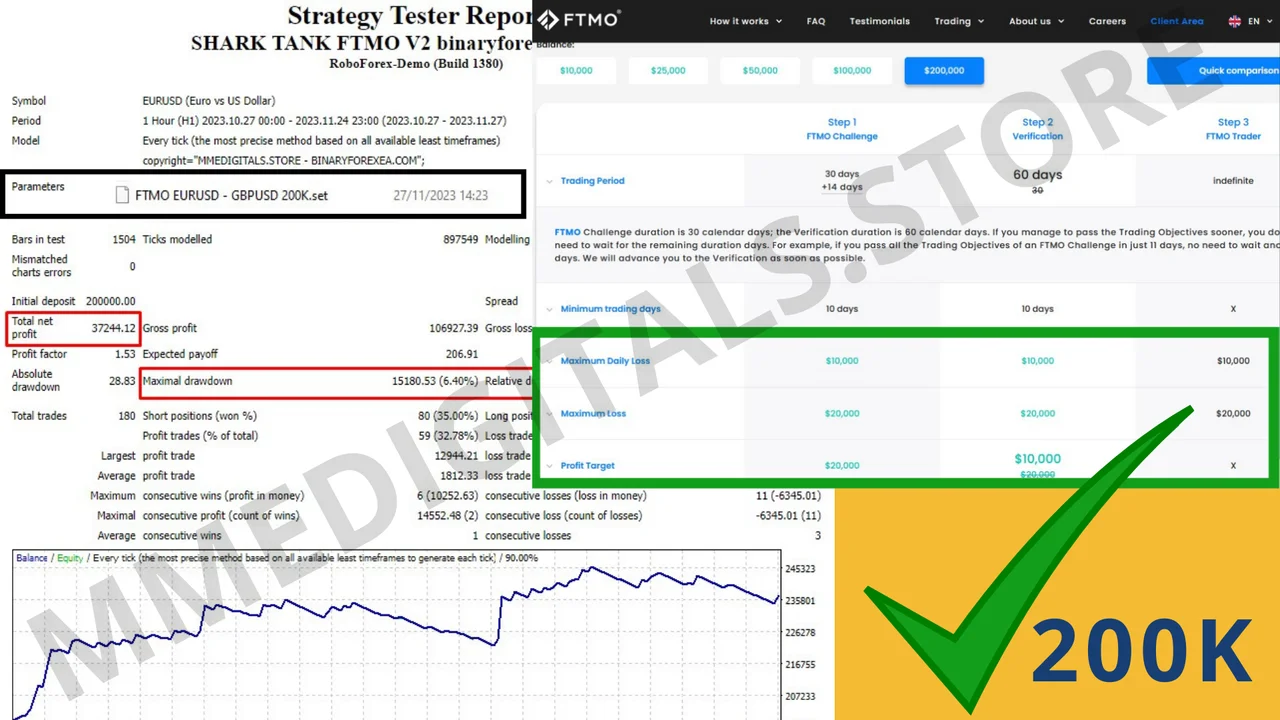
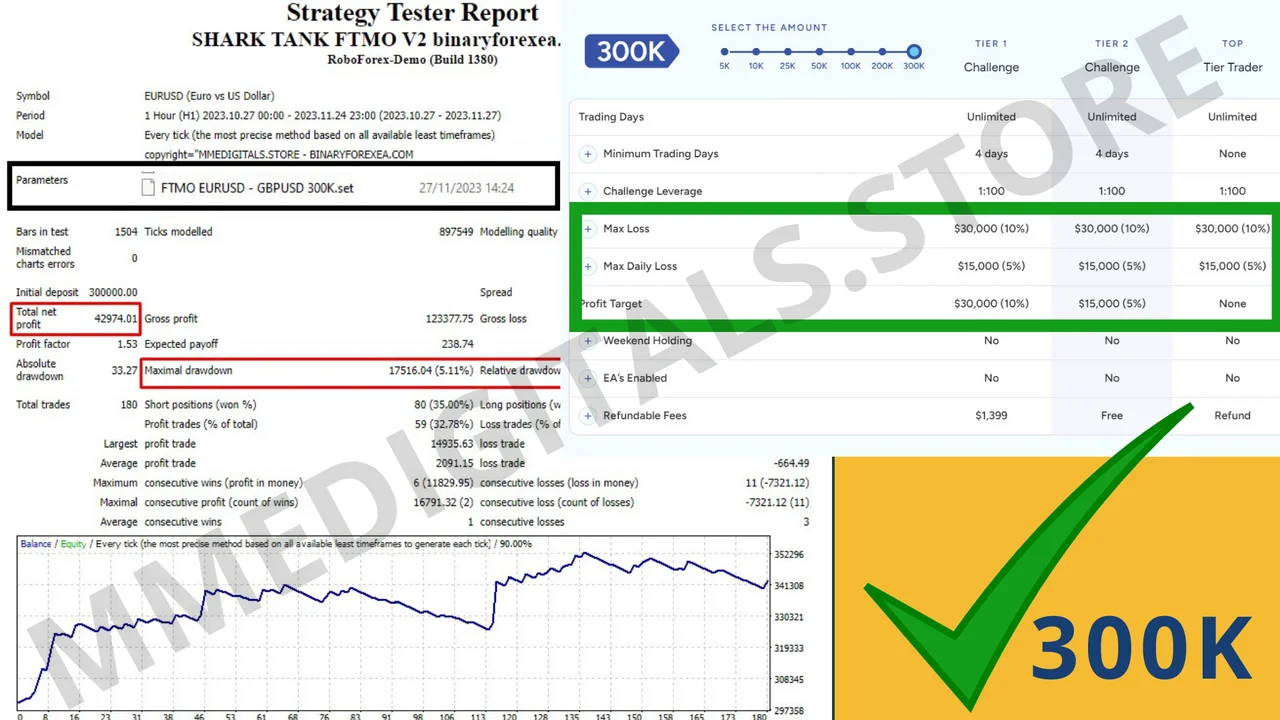
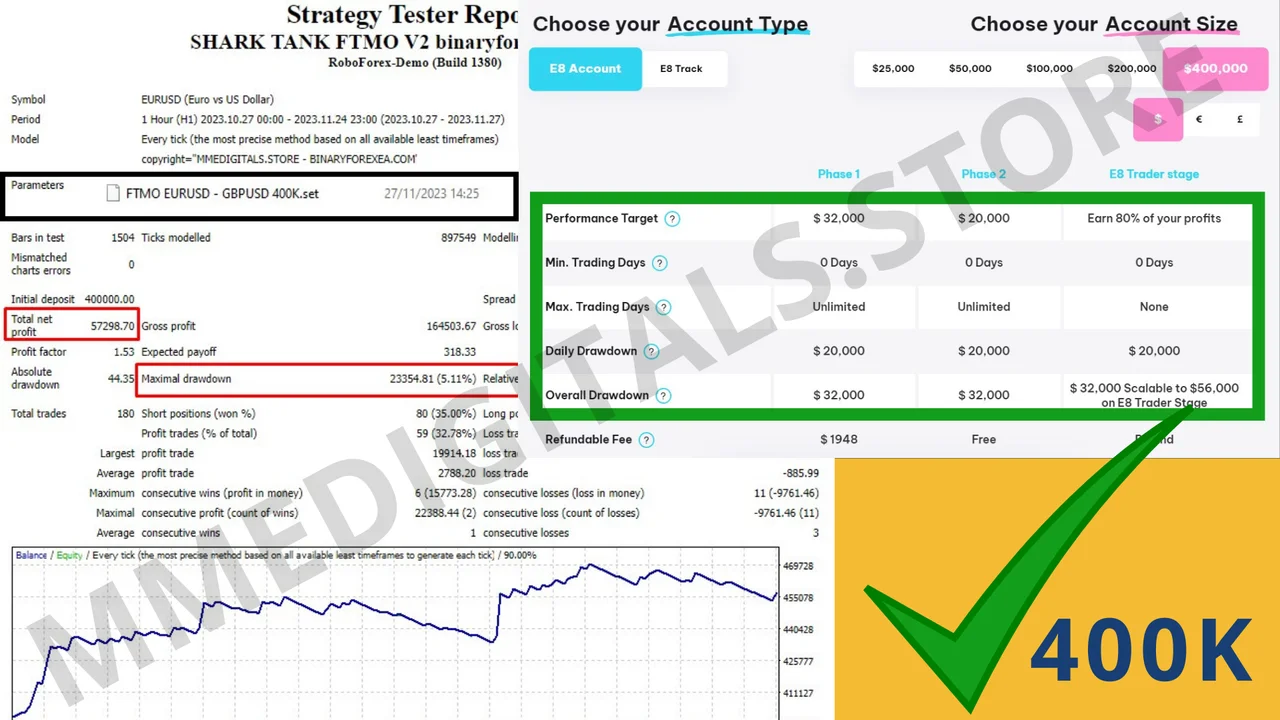
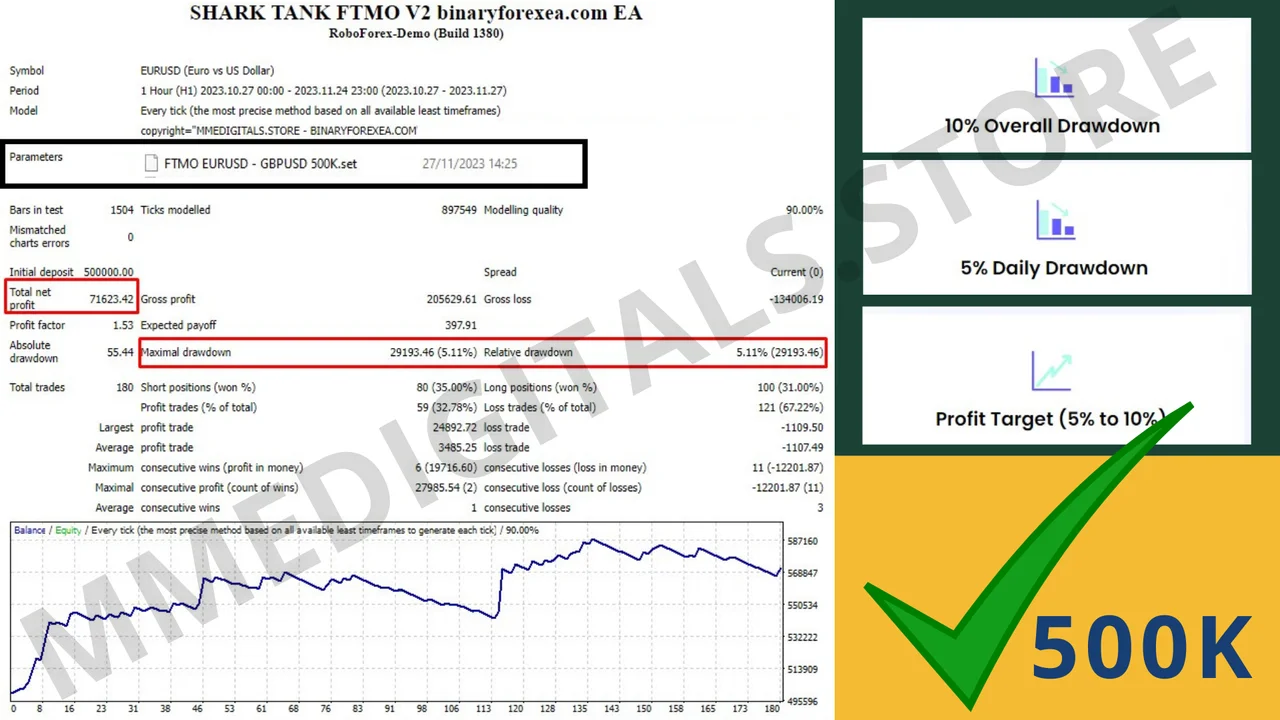
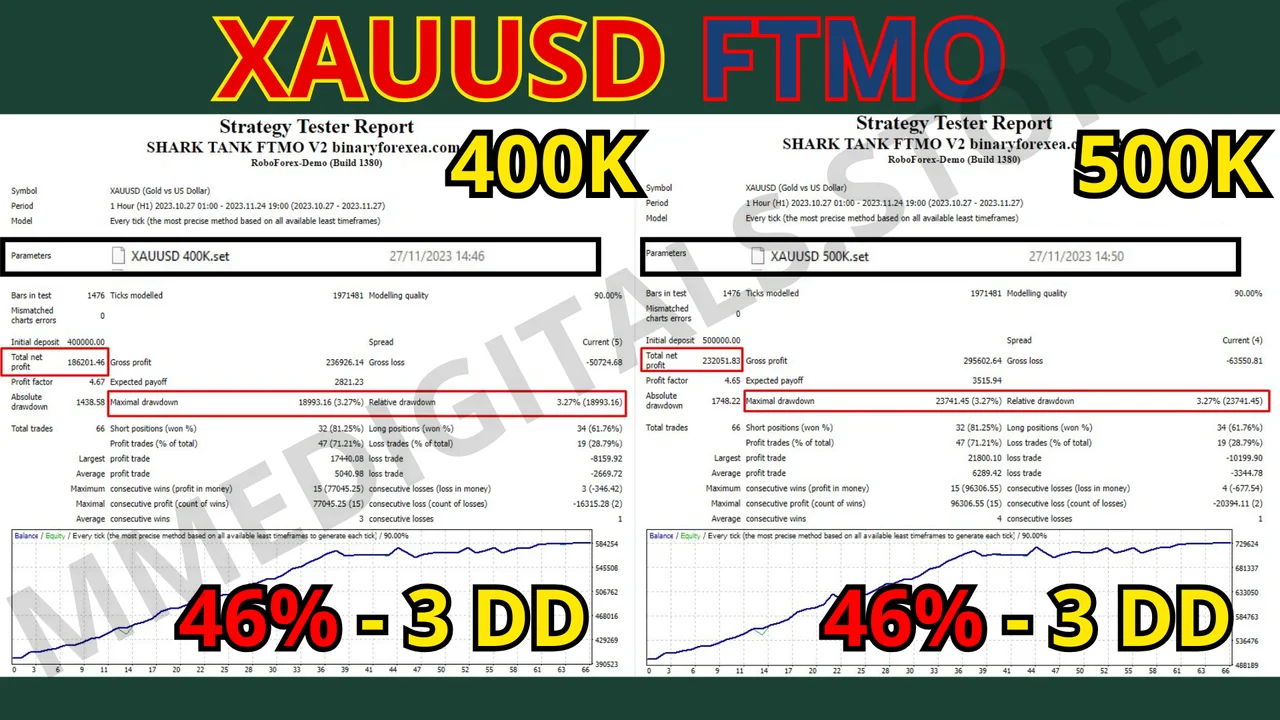
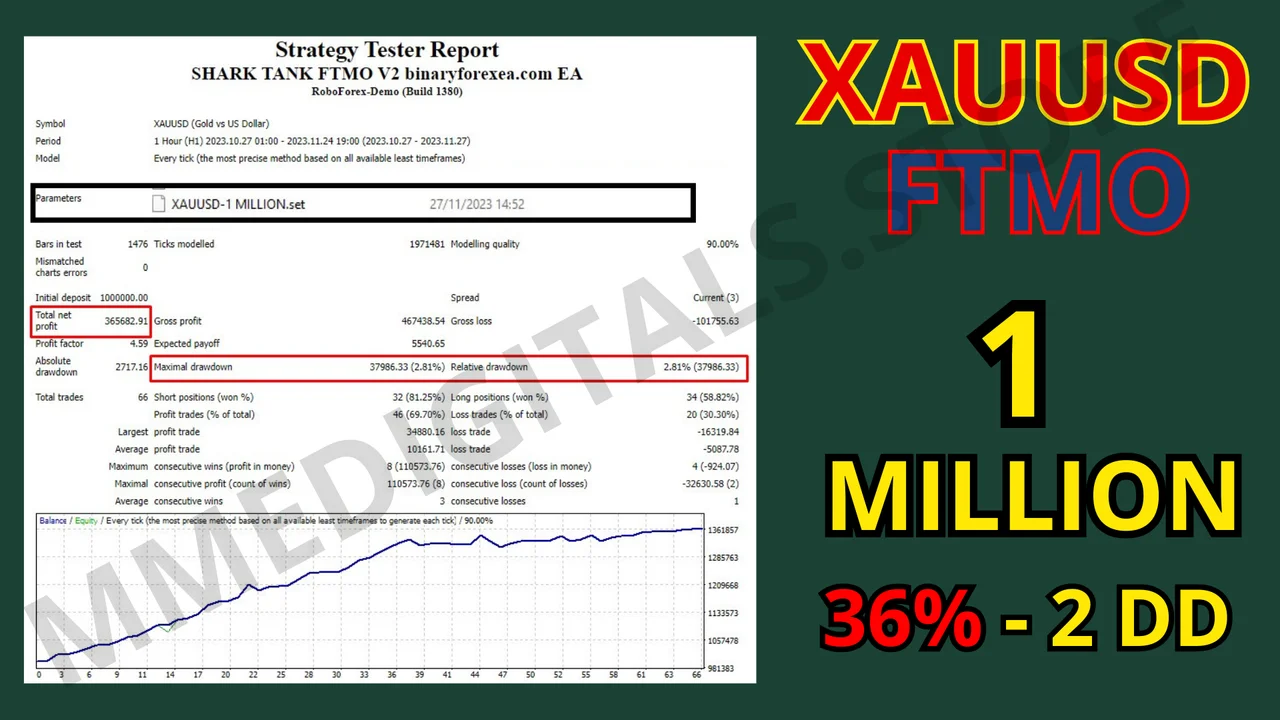
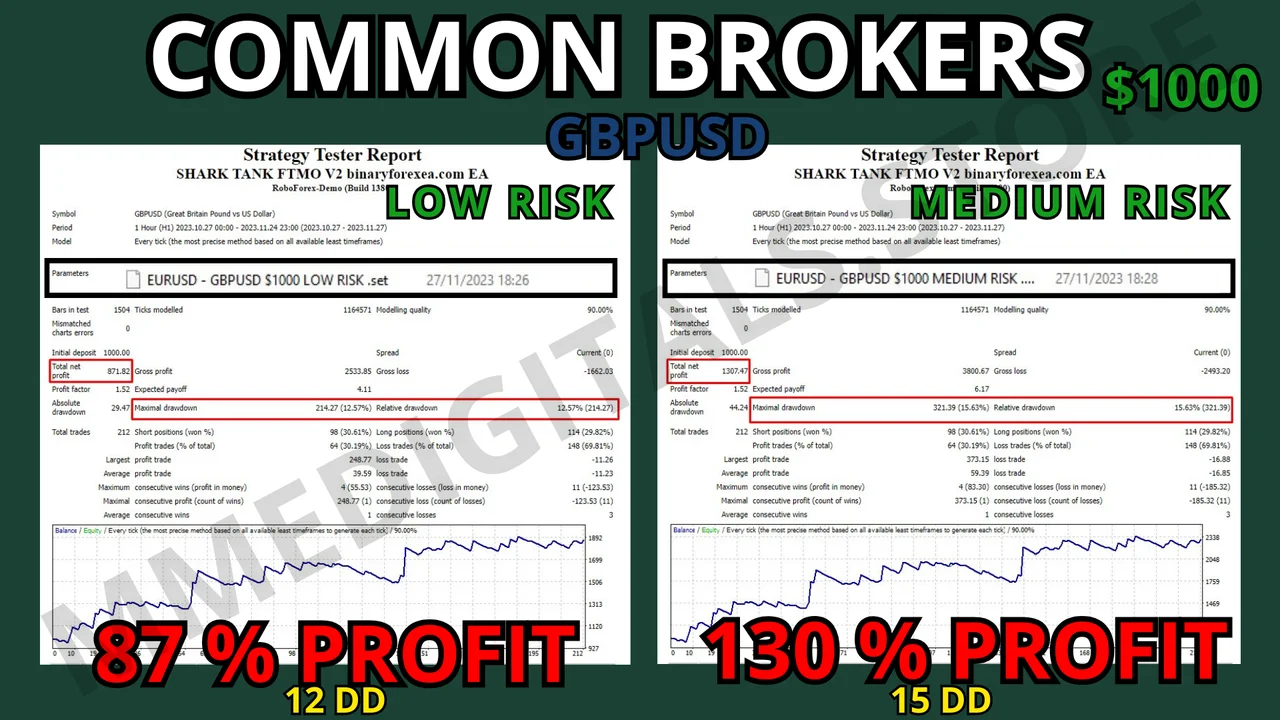
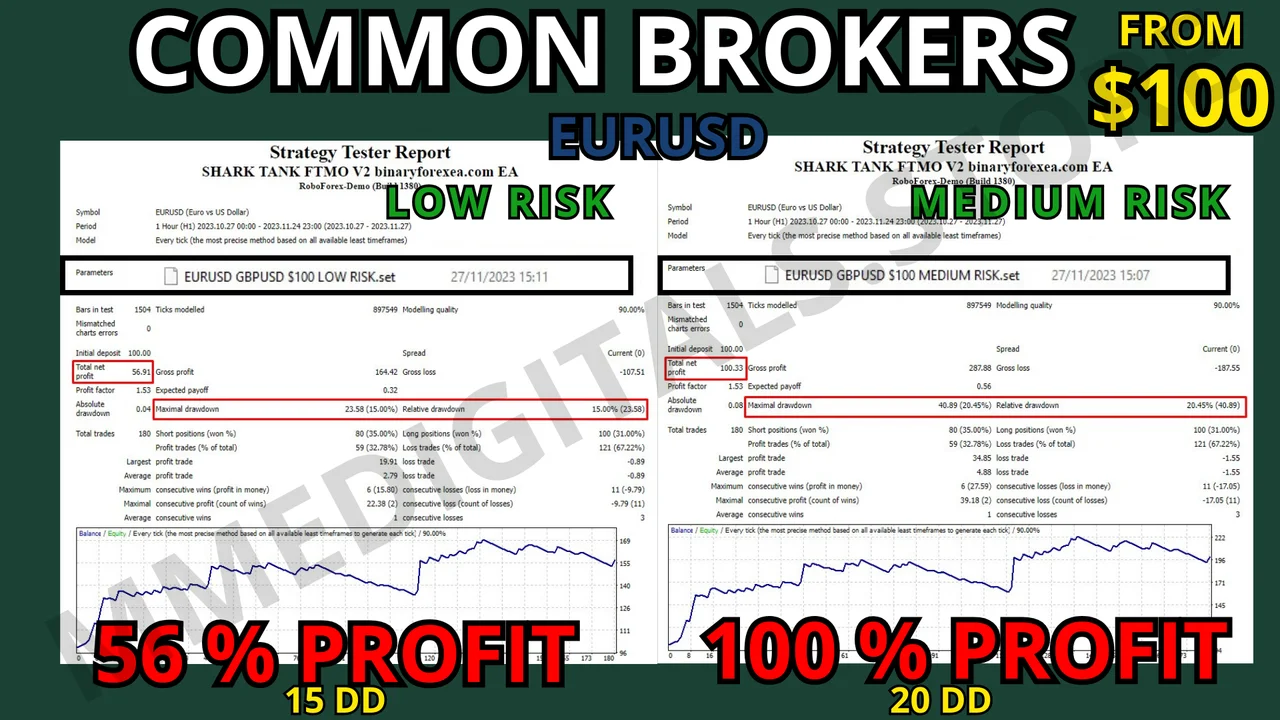
Before you go live, always try it on a demo account first, and only trade with money you can afford to lose. Past performance does not guarantee future results. You trade at your own risk.
Instant download after purchase. Questions? Write to info@binaryforexea.com.
Looking for more automated robots for prop firm challenges? Then browse all our Expert Advisors.