BINARY OPTIONS SIMULATOR FOR MT4
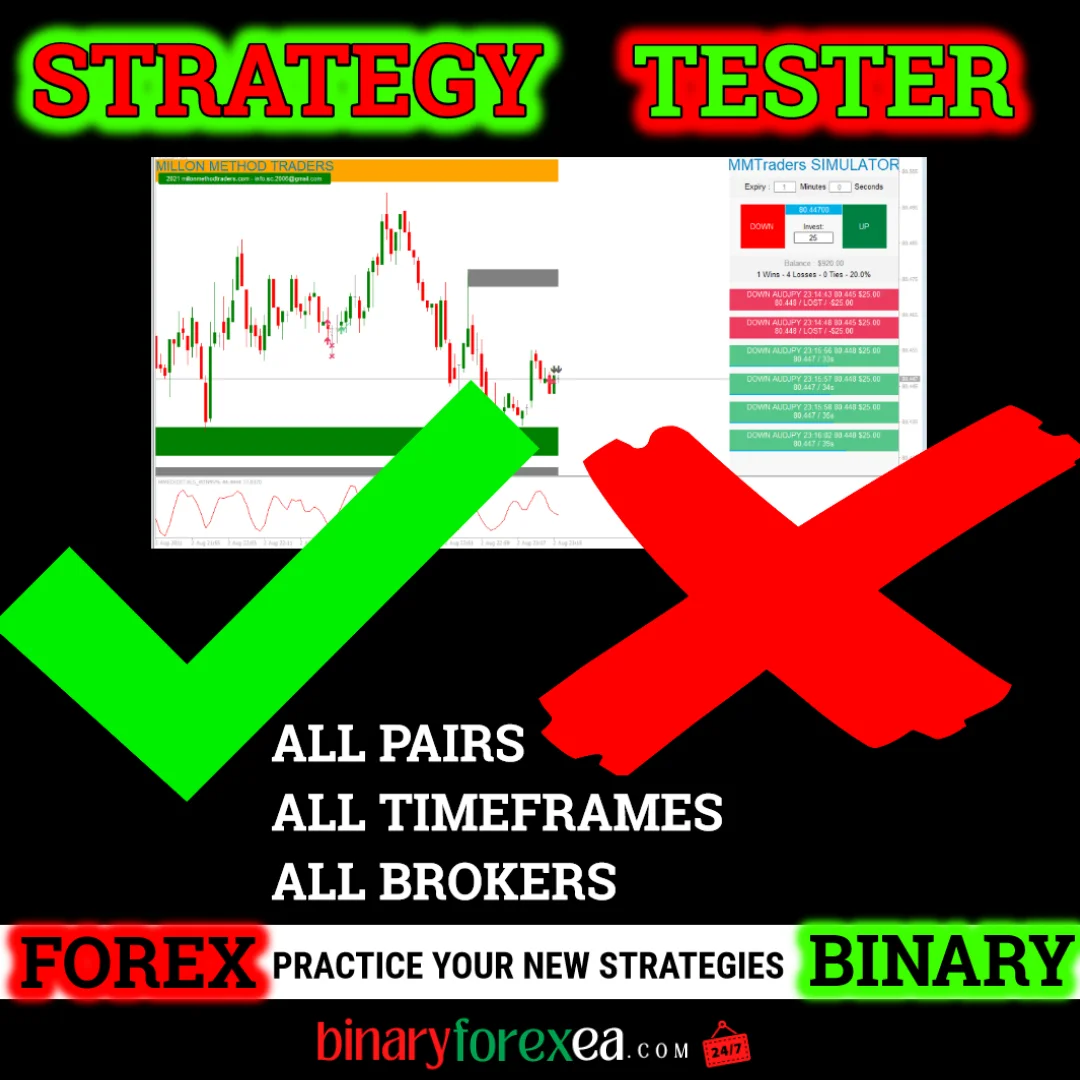
You mark the trade yourself and the panel records it. The binary options simulator is a manual tool for MT4, so it never opens a real position on your behalf. Instead, it follows the live market and it saves the result of every trade you take. Therefore you can rehearse a system on a real chart, even when your broker offers no demo account.
Why the binary options simulator exists
Almost always before trading on a Live Account, it is necessary to check the systems or indicators in order to study the signals of the system or indicator, to avoid negative situations in real trading and to eliminate undesirable losses.
***Not all brokers allow Demo accounts, or not all brokers have live demo accounts.
In this case, MME Simulator will help you, thanks to it, you will have an opportunity to practice the strategies by trading in Real Time.***
Because the panel reads the same candles as your broker, the exercise stays honest. Moreover, nothing is at stake while you learn the rhythm of a new strategy. This idea is known as paper trading, and it remains the cheapest way to gain screen time.
Statistics you can really study
If you like to statistically analyze your trades, to corroborate the best times for your strategy (see the most favorable markets for it) and thus get the highest profitability in the shortest possible time, this simulator will be of great help because it exports the data to an Excel file (.csv), which will allow you to handle the data with total freedom.
A spreadsheet opens the door to simple questions with useful answers. For example, you can sort by hour and see when your entries worked. In addition, you can compare one pair against another, or one timeframe against the next. As a result, the strategy you keep is the one the numbers support.
Features of the binary options simulator
Features and further details
- MME Simulator will import your trades and place them in the Files folder of your platform data folder.
- There, you can see the trades differentiated by Pairs and TF, every time you change TF or Pair, MME Simulator will save the result in a different file, so you can discriminate according to your preferences.
- You don’t need to stay in front of your computer, MME Simulator will save the result of the trade for your convenience.
- PAIRS & TIMEFRAMES: ALL PAIRS ALL TIMEFRAMES
- BROKERS: ALL, MME SIMULATOR CAN BE RUN ON REAL ACCOUNT, IT WILL NOT OPEN REAL TRADES BUT IT WILL GIVE YOU THE CERTAINTY OF HOW THEY WOULD HAVE TURNED OUT.
- SPECIALLY ADAPTED FOR NEW USERS: YOU CAN ADD TO THE SIMULATOR TEMPLATE ANY INDICATORS OR SIGNALS YOU WISH TO PRACTICE WITH, TO FACILITATE ENTRY POINTS.
How a session usually goes
First, load the simulator template on the pair you want to follow. Next, add the arrows or indicators you normally use, since the template accepts them without any conflict. Then wait for your own entry rule and mark the trade on the chart. Finally, read the saved file and count the wins, because the panel already did the bookkeeping for you.
Since the tool runs on a real account without opening real orders, you keep your routine untouched. However, remember that a replay of the market is not the market itself. Slippage, payout changes and connection issues still belong to live trading.
Installing the binary options simulator
Setup takes a couple of minutes. First, open MetaTrader and click File > Open Data Folder. Then copy the indicator files into the Indicators folder and the template into the Templates folder, both inside that data folder. Next, restart the platform or refresh the Navigator panel. Finally, open a chart on any pair and apply the template, so the panel appears at once.
Before you trade for real
Give yourself enough sessions before you move to a live account, and keep the same rules in both places. In addition, save every file, because a month of records tells you far more than a single good day. Trading involves risk, therefore only trade with money you can afford to lose. Past results do not guarantee future results. You trade at your own risk.
Instant download after purchase. Questions? Write to info@binaryforexea.com.
Do you also trade the spot market? Then browse our manual tools for Forex. Would you rather let a robot work? Then check all our Expert Advisors.