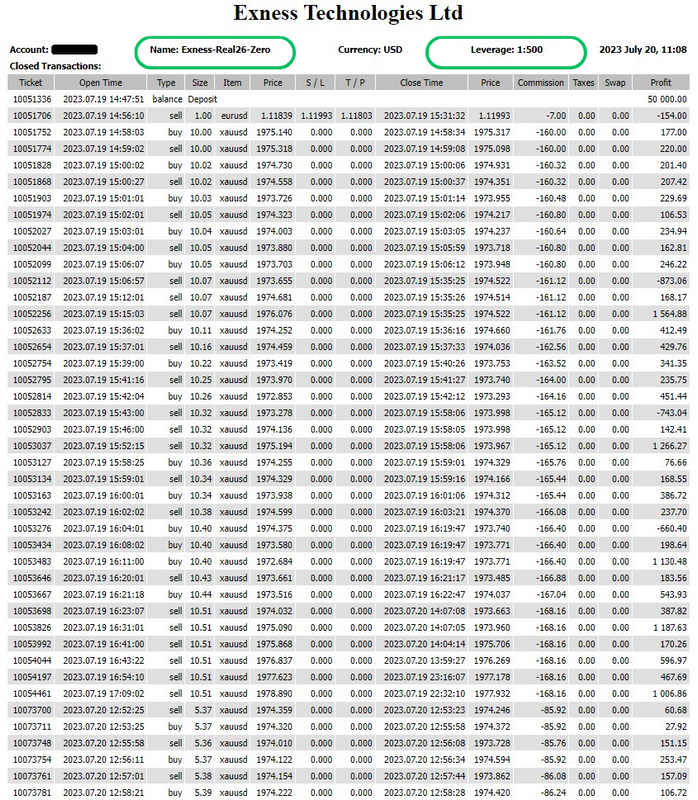

Maximus Gold Prime EA, the Ultimate V6 robot for gold on MT4
Maximus Gold Prime EA in its ULTIMATE VERSION is a fully automatic Expert Advisor for GOLD (XAUUSD) on the H1 timeframe. It protects every position with a trailing stop loss, and it sizes each order from your own balance, so the risk follows the account instead of a fixed number.
What the Maximus Gold Prime EA needs
- PLATFORM: MT4
- TF: H1
- PAIRS: GOLD (XAUUSD)
- MIN DEPOSIT: $1000
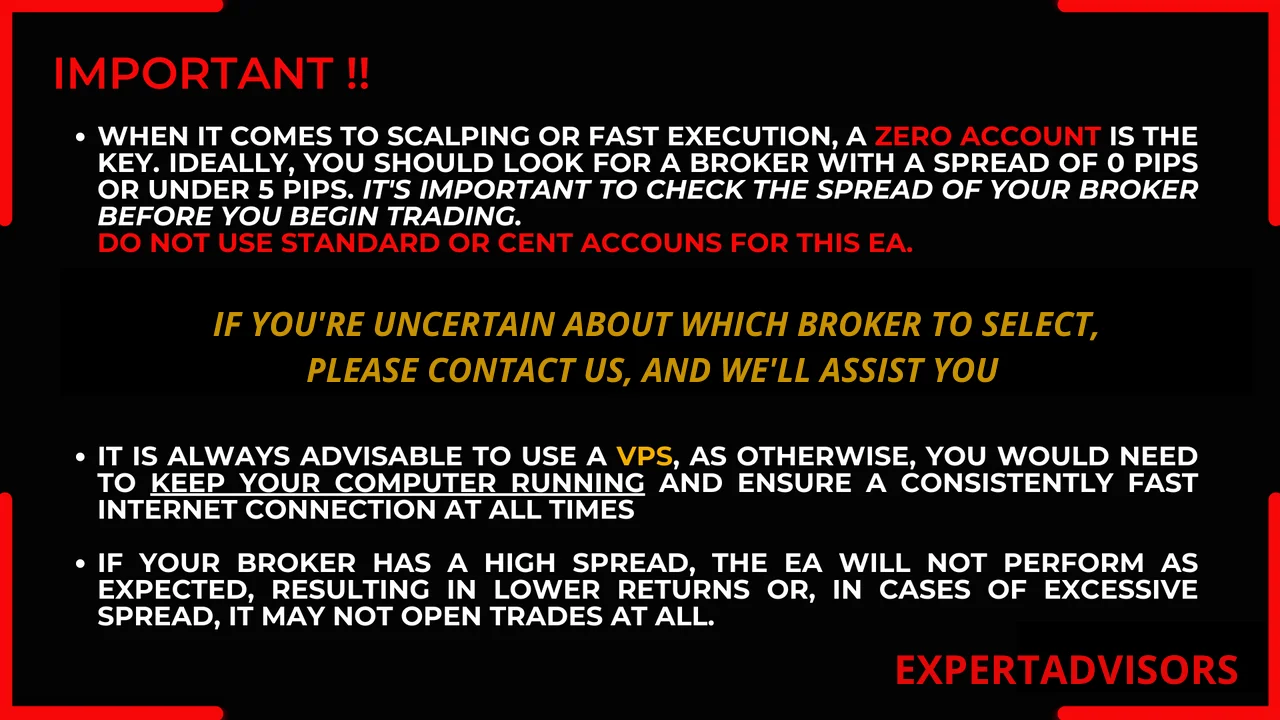
- ACCOUNT: Zero Spread / ECN
- LEVERAGE: 1:500
Inside the engine
- The robot utilizes trailing stop loss protection, with the trailing stop set at a distance of 5 pips from the current market price, and it adjusts the stop loss when the price moves at least 75 pips. The risk per trade can be adjusted using the “Risk” input, but by default it is 1%, and the lot size comes from the account balance and the risk settings. Without using Martingale Method.
- During the trading hours set between “TimeStart” and “TimeEnd”, the EA opens buy (OP_BUY) and sell (OP_SELL) orders based on the market conditions. Additionally, it offers averaging capabilities by increasing the lot size using the “UpLot” input.
- Maximus Gold Prime EA is 100% automatic, but it also provides information and buttons on the chart for users to initiate manual trades, both buy and sell orders. Users can monitor the minimum stop level, current profit percentage, account balance, and equity through the displayed information.
Please, be aware that the “Default” configuration has been fully optimized, and as such, no presets are provided, nor should any modifications be made to it.
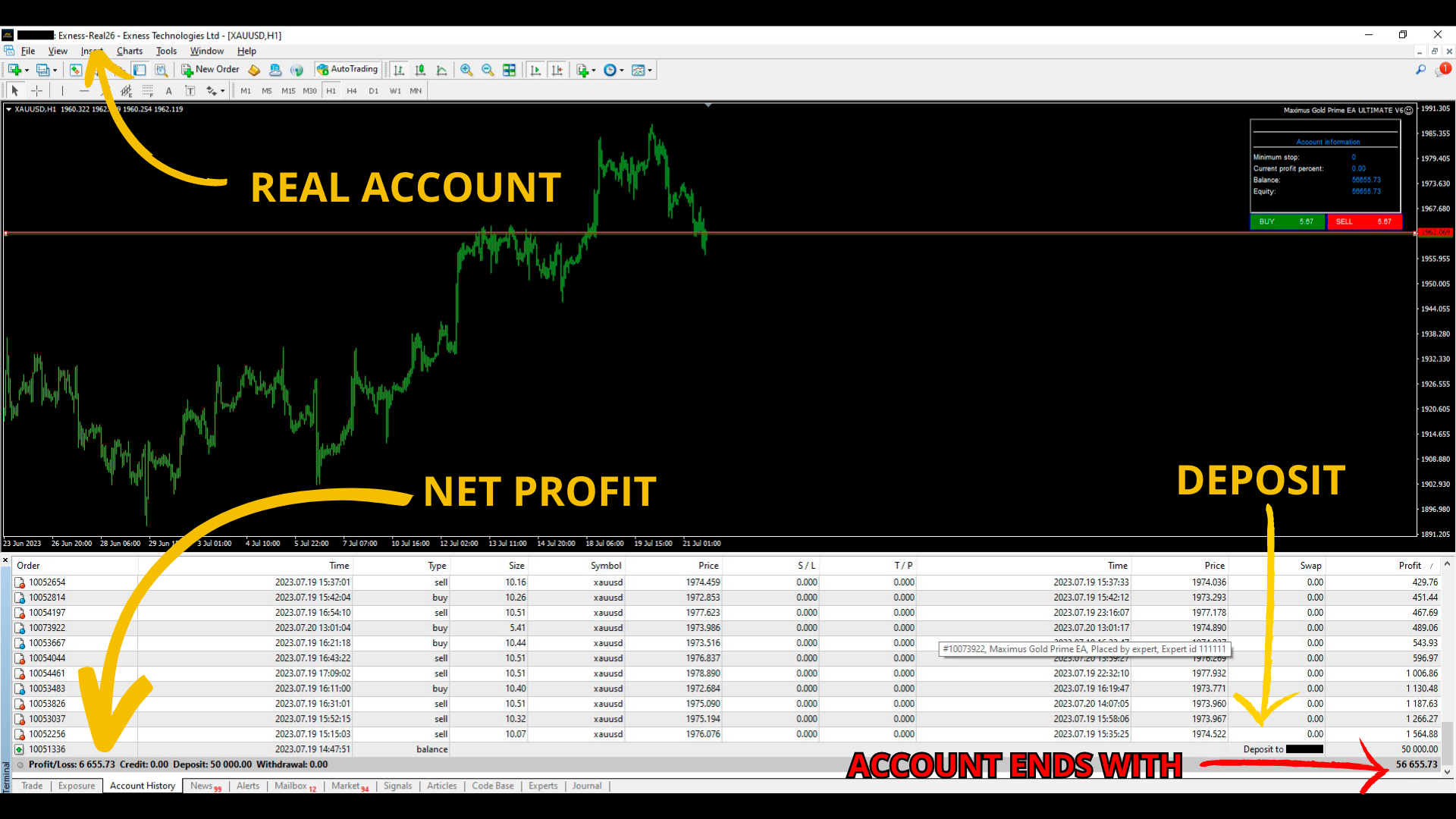
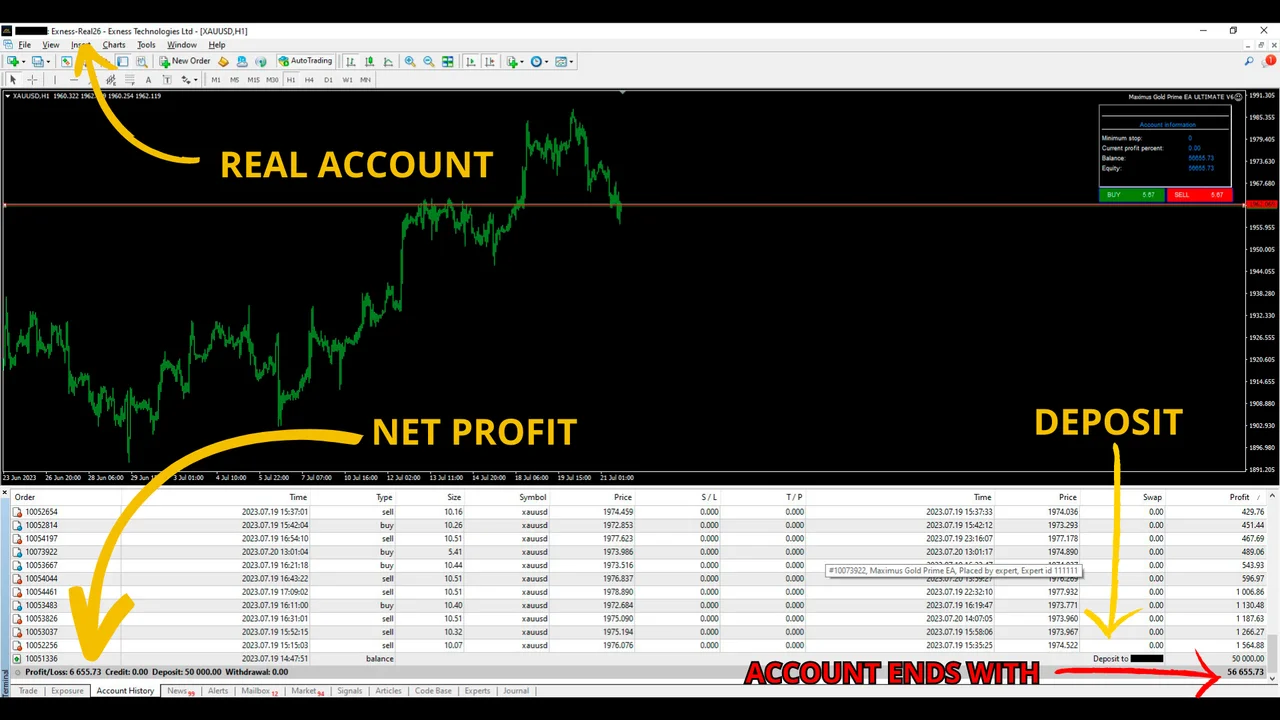
Three hours on a large account
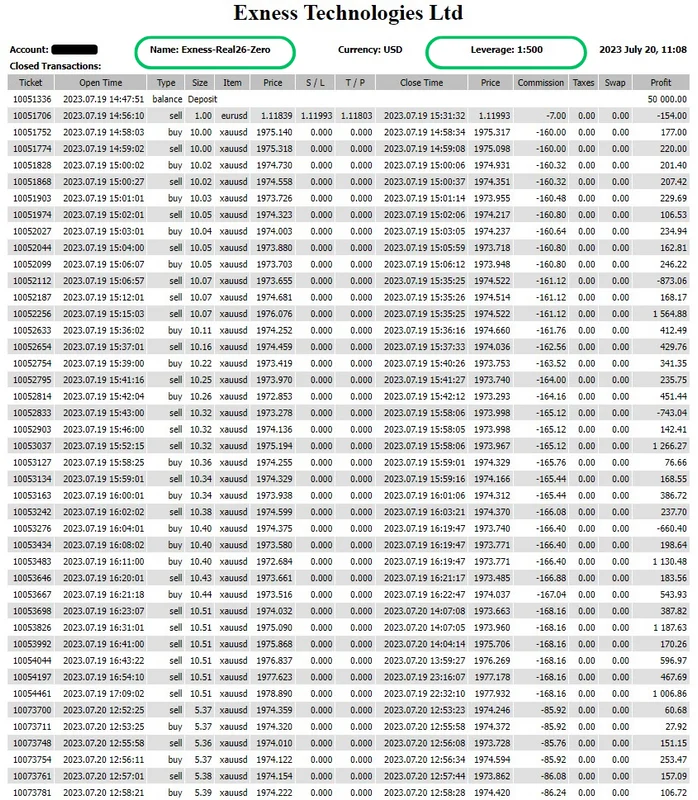
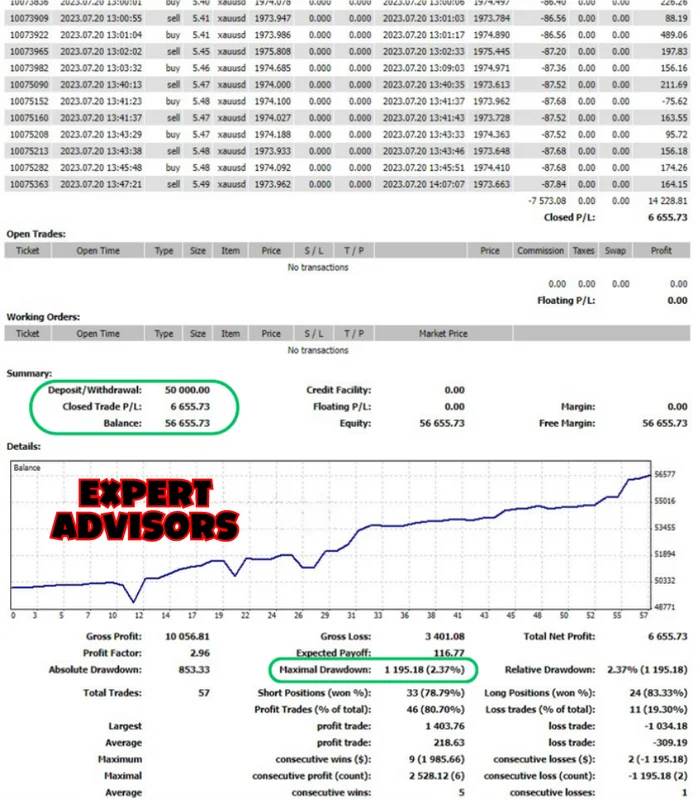
Ok, what? What happened here?
- We activated the EA on July 19, 2023, at 14:56:10 (around 15:00 hours).
- Later, we deactivated it on the same day, precisely at 17:09:02 because we have to rest.
- So, it ran for approximately 2 hours on the 19th.
- Then, we reactivated the EA (next day) on July 20, 2023, at 12:52:25 (around 13:00 hours).
- After running for about 1 hour on the 20th, we deactivated it at 13:47:21 (around 14:00 hours).
- So, the EA ran for a total of 3 hours and achieved a profit of $14,228.81. After deducting the commissions ($7,573.08), we were left with a net profit of $6,665.73.
Why we pay those commissions
Many unprofitable traders will tell us that we are crazy, that they are fine with a Standard account because they pay “less”. Well, nope, that is not the case.
Why do you think Zero or Pro accounts exist? For the absent-minded? No, traders, these accounts are designed to provide certain advantages, including Zero Spread and low slippage, even if it means paying commissions. We understand the importance of these features and are willing to invest accordingly to ensure the execution we need.
Using a high-frequency EA and expecting profits with a 10 or 15-point spread is unrealistic. With such spreads, trades can open far from their intended levels, affecting potential gains. It is crucial to grasp these concepts.
Additionally, traders should be aware that they still indirectly pay through the spread to their brokers. Unfortunately, the exact impact of spread on their trades remains concealed, so they stay uncertain about how much they lose due to it. Your trading platform shows the commission line, while the spread cost hides inside the price itself.
One day on a $1000 account
After witnessing the effective management of a sizable capital, let us now explore the performance of the robot when dealing with a smaller capital.
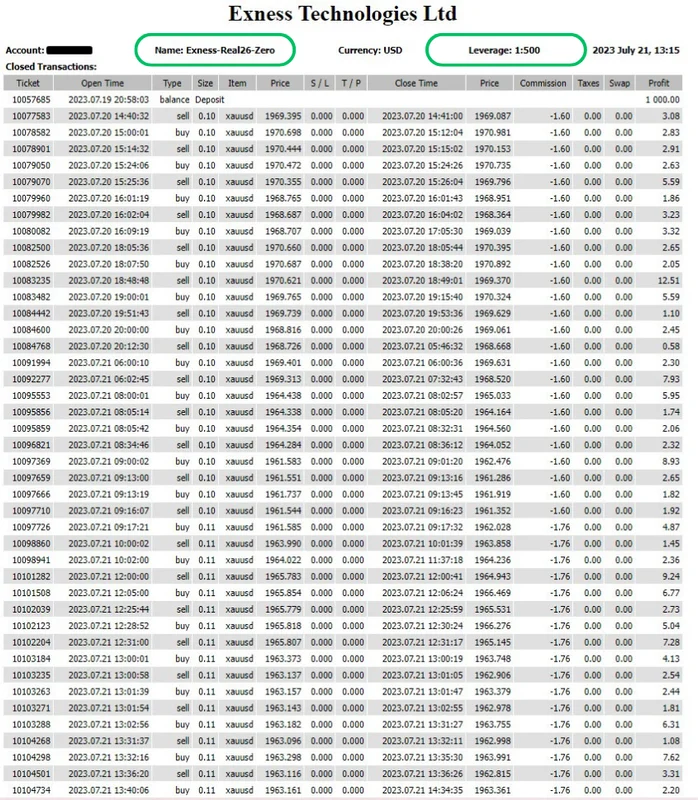
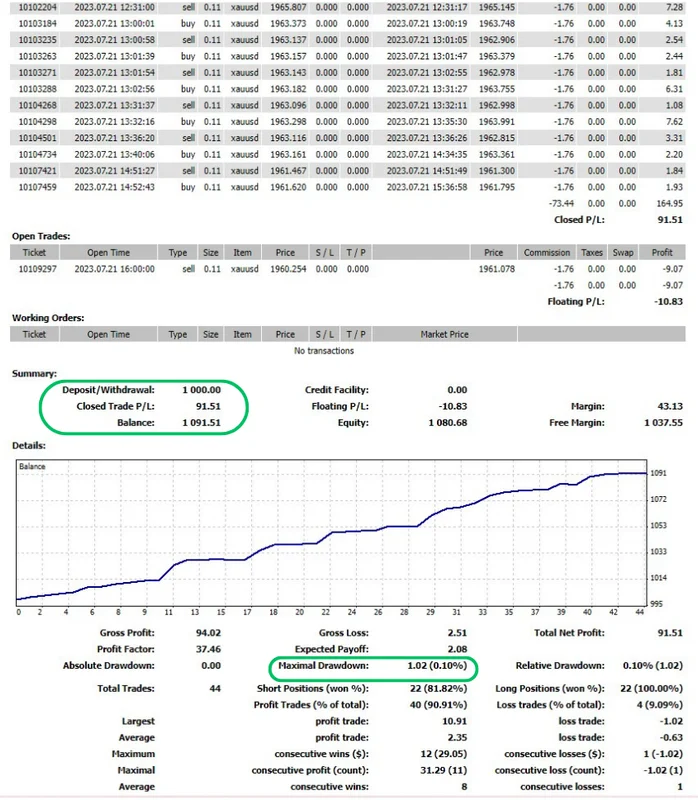
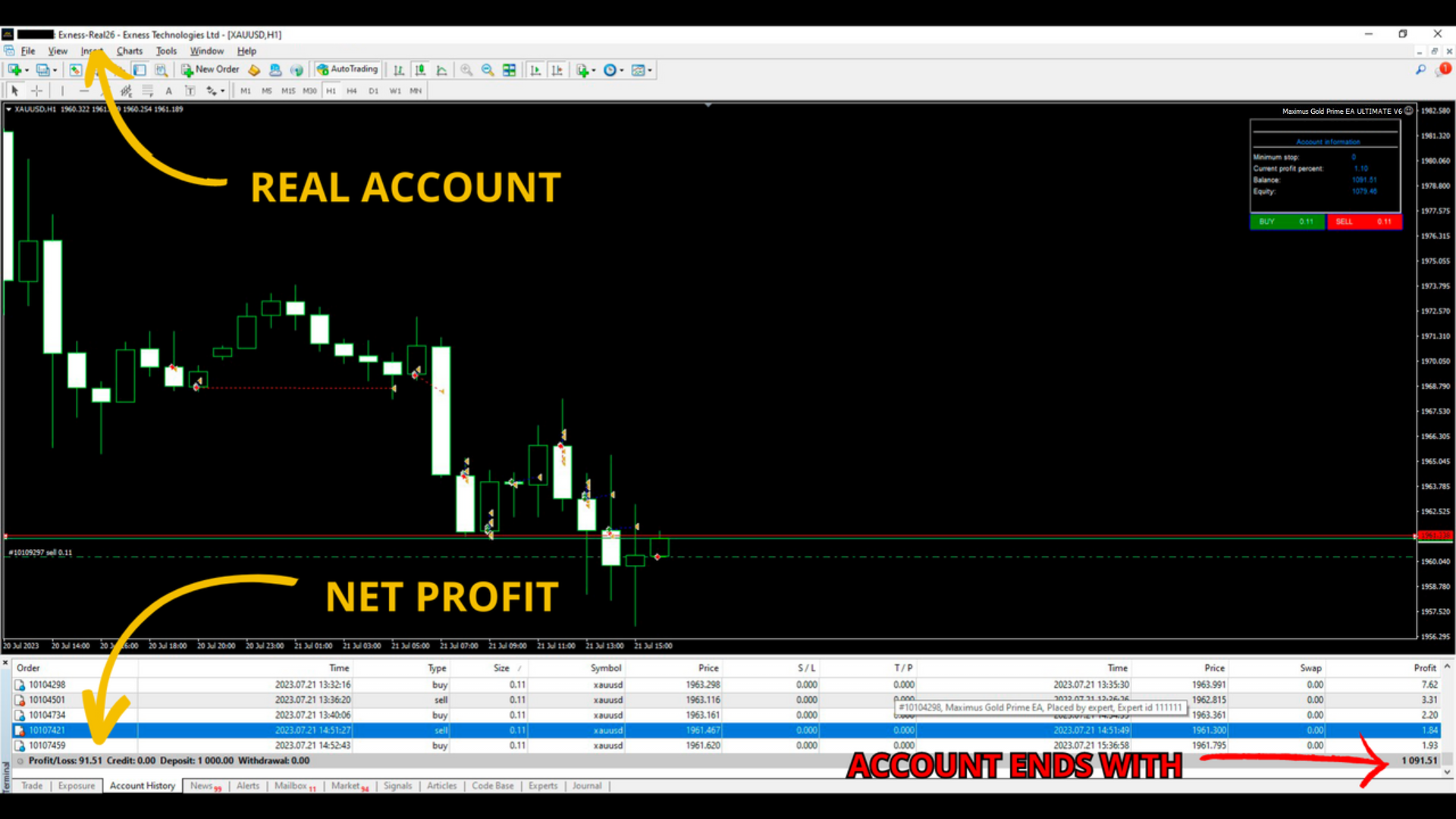
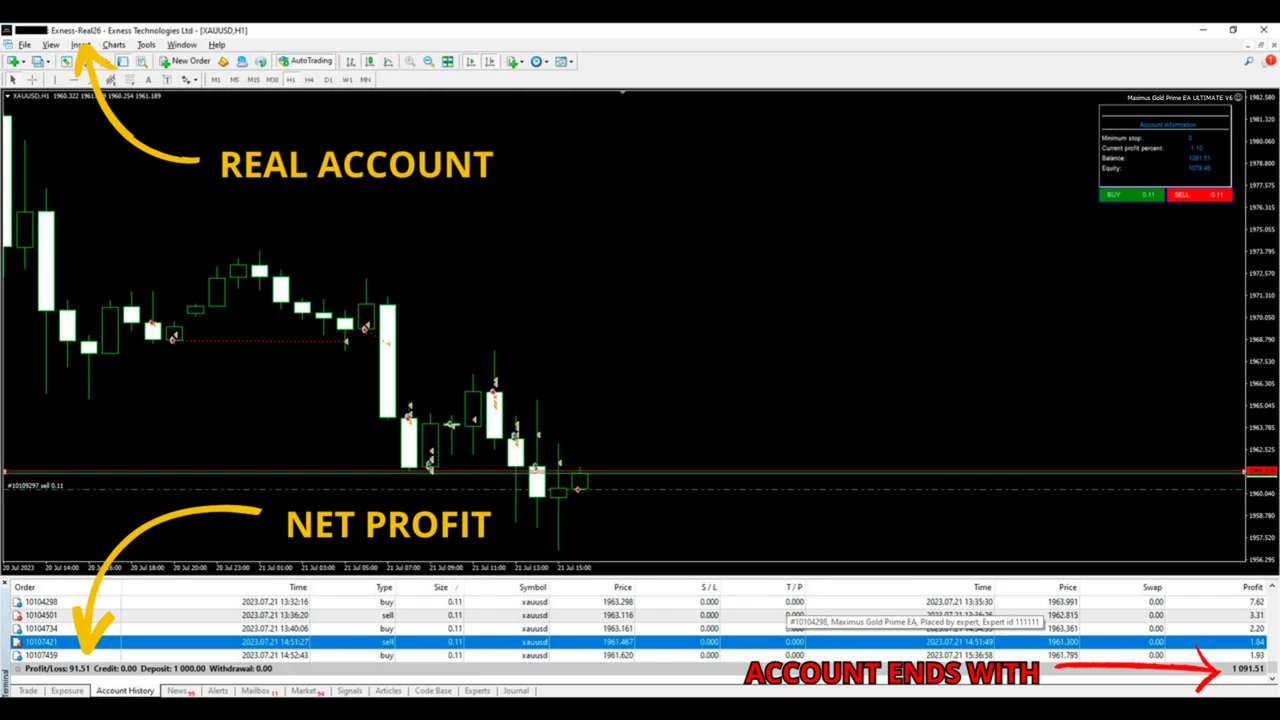
Great! We have allowed Maximus Gold Prime to run on this account for 24 hours to assess its performance with a smaller real capital of $1000.
- At the end of 24 hours, the robot had earned $164.95.
- After deducting the commissions of $73.44, we were left with a net profit of $91.51.
Totally amazing for just one day of trading.
Insights before you run the Maximus Gold Prime EA
- It is essential to emphasize that while the EA exhibits a remarkably low Drawdown (DD) as evident in the statement, we have observed occasional drops of 10 to 20% during specific trading moments. Unfortunately, these interim fluctuations are not reflected in the Detail Statement, as it solely displays closed trades and the overall DD at the end of all transactions. We find it crucial to highlight this point, so you are fully aware of the actual risks associated with the performance of the robot.
- We highly recommend actively monitoring the robot by checking it once or twice a day. It is important not to succumb to greed and consider withdrawing your profits regularly. Additionally, if you are using a large account with substantial capital, we advise against taking unnecessary risks. Limit your usage to a few hours a day to ensure prudent and responsible trading practices.
- We cannot stress enough the importance of using a fast-running Zero Spread account specifically tailored for the optimal performance of this robot.
- This EA cannot run in the strategy simulator of the platform, because the pass stops with a critical error. Please run it on a Demo account until you fully understand its functionality.
How to install it on MetaTrader 4
- First, open MetaTrader 4 and click File > Open Data Folder.
- Then copy the robot into the Experts folder inside that data folder.
- After that, refresh the Navigator, so the robot appears in the list.
- Next, drag it onto a GOLD (XAUUSD) chart and set the timeframe to H1.
- Also, leave the default configuration untouched, as we explained above.
- Finally, switch AutoTrading on and watch the panel on the chart.
Looking for other automated robots? Then browse all our Expert Advisors and compare them side by side.
Trading leveraged products carries a high level of risk to your capital. Past results do not guarantee future results. You trade at your own risk.