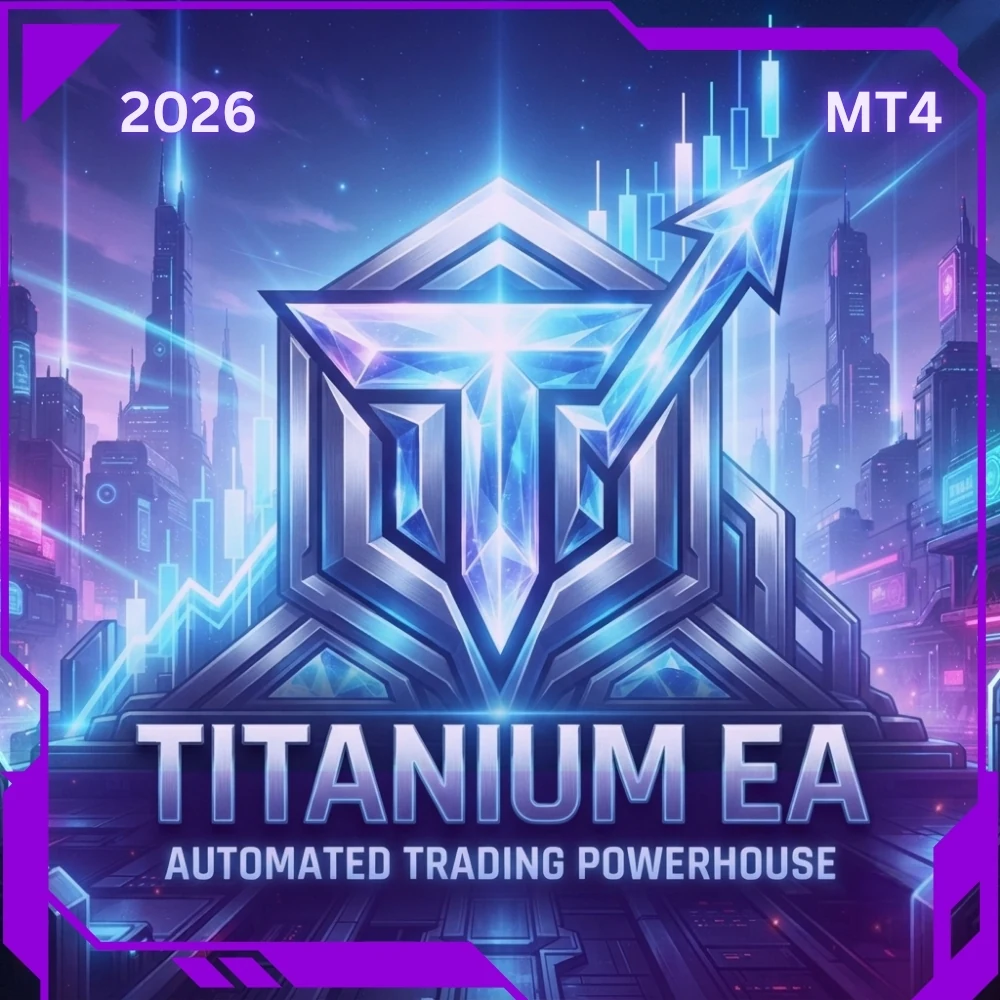
Titanium, the metals EA for MT4 that waits for the trend.
Titanium is a fully automated metals EA for MT4, and it works best where trends run cleanest. That means commodities, every precious metal on your platform and trending stocks. Selective by nature, the robot waits for the right conditions instead of forcing a trade.
Last month with the metals EA for MT4
Titanium ran across Brent oil, metals, Forex and trending stocks on the M5 timeframe, from a 100 dollar account and with a 2 percent daily profit lock. Brent oil, NEM and EURCHF led the group, shown here as account growth.

Multi pair last month (M5, 100 dollar account)
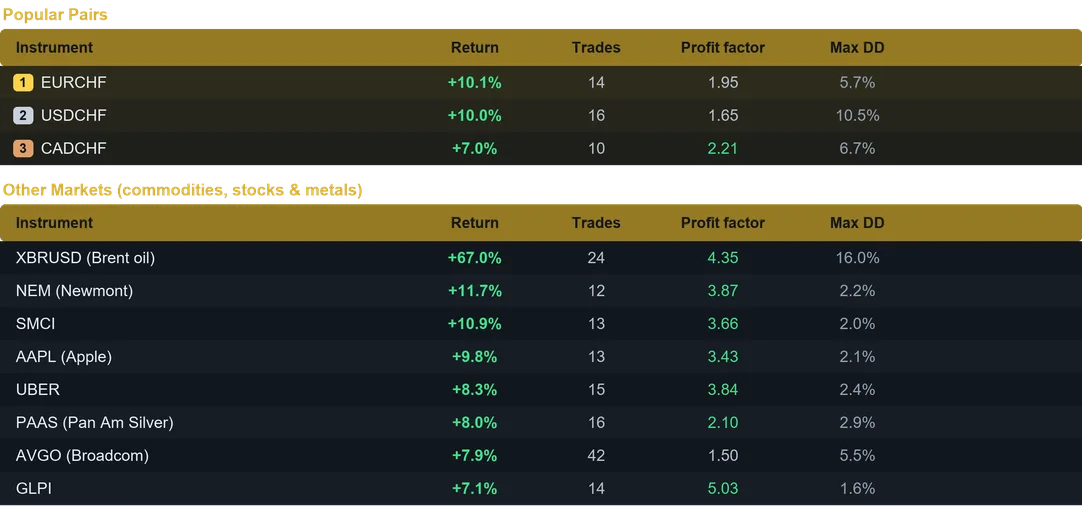
Results from last month on the M5 timeframe. Past performance does not guarantee future results.
Selective by design
Clean trends do not show up every hour. This metals EA for MT4 therefore skips the choppy phases and keeps its powder dry. Once a move finally sets in, break even and dynamic trailing let the position follow it, while the daily loss limit keeps a poor session short.
Installing the metals EA for MT4 in MetaTrader 4
Setup takes about a minute. First, open MetaTrader 4 and click File, then Open Data Folder. Next, copy the .ex4 file into the Experts folder inside that data folder. After that, refresh the Navigator panel, drag Titanium onto an M5 chart and enable AutoTrading. Finally, repeat the drag on every symbol you want to follow, because each chart needs its own copy.
Why traders pick this metals EA for MT4
- Strongest on commodities and metals.
- Standout result on Brent oil.
- Selective, quality focused entries.
- Built in 2 percent daily profit lock.
- Beginner friendly, with a clean dashboard.
Inside the toolkit
- Smart position sizing, either fixed lot or automatic risk percent of balance.
- Protective stop loss and take profit on every position.
- Break even and dynamic trailing to lock and then follow profit.
- Trading session control for Sydney, Tokyo, London and New York.
- High impact news avoidance during the busy releases.
- Daily profit target and daily loss limit for account safety.
- Weekend shield that closes trades before the weekend gap.
- Unique magic number, so it runs alongside your other robots.
Several charts, a single account
Ten terminals are not necessary. Instead, fund one account, attach Titanium to several charts and set position sizing to Fixed Lot. Every symbol then keeps a controlled size, while the profits add up in the same balance. Because the robot follows its trades per symbol, the same magic number stays safe on each chart. For maximum compounding, run one symbol per account with Risk percent.
Recommended use
- Timeframe: M5. Minimum capital: 100 USD per instrument.
- A VPS keeps MetaTrader 4 up for the whole trading week.
- Try it on a demo account first, then go live with an amount you accept to risk.
- Finally, the user guide and the Inputs tab give the suggested symbol and balance.
Available for both MetaTrader 4 and MetaTrader 5. Instant download after purchase. Free updates for life. Questions? Write to info@binaryforexea.com.
Running MetaTrader 5 as well? Then add Titanium for MT5. Looking for other automated robots? Browse all our Expert Advisors.