
TurboBullion Pro, the gold pro EA MT5 you plug in and leave alone
TURBOBULLION PRO EA is a 100% automated high frequency (HFT) scalper built for XAUUSD (Gold) on the M1 timeframe. In short, this gold pro EA MT5 fires ultra fast trades, rides the move while price runs in our favor, and lets you withdraw profits daily or weekly.
What the robot needs
- Platform: MT5. Timeframe: M1.
- Pair: GOLD (XAUUSD), the classic bullion market.
- Minimum deposit: from $200.
- Leverage: 1:500.
- Account: scalping (ultra low spread) or ECN accounts only.
BRUTAL PROFITS 2026 + DAILY OR WEEKLY WITHDRAWAL
How this gold pro EA MT5 handles a trade
- Each trade opens with a controlled risk per trade used for lot sizing.
- Hidden SL and TP: the broker sees 0 on both, because the exit is decided in real time, so nobody can read it or change it by hand.
- When price moves in our favor, the robot trails it and locks profit until price reverses by 10 pips. As a result, the trail itself becomes the take profit.
- When price moves against us, it waits a prudent distance (minimum 200 pips on M1), then opens a second trade and averages both to close them in profit.
Requirements: a Zero spread or ECN account with fast execution and a stable connection or VPS. Moreover, no presets are needed, because the default settings are the ones we run.
NOW LET’S CHECK OUR LIVE TRADES!
Live trades from the gold pro EA MT5
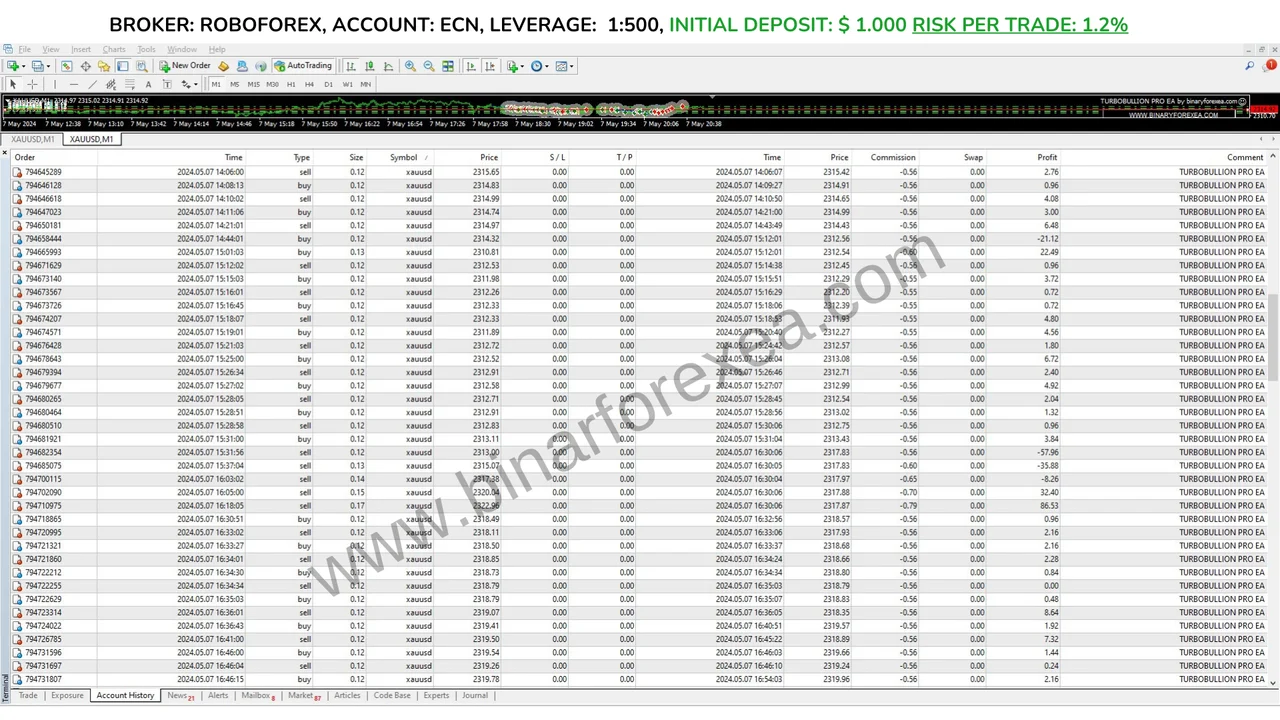
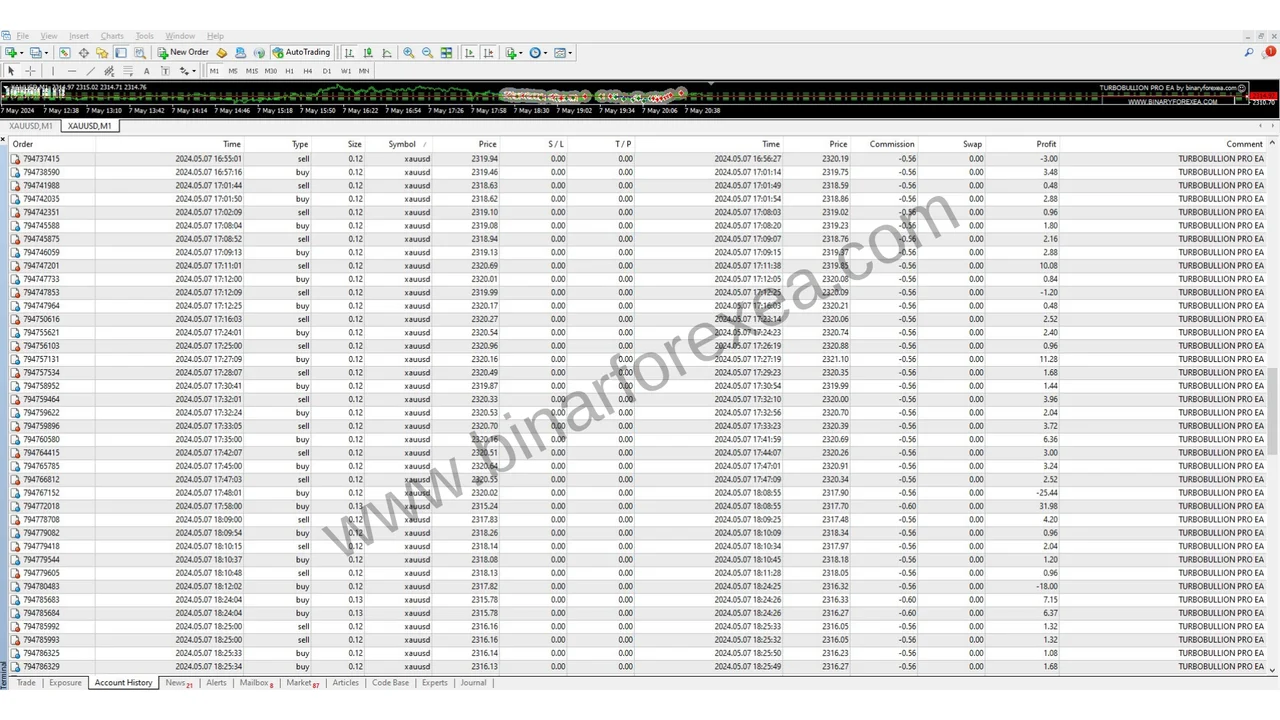
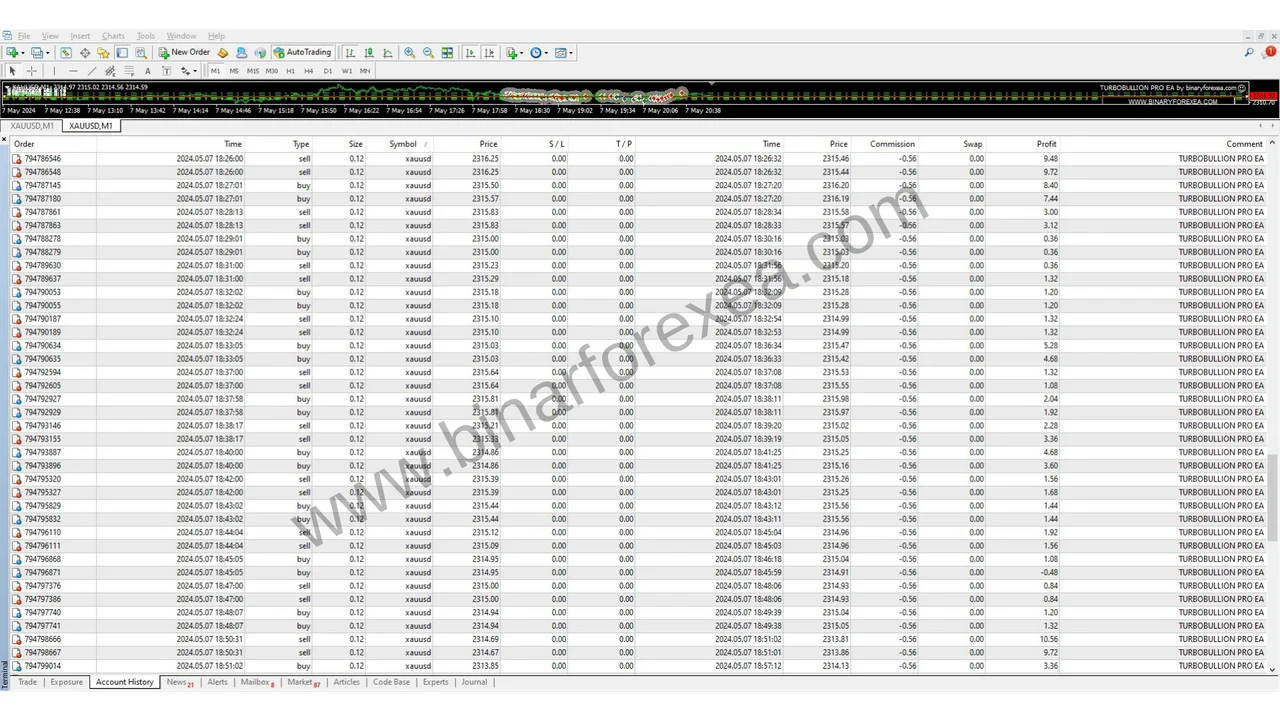
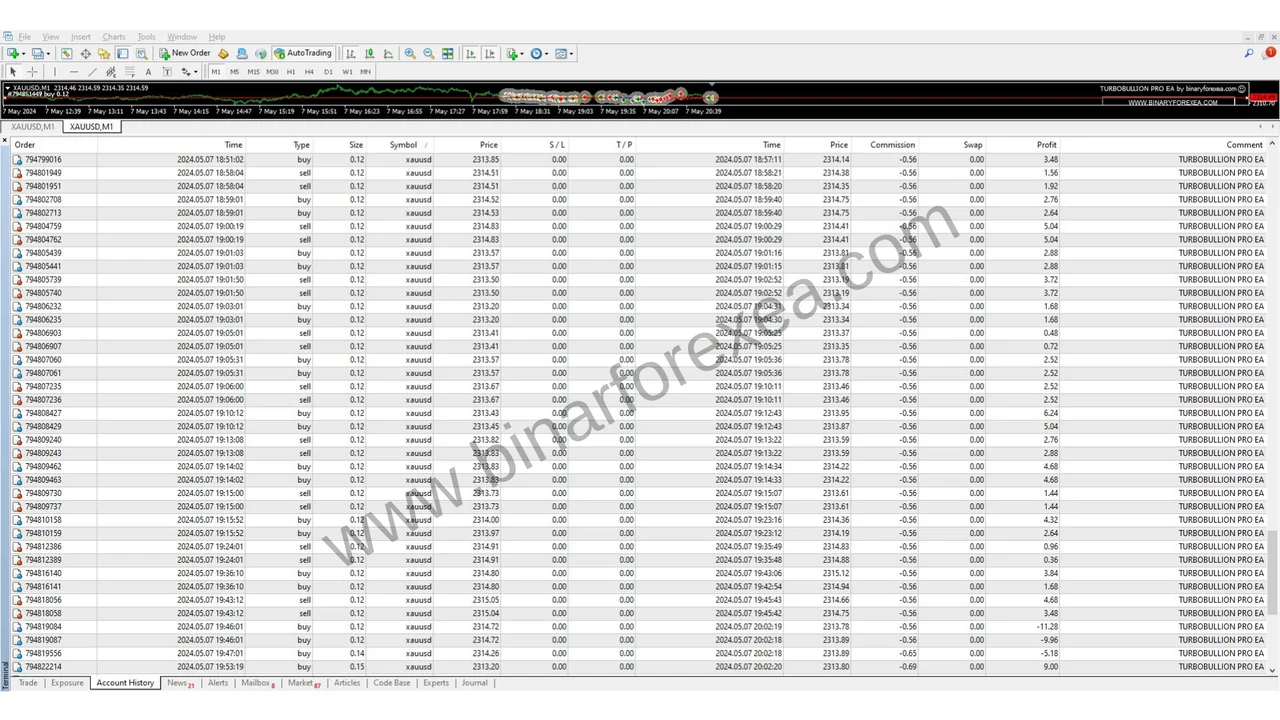
In a single session of about 8 hours the robot produced $420, roughly 40% of the initial capital, while the maximum drawdown stayed under $55 across all trades.
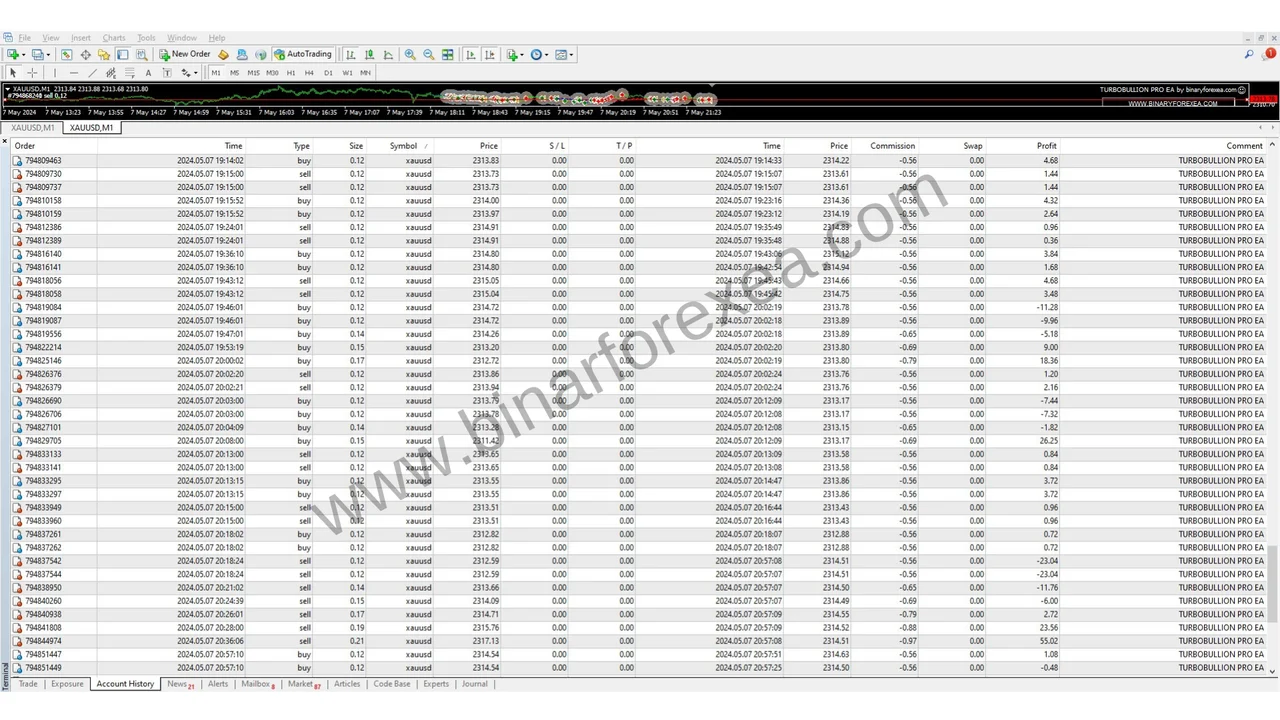
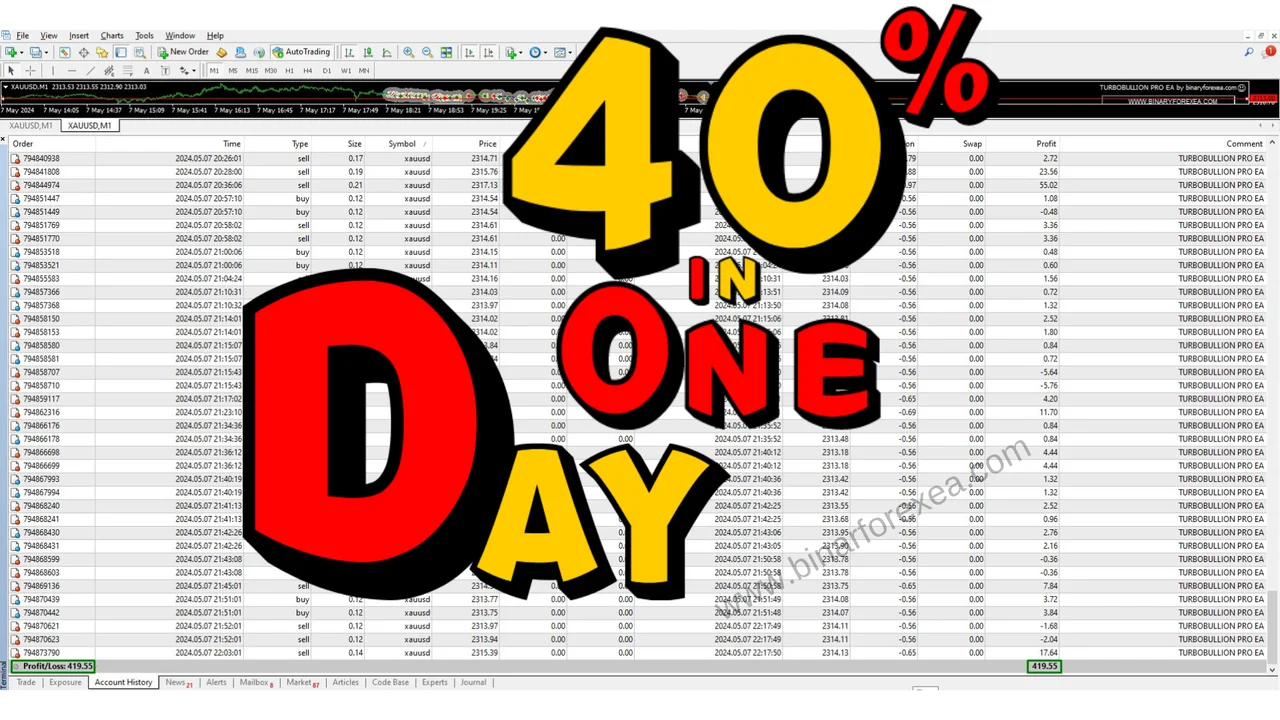
Setup on the XAUUSD M1 chart
- Open XAUUSD (Gold), set the timeframe to M1 and attach the robot.
- To reproduce these results set Risk to 1.2 on a Zero or ECN account.
- Run it on demo first until the logic feels familiar, and then go live. No presets are required, so leave the inputs alone.
Installing the gold pro EA MT5
First, open MetaTrader 5 and click File > Open Data Folder. Then copy the robot file into the Experts folder inside that data folder. Next, right click Expert Advisors in the Navigator and choose Refresh.
After that, drag it onto the XAUUSD M1 chart and switch Algo Trading on. Because the defaults are the ones we use, nothing else has to change.
You cannot reproduce this robot in a historical simulation, since its decisions combine volatility and volume in real time, which a simulation cannot recreate.
Risk note
Gold on M1 moves quickly, so respect the account size and the account type listed above. Trading leveraged products carries a high level of risk to your capital, and only money you can afford to lose belongs in it. Past results do not guarantee future results. You trade at your own risk.
Trading on MetaTrader 4 instead? Then get TurboBullion Pro for MT4. Looking for more automated gold robots? Browse all our Expert Advisors.